




FAQ
General questions
Answers to frequently asked questions about the accs-shop.store service
- How to buy accounts on the accs-shop.store marketplace?
-
To purchase accounts on the accs-shop.store marketplace, please follow these steps:
First, make sure to read the accs-shop.store marketplace rules.
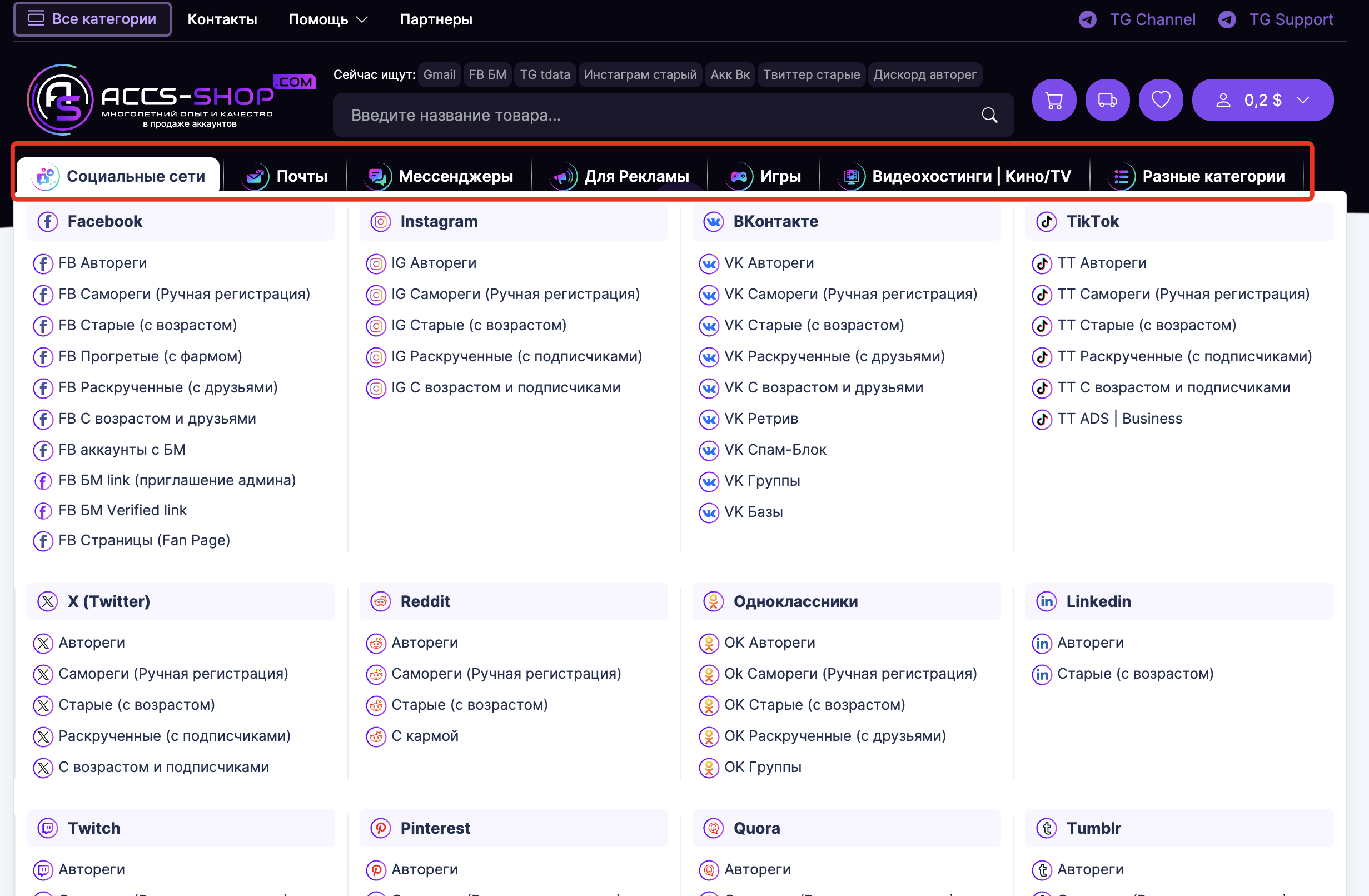
Navigate to the category or subcategory of the product you are interested in.
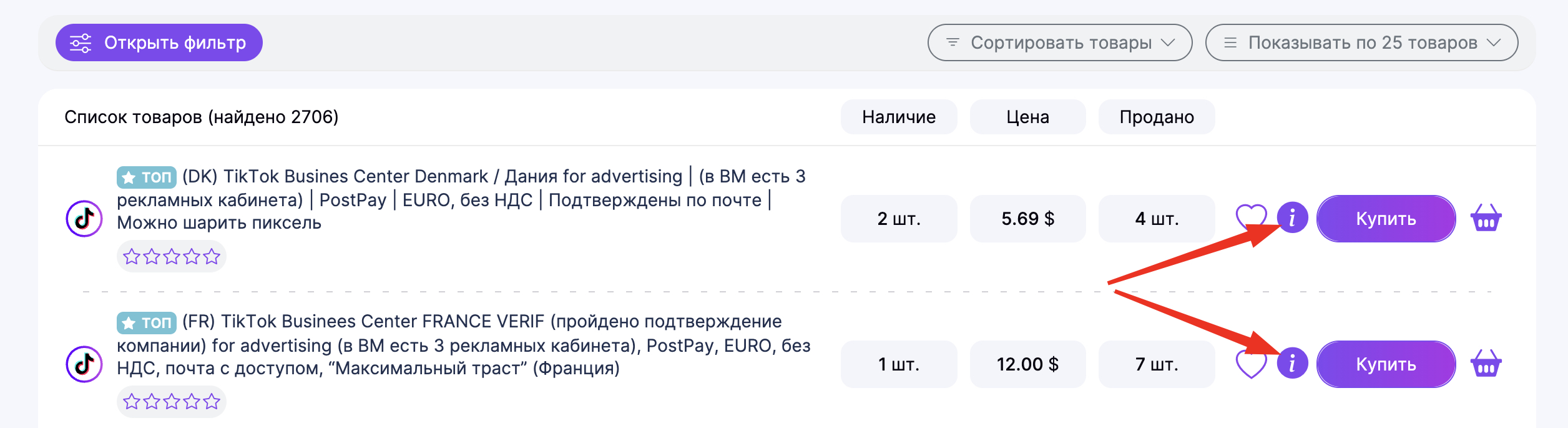
Once you have selected a product, you should read its full description. There are two ways to do this:
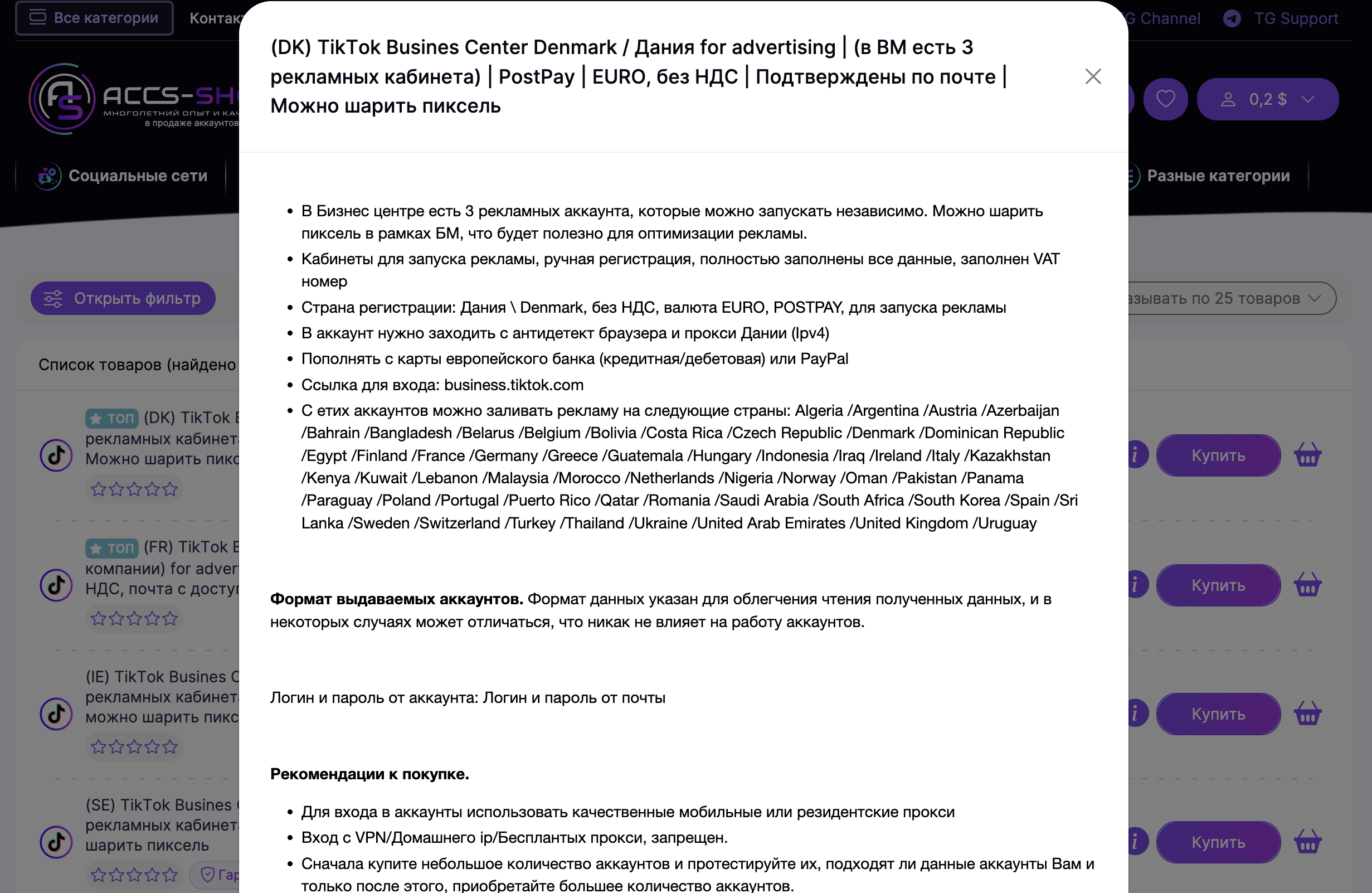
Method 1: Click the "i" (information) quick-view icon. This will open the full description in a pop-up without requiring you to leave the main page.
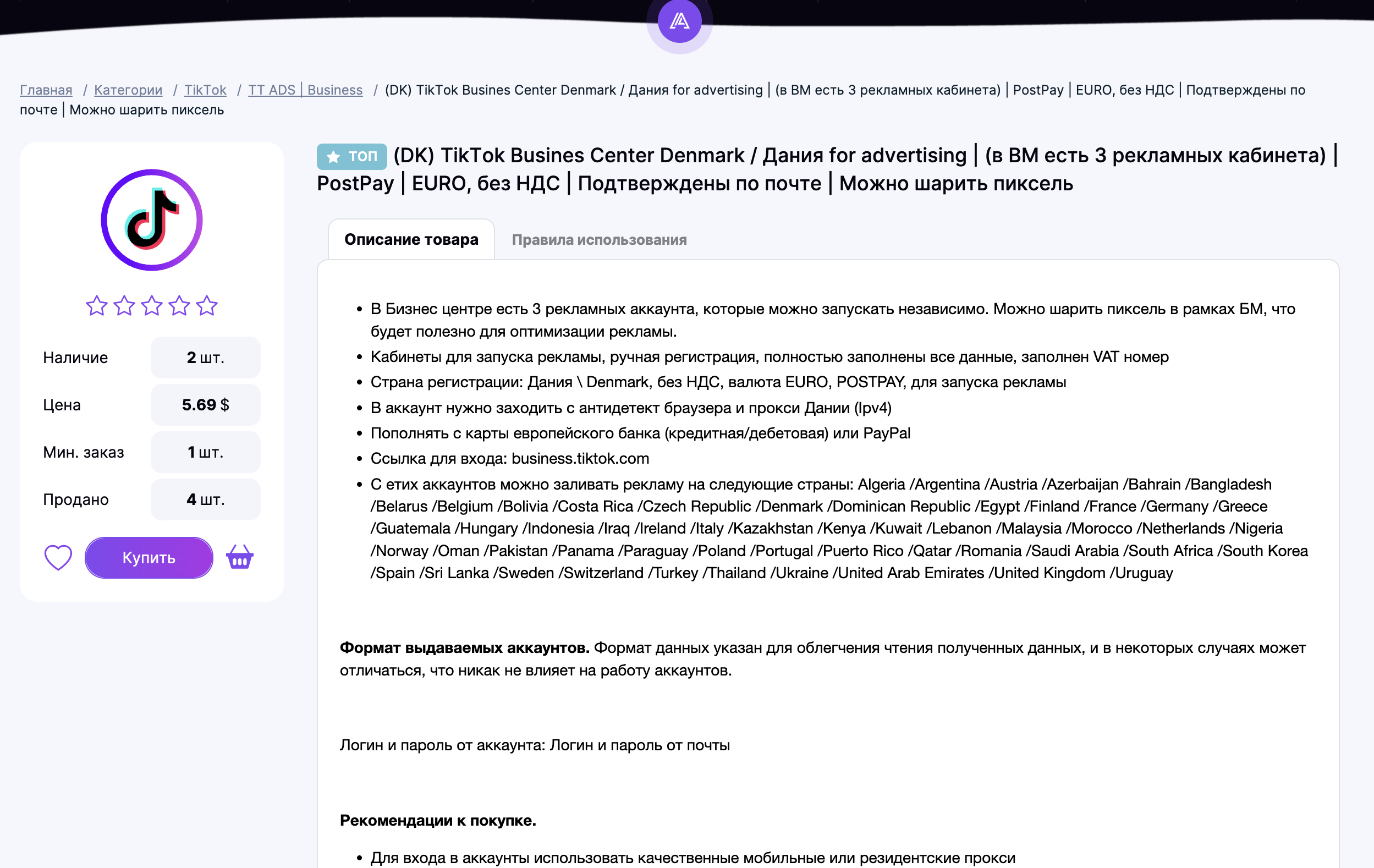
Method 2: Click on the product title to open its dedicated page with a detailed description.
After reviewing the description, click the "Buy" button. Enter a valid email address that you have active access to. Select the quantity you wish to purchase. If needed, check or uncheck the options to send a copy of the order to your email or Telegram. Verify the information you entered, select your preferred payment method, and click "Proceed to Payment."
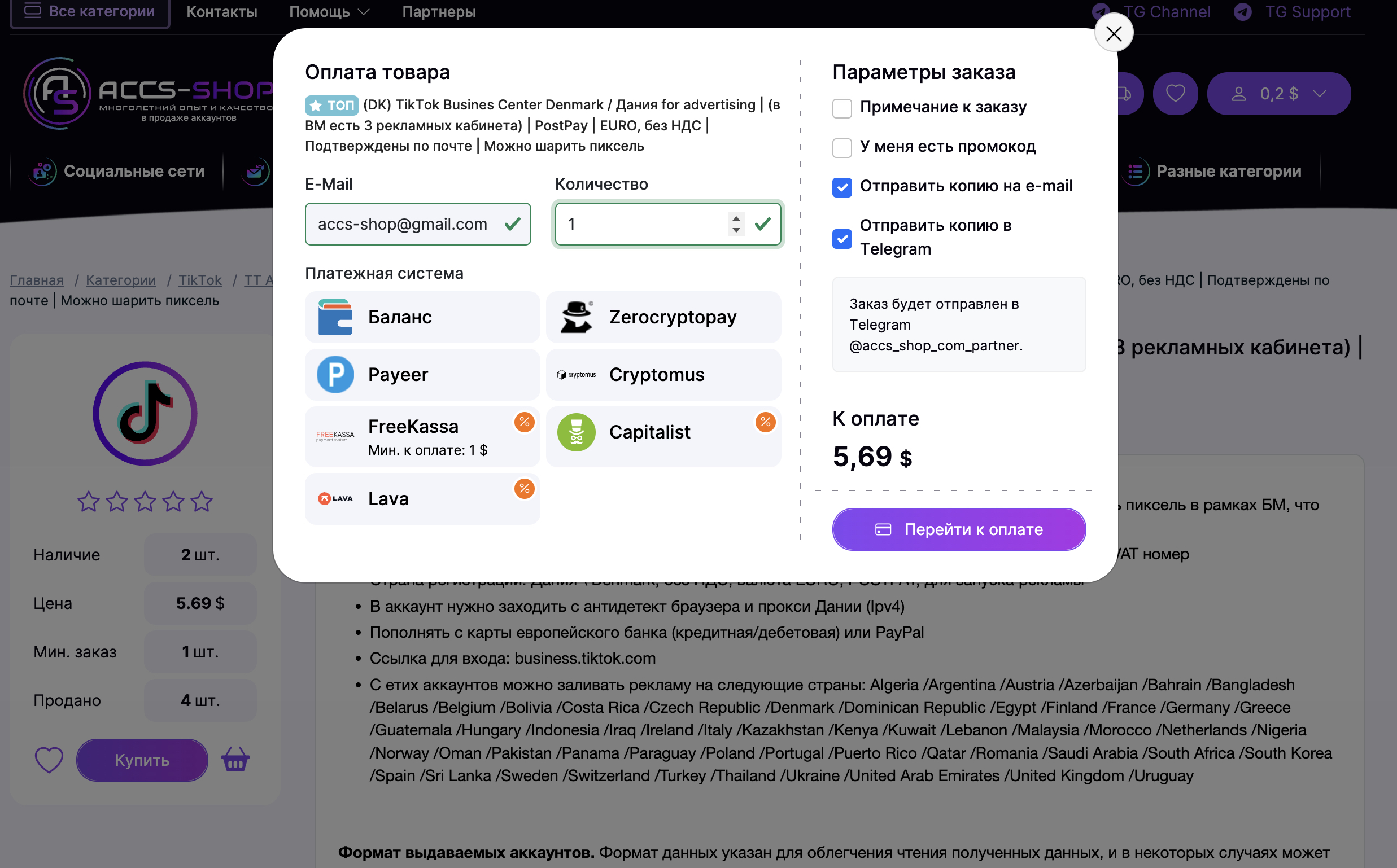
Once the payment is successful and verified by the payment system, you will be redirected to a page where you can download your purchased items. Additionally, if you selected "Send copy to e-mail" or "Send copy to Telegram," your order details will be sent to the contacts provided.
Please note: Orders may not process instantly; it usually takes a few seconds to a few minutes. If for any reason your order is not delivered automatically, please contact Support to resolve the issue.
- How do I find the product I need on accs-shop.store?
-
To find the exact account you are looking for—with specific features or specifications—you should use the search bar or the advanced filters.
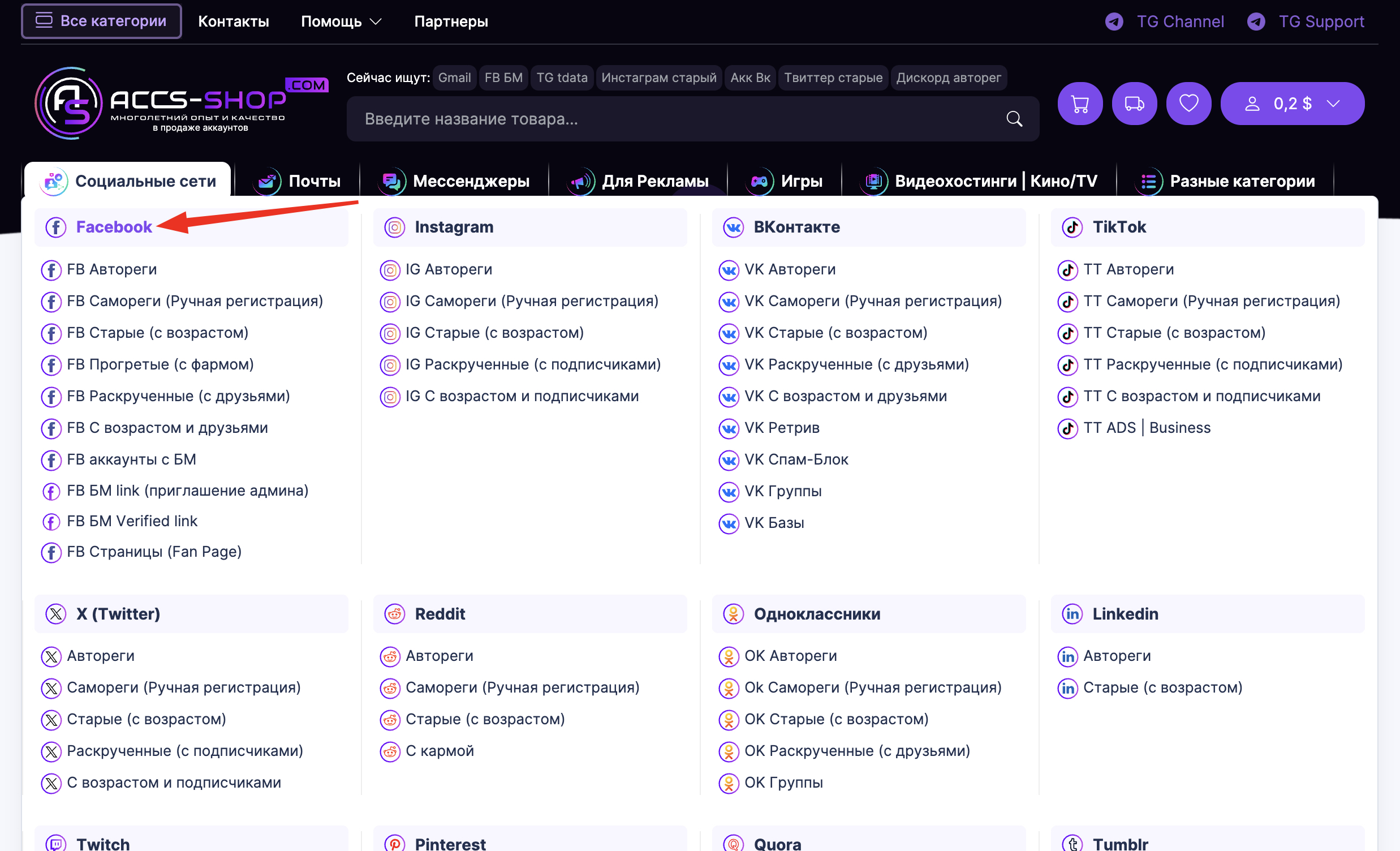
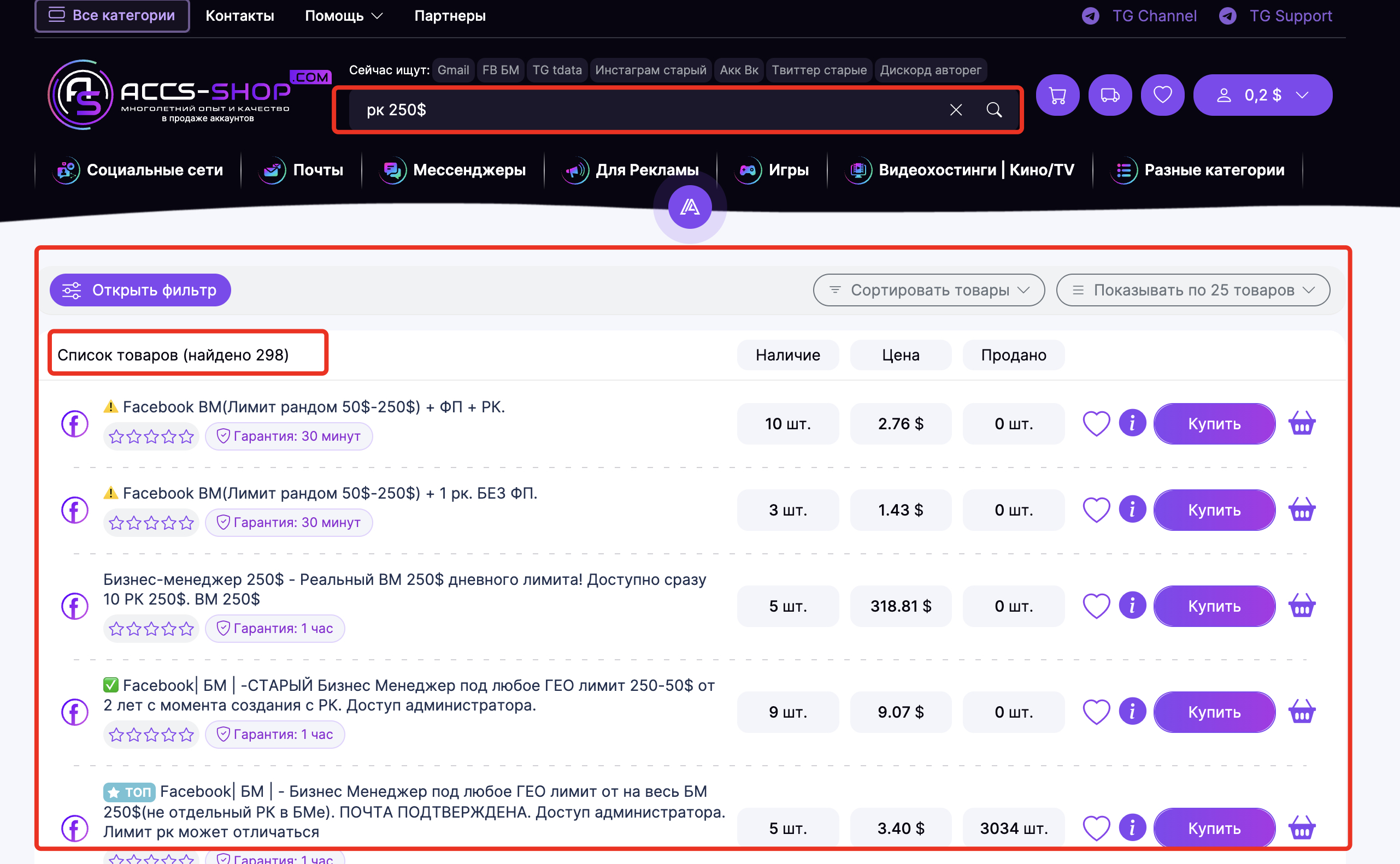
1. For example, let's say you need a Facebook account with an Ads Manager (BM) and a $250 limit.
Navigate to the Facebook category, type "250$" into the search bar (without quotes), and press Enter.
2. If you want even more precision, use the filters, or combine filters with search.
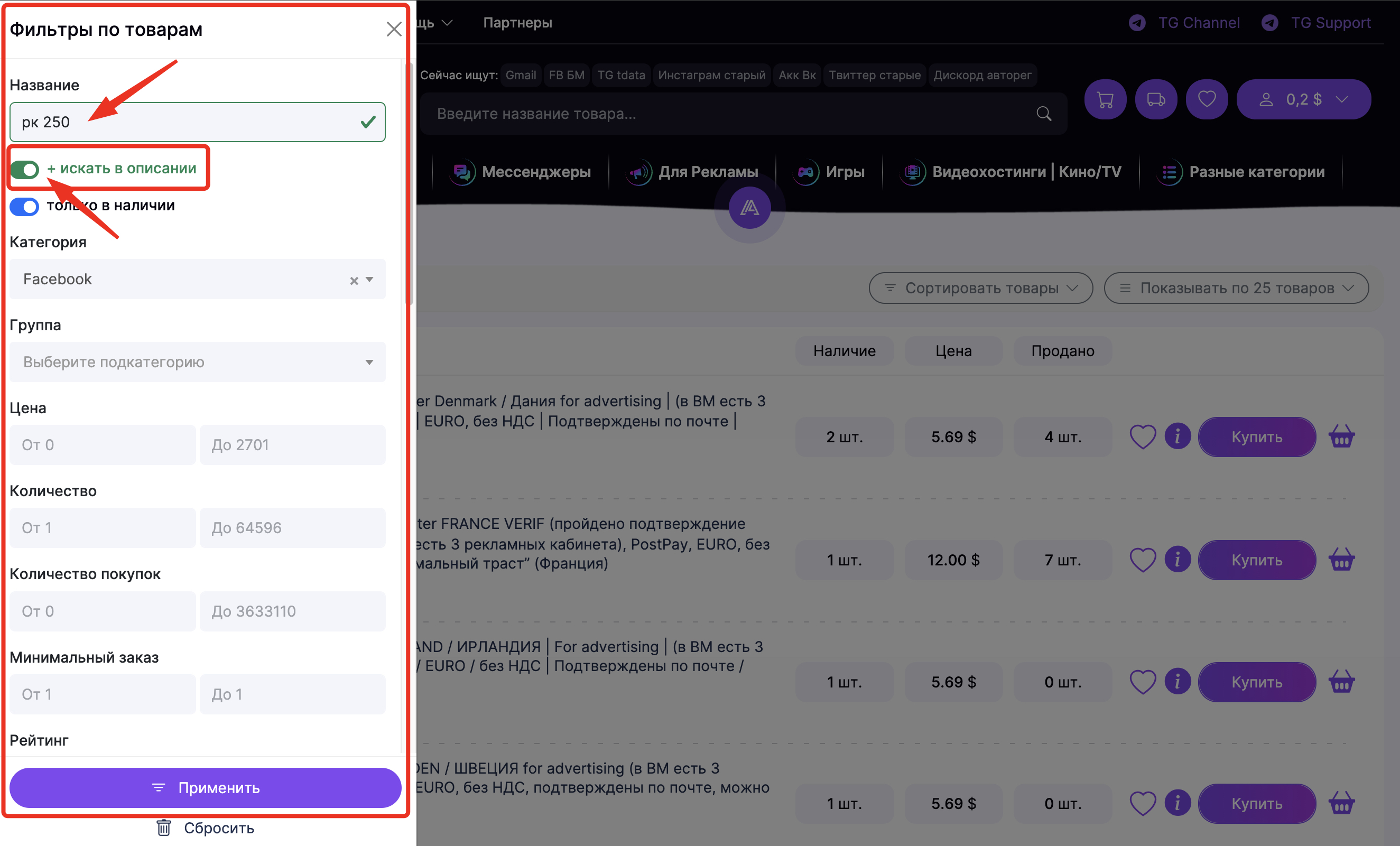
In the filter menu, enable "Search in description" if you want to find specific keywords within the product details, and enter them in the search bar.
Next, scroll through the filters and select the account features you need. For example: country of registration, email included, registration method, etc.
This allows you to narrow down the results to find the items that perfectly match your criteria.
- How do I log in to my purchased account?
-
The login method depends entirely on the type of account(s) you purchased.
Currently, the vast majority of accounts are supplied with Cookies. This is the fastest and most secure way to access an account.
Some accounts—such as Discord, Twitter (X), VK, and others—allow for login via a Token. Think of this as a variation of a cookie; it is also considered a faster and more secure login method.
The standard login method is using credentials (Username and Password).
1. If your purchased product includes cookies in the delivery format, use them to log in, even if the package also includes a username and password.
- Learn how to import account cookies into your browser here.
2. If you purchased an account that includes a Discord or Twitter token, you must use it for logging in.
- Learn how to log in to a Discord account via token here.
- Learn how to log in to a Twitter (X) account via token here.
3. If you purchased an account that only provides a username and password, you should use an anti-detect browser to log in. This minimizes the risk of the account being flagged or blocked during login and subsequent use.
4. General recommendations for account access:
- Always use an anti-detect browser;
- Always use high-quality proxies. Residential or mobile proxies are highly recommended, regardless of how many accounts you are managing;
- Use proxies from the same country where the account was registered (if specified in the product description);
- Utilize all data provided in your order, such as the UserAgent, Cookies, and Tokens.
Following these steps will significantly minimize the risk of account suspension.
- Do I need to register on accs-shop.store to purchase an account?
-
Registration is not required to purchase an account. The most important thing is to provide a valid, active email address that you can access.
However, registered users enjoy several advantages, such as:
- The ability to top up your balance and use it for future purchases;
- Quick and detailed access to your entire order history;
- Adding preferred items to your "Favorites" list;
- Blacklisting specific products so they no longer appear in your search results;
- Hiding products that didn't meet your needs to ensure they don't show up for you on the site again;
- Access to many other exclusive features that are unavailable to guest users.
- How can I contact the supplier?
-
Unfortunately, that is not possible, as we do not provide the contact information of our suppliers.
You can resolve any questions or concerns you may have by contacting our Support Team.
- I bought an account, but the file contains a random string of letters and numbers. What is this?
-
First, you should check the full product description and the delivery format for the item you purchased.
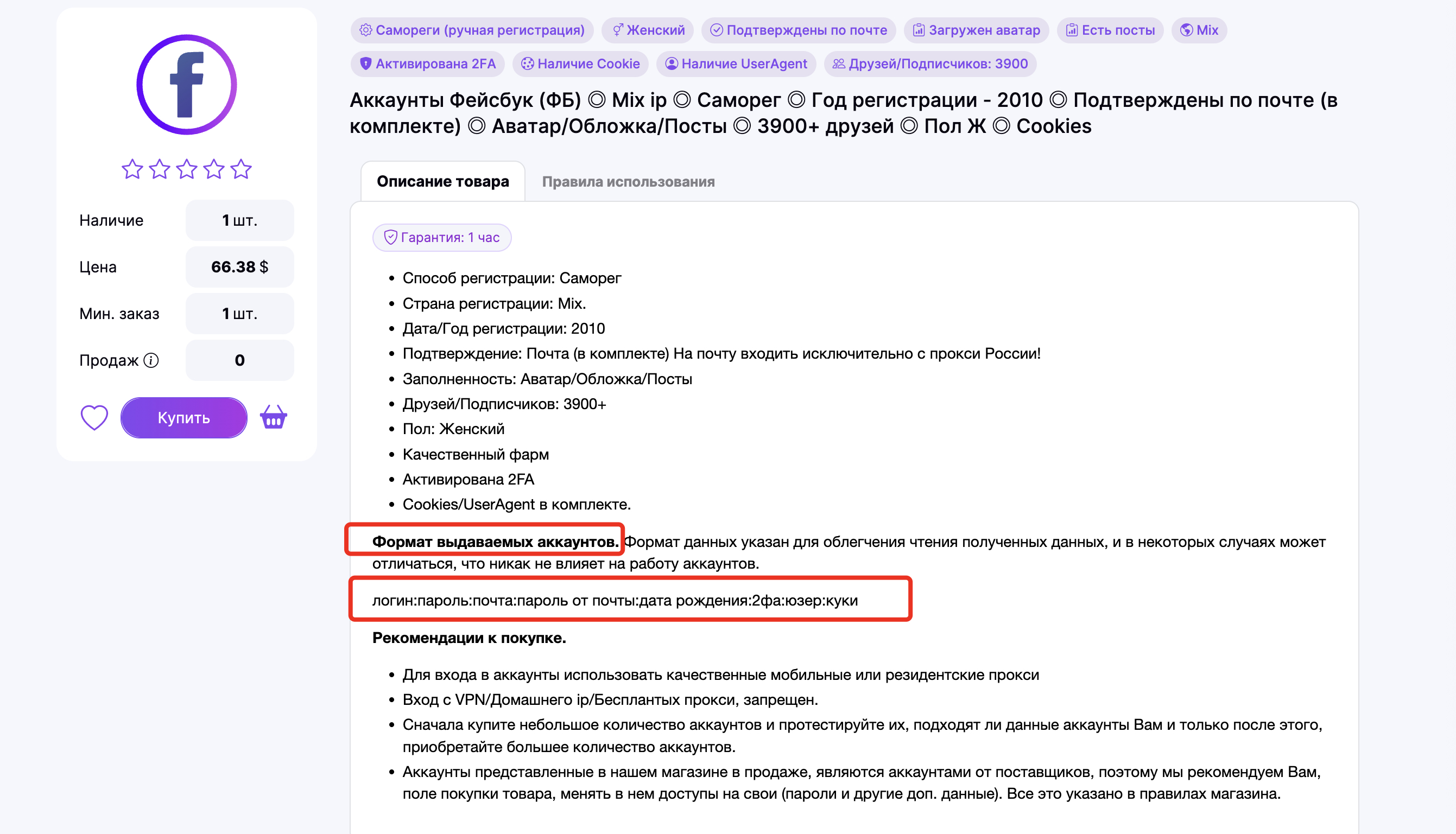
Please note that suppliers do not always specify the exact format in the description.
In addition to the login and password, the data string may include cookies, UserAgents, tokens, 2FA keys, and other technical details.
Typically, the login and password appear first in the string, followed by the additional account data.
If you are still unable to identify the different parts of your data string, please contact our Support Team. We will be happy to help you identify which details are which.
- How do I work with accounts purchased from accs-shop.store? Are there any recommendations?
-
Yes, we can provide general recommendations for accessing and managing accounts across all platforms. However, please note that we cannot provide specialized consulting for specific workflows, as we do not manage accounts ourselves (we focus exclusively on sales, registration, and sourcing). For detailed strategies regarding specific niches, we recommend visiting professional forums, Telegram groups/channels, YouTube, or other specialized resources.
General and Mandatory Guidelines for Using Accounts:
1. Using High-Quality Proxies
- To log in, you must use high-quality proxies, such as residential (traffic-based) or private mobile proxies (with rotation via link). In rare cases, individual IPv4 proxies can be used, but this is only recommended for accounts that are not sensitive to IP quality.
- Always use a proxy from the same country where the account was originally registered (if the country is specified in the product description).
Can I log in without a proxy if I am in the same country where the account was registered?
We do not recommend this. Your home or office IP may not have a "clean" reputation in the eyes of the network you are trying to access.
Is using a proxy mandatory?
Yes, this is a requirement—especially when managing multiple accounts. Logging into several accounts from a single IP address will likely result in a "chain block" of all your accounts.
Prohibited methods for changing your IP
- Any free, shared, or "package" proxies, as well as standard VPNs.
- IPv6 protocol proxies.
Selecting and using high-quality proxies is the most important factor in preventing accounts from being banned immediately upon login or during initial activity.
2. Using an Anti-Detect Browser
These tools help you randomize and unique-ify the fingerprint for every login.
An anti-detect browser allows you to create a unique profile for each account, configuring specific hardware parameters, UserAgents, proxies, and other settings. This makes each profile appear as a completely unique device, providing maximum protection against bans.
3. Account "Warm-up" After Login
Beyond proxies and anti-detect browsers, an initial "warm-up" period is vital for account longevity.
After the first login, do not jump straight into heavy tasks. Instead, "warm up" the account by acting like a regular user of that platform for a short period.
Conclusion: By implementing these three steps, you will significantly increase the lifespan of your accounts and reduce the risk of suspension.
- Why do I need to record a video of the purchase and account check?
-
This is not just a preference but a necessity. Some suppliers require video evidence to confirm that an account was problematic upon delivery, rather than becoming compromised after the purchase. For certain account types, it is impossible to track exactly when a ban occurred or when a password was changed; therefore, suppliers require video proof to resolve any disputes.
Recording the purchase and the subsequent check of your items is a 100% guarantee that your request for a replacement or refund for defective goods will be resolved, provided the issue existed before you accessed the account.
Please Note: Not all products on our marketplace require video recording. Products that do require it are marked with the "Video Proof Required" attribute. You can use our filter to "opt out" of accounts that require video recording if you prefer.
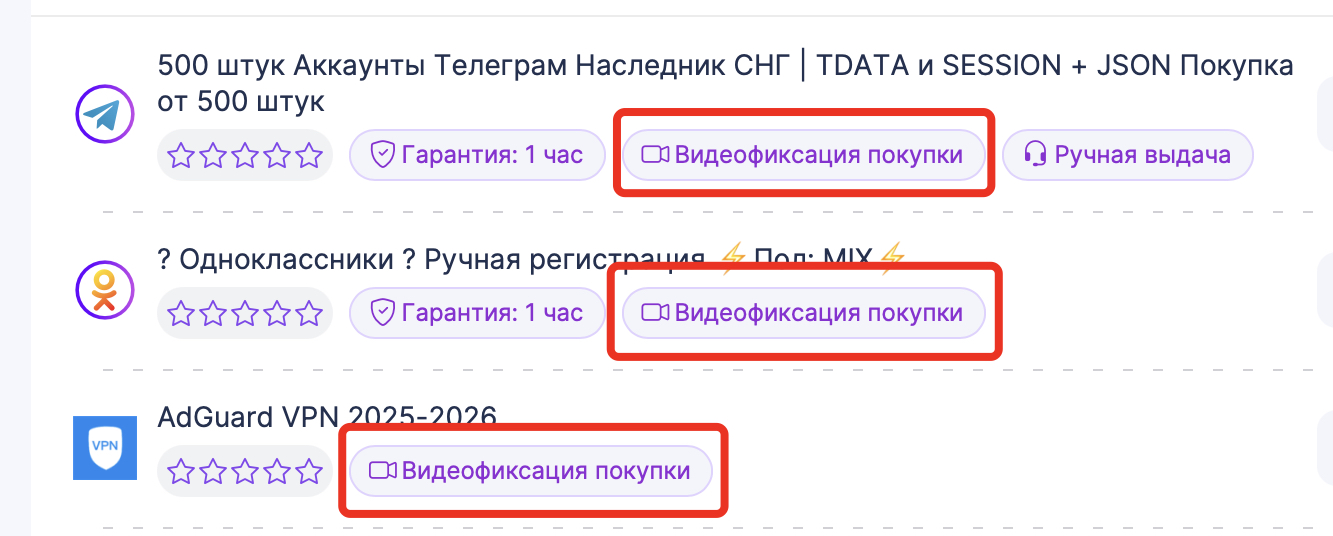
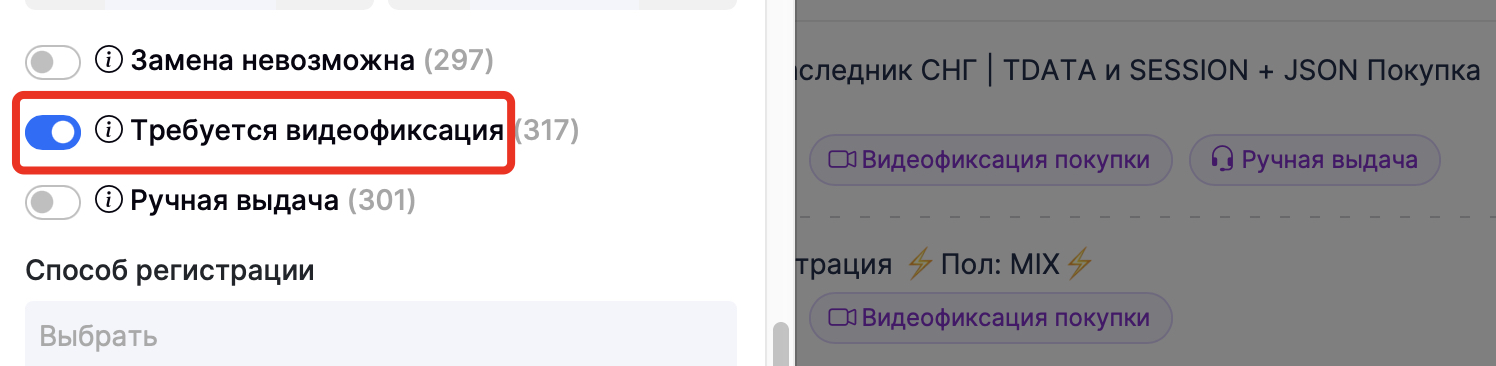
We have prepared a guide on how to properly record your purchase, including recommended tools and best practices. You can view the guide here: Video Recording Instructions
Payments and orders
Questions related to payments and orders
- I paid for my order but haven't received it yet. What should I do?
-
First, please check your order status and the email address you provided. Be sure to check your Spam or Junk folder, as the delivery email may have been filtered there.
In some cases, order processing may take a few extra minutes.
If you have checked everything and enough time has passed, but the funds have been deducted and the order still hasn't arrived, please consider the following:
- Cryptocurrency Payments: This method requires you to send the exact amount (without rounding up or down) as specified on the payment page. If the amount sent is even slightly different, the system will not be able to automatically verify your payment.
- Payment Status Errors: If you sent the exact amount but the status shows an error, please contact support to investigate the cause.
- Manual Fulfillment: You may have purchased an item that requires manual delivery by the supplier rather than instant automation.
- In any of these cases, you will need to contact our support team and provide your transaction details.
When contacting Support, please include the following information to help us assist you faster:
- Order Number (found on the order page);
- The email address you used during checkout;
- A detailed description of the issue;
- A screenshot of the problem or payment confirmation;
- The payment method you selected on the website.
P.S. Providing all these details in your initial message allows us to resolve your issue much more quickly.
- Where can I view all my orders?
-
There are several ways to view your purchase history.
For Guest (Unregistered) Users:
- You can look up all your orders on the Order Lookup page.
- Important: You can only view your orders if you provided a valid email address that you can currently access, as a verification code will be sent to that email to authorize access.
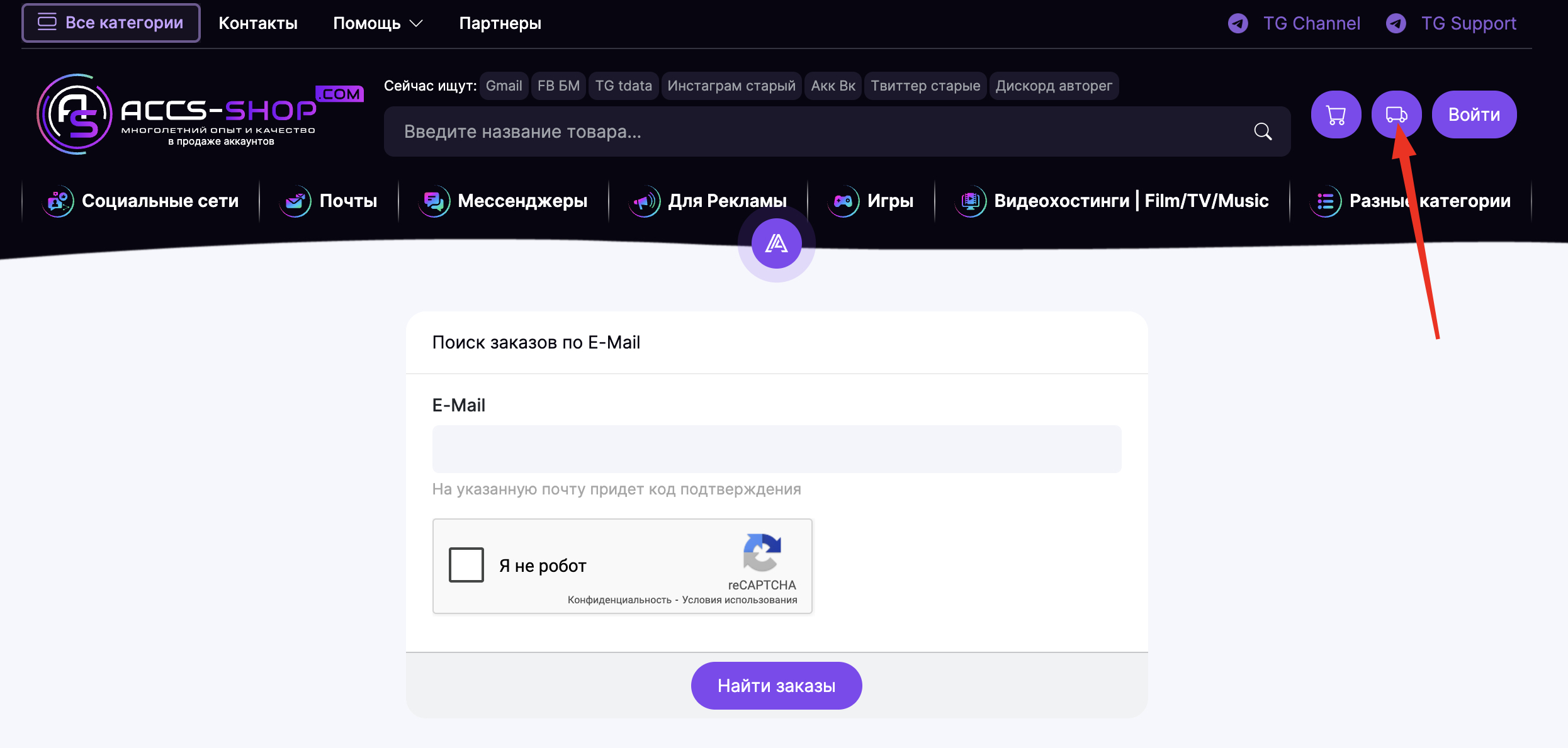
For Registered Users:
- You can view all your purchases on the Order History page.
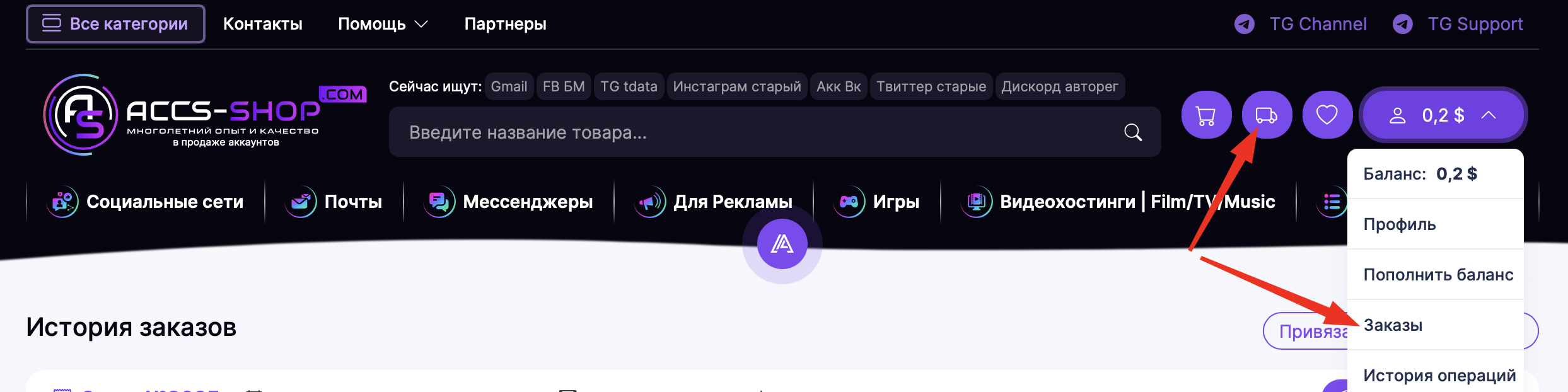
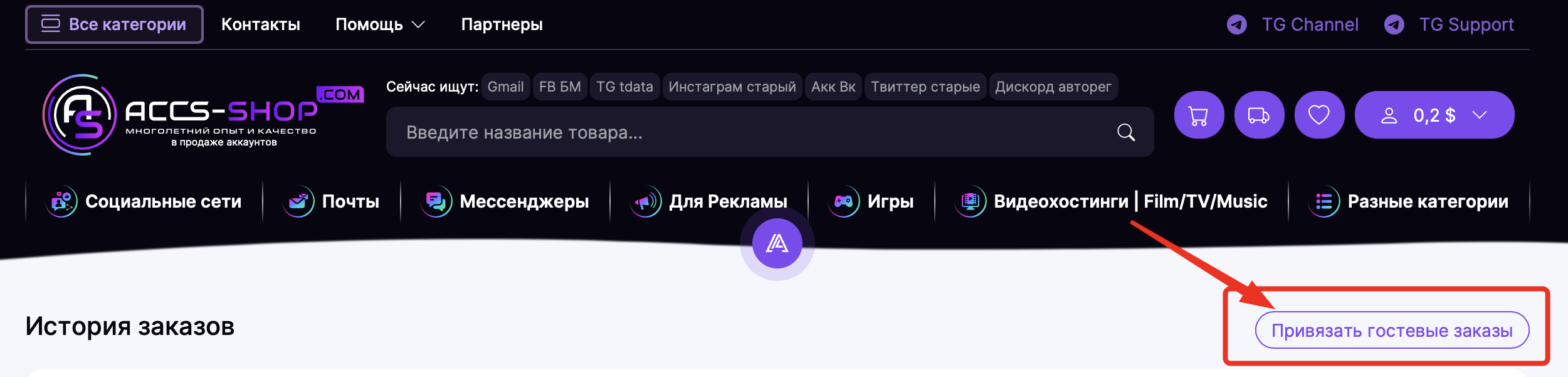
Additionally, if you previously made purchases as a "Guest" without registering, you have the option to link those past orders to your account. To do this, simply register on the site using the same email address you used for your previous guest checkouts.
- I bought an account and it’s not working. What should I do?
-
If the account you received was blocked prior to login, has incorrect credentials, contains discrepancies from the product description, or has other issues, please contact our Support Team to resolve the issue with your order.
When reaching out, please provide the following information:
- Order Number;
- The email address used during checkout;
- A detailed description of the problem;
- A screenshot of the issue;
- The specific account(s) that are problematic (if there are several);
- The video recording of the purchase, if it was required in the product description;
