




 Octo Browser
 Anti-Detect Browser Review for Multi-Accounting
Today, every website knows which device you are logging in from. It sees your geolocation, system language, video card model, screen resolution, and even microphone noise. All of this is your unique digital fingerprint.
Because of it, users get banned for creating multiple accounts on the same platform or landing on a website from a “bad” region. Platforms like Google, Facebook, TikTok, and Amazon react especially harshly to multi-accounting.
Anti-detect browsers help avoid such restrictions. They allow you to manage your digital fingerprint and create autonomous profiles that look like real users. One of the most advanced tools in this area is Octo Browser.
How to Create Profiles in Octo Browser
To work with accounts in Octo Browser, you will need profiles. You can create a new one in literally one click using the “Quick Profile” feature. The browser generates a unique digital fingerprint based on real device data.
If you have experience and understand how anti-fraud systems work, you can configure the profile manually: set a specific CPU and video card model, user-agent, system language, number of microphones and speakers, as well as hardware noise and dozens of other parameters. This gives you full control over your digital fingerprint.
For most tasks, the «Quick Profile» feature is enough. And if you understand fingerprints well, you can use manual configuration. The main thing is to know exactly what you are changing and why. To pass checks on Browserleaks or Pixelscan, a quick profile is quite sufficient.
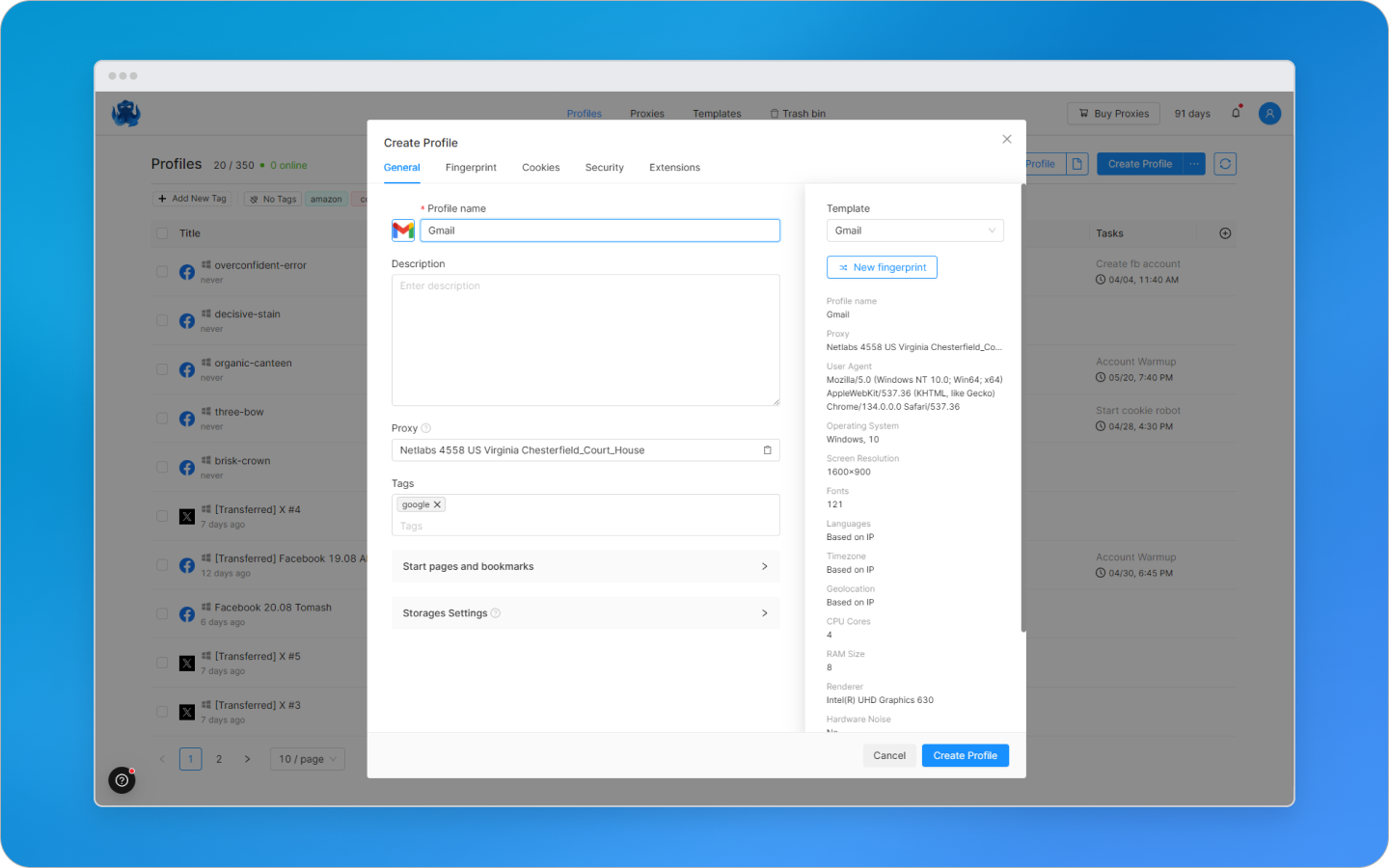
But a fingerprint alone is not enough. To increase your level of anonymity, you will need a proxy. In Octo Browser, all of this is already built-in. Proxies can be connected and purchased directly inside the browser through the internal store. This eliminates the need to look for third-party services and manually check their quality. Third-party proxies can also be connected. The browser supports all major protocols: HTTP, HTTPS, SOCKS5, SSH, as well as IPv6.
If you regularly work according to the same scenario — for example, registering accounts on the same platform —, there is no point in configuring everything from scratch every time. In Octo, you can create a template: it saves the fingerprint parameters, proxies, extensions, and other settings. A new profile based on it will be ready in seconds.
And if you need many profiles at once — the mass creation feature will help. It allows you to generate dozens of unique configurations in a couple of clicks, using pre-configured templates or data from tables. Fast, convenient, and secure.
Teamwork in Octo Browser
Octo Browser is well-suited for teams, especially if you have multiple departments, such as farming and media buying. Everything is designed to reduce risks, simplify processes, and avoid mistakes.
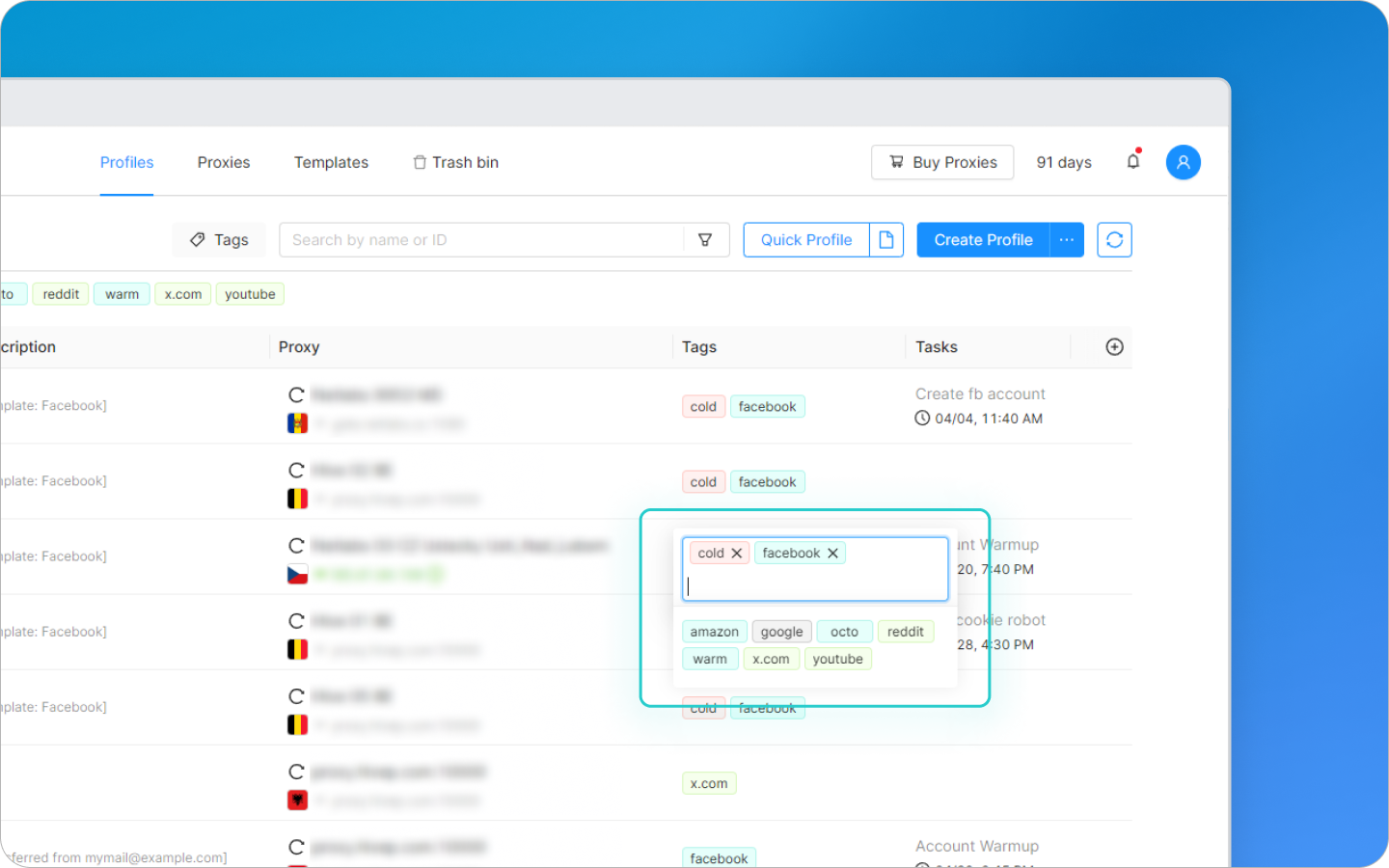
Tags can be assigned to each profile. This is a convenient way to indicate its status or purpose. For example, a farmer creates and warms up an account — they set the «farm» tag. Once the account is ready, the tag changes to «media buying», and the profile is transferred to the buyer. Such simple labeling helps avoid confusion and prevents running ads from an unprepared account.
Tags are useful not only in large teams. Even if you work alone, they make it easier to navigate: you can label profiles by platforms, account types, or traffic sources: «FB», «crypto», «Google», etc.
Access to profiles can also be customized. An administrator or team lead can hide some profiles from other team members. For example, farmers won't see media buying accounts and vice versa. This minimizes accidental mistakes and helps everyone focus on their area of responsibility.
If the team uses paid proxies, Octo allows you to track how much traffic each user has spent. This is visible directly in the admin panel — convenient for expense control and budget distribution.
Everything that happens within the team is recorded in the action log. Who created a profile, what changed in the settings, when a tag was transferred — everything can be tracked. There are filters by date, user, object, or action type, making it easy to find the required information.
On the Team subscription and higher, another useful feature is available — «Profile Tasks». This is an internal reminder system. For example, once you create an account — you can immediately set a task for warming it up or transferring it to work. This approach helps avoid missing steps in the process and quickly find profiles with pending actions. Notifications can be turned off if not needed.
Security and Automation in Octo Browser
Octo Browser — is one of the most secure anti-detect browsers. All profile data is stored on European servers and encrypted end-to-end. Only you have access — even the Octo team cannot decrypt the information. Each profile is additionally protected with a unique key and can be locked with a password known only to you. You can also enable two-factor authentication for account login.
For those who work with a large number of accounts, Octo features an API. With its help, you can automatically create profiles, manage proxies, transfer accounts within the team, gather statistics, and connect Octo to other systems. This saves a massive amount of time and reduces the number of errors. The API is available starting from the Base subscription and higher, with limits depending on the plan.
How Much Octo Browser Costs — And Why It's Worth It
Octo Browser — is a premium anti-detect browser that pays for itself through stable operation and protection against bans. There is no trial period, but you can try the browser with a 30% discount using the promo code ACCSSHOP30.
Plans start at 10 € per month (Lite, 3 profiles) and go up to 329 ™ (Advanced, 1200 profiles and a team of 8 people). The subscription can be flexibly expanded, and you can save up to 30% when paying annually.
Octo is worth trying if you work with multiple accounts and are tired of bans. It provides complete anonymity, convenient tools for automation and teamwork, secure data storage, and real fingerprints that pass checks on Pixelscan and Whoer. You just create a profile in a single click — and work without any hassle.
P.S. 30% discount with promo code ACCSSHOP30 on your first payment. Follow the link and claim your discount 🤑
