How to choose proxies for your tasks and check them before working
Proxies in traffic arbitrage are a basic consumable needed for scaling campaigns and managing multi-accounts. However, strictly specific types of IP addresses are required for different tasks and traffic sources. A mistake at the stage of choosing the proxy type leads to quick account bans and unnecessary expenses.
In this article, we break down what proxy categories exist, how to select them for specific sources and tasks, and how to check addresses before starting work.
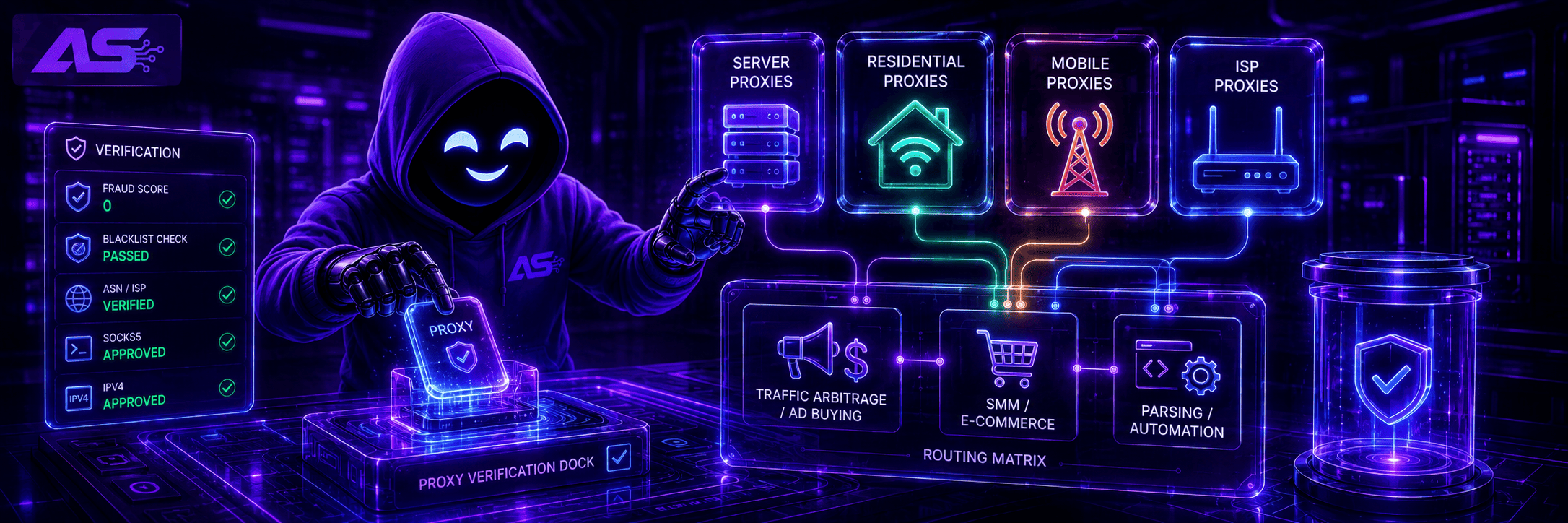
What types of proxies are there
There are four main categories of proxies. They differ in the origin of the IP addresses and the level of trust from anti-fraud systems.
Datacenter (Server)
These addresses belong to hosting providers and large data centers. They are in no way connected to real internet users or mobile operators.
-
Pros: The cheapest option on the market and maximum data transfer speed.
-
Cons: Minimum trust. Data center IP address pools are located in public databases, and platforms' anti-fraud systems detect them instantly.
If you try to launch a campaign using datacenter proxies, the account will be blocked even before the ads are sent for moderation. They are used only for technical tasks where mimicking a real person is not important.
For example, for parsing search engine results, collecting semantics, or monitoring prices, when losing consumables is not critical for the budget.
Residential
IP addresses of regular subscribers of wired internet or home Wi-Fi. Providers buy this traffic from individuals through the installation of partner software.
-
Pros: High trust. For anti-fraud systems, such a connection looks like a visit from a regular person. These proxies are static, which is important when driving traffic, as you cannot change the IP address during the campaign setup process.
-
Cons: They cost more than datacenter proxies, and payment here is most often per gigabyte of traffic used. Also, the connection can drop if the device owner turns off their PC or router.
Mobile
These are the IP addresses of mobile operators. They are most commonly used for driving traffic from Facebook, Google Ads, or TikTok.
Ban resistance is explained by NAT technology. Due to the shortage of free IPv4 addresses, operators are forced to issue the same IP to thousands of subscribers simultaneously.
Advertising networks are aware of this specific feature. If they block such an IP for the suspicious actions of a single media buyer, the platform will automatically cut off access for hundreds of regular people. They try to avoid doing this, which is why the trust level for mobile IPs is at its maximum.
-
Pros: High level of trust and support for rotation. A single mobile port allows you to change the IP via a timer or a link, providing thousands of clean addresses from the operator's pool.
-
Cons: High rental cost and the risk of speed drops during peak hours on the cellular network.
ISP Proxies
Addresses that are purchased directly from internet service providers but are hosted on servers in data centers. In databases, they are identified as regular residential wired internet, yet they deliver high speeds.
-
Pros: Stable datacenter speed, no connection drops, unlimited traffic, and high trust.
-
Cons: The address is static — it cannot be changed or configured for rotation on a single port.
Choosing Proxies for Sources and Tasks
The choice of proxy type depends on the traffic source and the specifics of the work. Using expensive mobile IPs where datacenter ones would suffice unjustifiably inflates the budget, while the wrong choice for major advertising platforms leads to instant bans.
Traffic Arbitrage (Facebook, Google Ads, TikTok). Platforms with complex anti-fraud systems instantly block datacenter IPs. For driving traffic and farming, mobile or residential proxies are used.
Mobile proxies are ideal for multi-accounting. Frequent rotation on a single port replaces thousands of static addresses and saves money.
SMM, E-commerce, and Sports Betting. For managing networks of accounts on social media, working with marketplaces, or bonus hunting in bookmakers, the anonymity of mobile operators is excessive, but trust is still necessary.
The optimal choice is residential or ISP proxies. They are detected as home connections, cost less than mobile ones, and maintain a stable session without constant IP address changes.
Parsing and Automation (scraping databases, semantics, spying). Tasks where download speed and huge volumes of data come first, and profiles do not require trust. Datacenter proxies are suitable for this kind of work.
They deliver maximum speed, have no traffic limits, and feature low prices. Pool blocks happen constantly here, but this does not lead to significant losses due to the minimal cost of the addresses.
The Difference in Protocols and IP Types
When buying proxies, in addition to choosing the GEO, you always have to select two more parameters: the connection protocol and the IP type. A mistake in these settings completely negates the trust of any account, as it reveals proxy usage to anti-fraud systems.
From a protocol perspective, the choice is between HTTP/HTTPS and SOCKS5. For driving traffic via anti-detect browsers, only the latter option is suitable — it leaves no network fingerprints by which traffic sources can detect IP spoofing.
The second step is choosing between IPv4 and IPv6. The latter are cheaper, but they are not suitable for traffic arbitrage. Sources often block these addresses by default, as they are widely used for spam and auto-registrations.
An attempt to link such an IP to an ad account leads to an instant checkpoint verification or a ban. Only IPv4 is suitable for work — Facebook, Google, and TikTok do not see anything suspicious in this format, so accounts live longer.
How to Check Proxy Reliability Before Working
Even if the vendor promises absolutely clean IPs, you shouldn't take their word for it. Before adding a proxy to an anti-detect browser, you must test it yourself, otherwise you might lose your accounts at the very stage of linking them.
The entire verification process is divided into three main steps.
Step 1: Assessing the Fraud Score Level
For this, the IPQualityScore service is used. Its internal algorithms evaluate addresses using the same criteria as the security systems of major websites.
The main thing to look at is the Fraud Score metric. Ideally, it should be zero. The higher this number, the worse the reputation of the IP address, and the faster the account will trigger verification or a checkpoint when trying to log into the dashboard.
Step 2: Checking Blacklists
The address could have been used by other media buyers for spam or auto-registrations right before it got to you. You can check if the IP is banned in network databases using specialized services:
The operating principle is the same everywhere: paste your IP into the search bar and view the result.
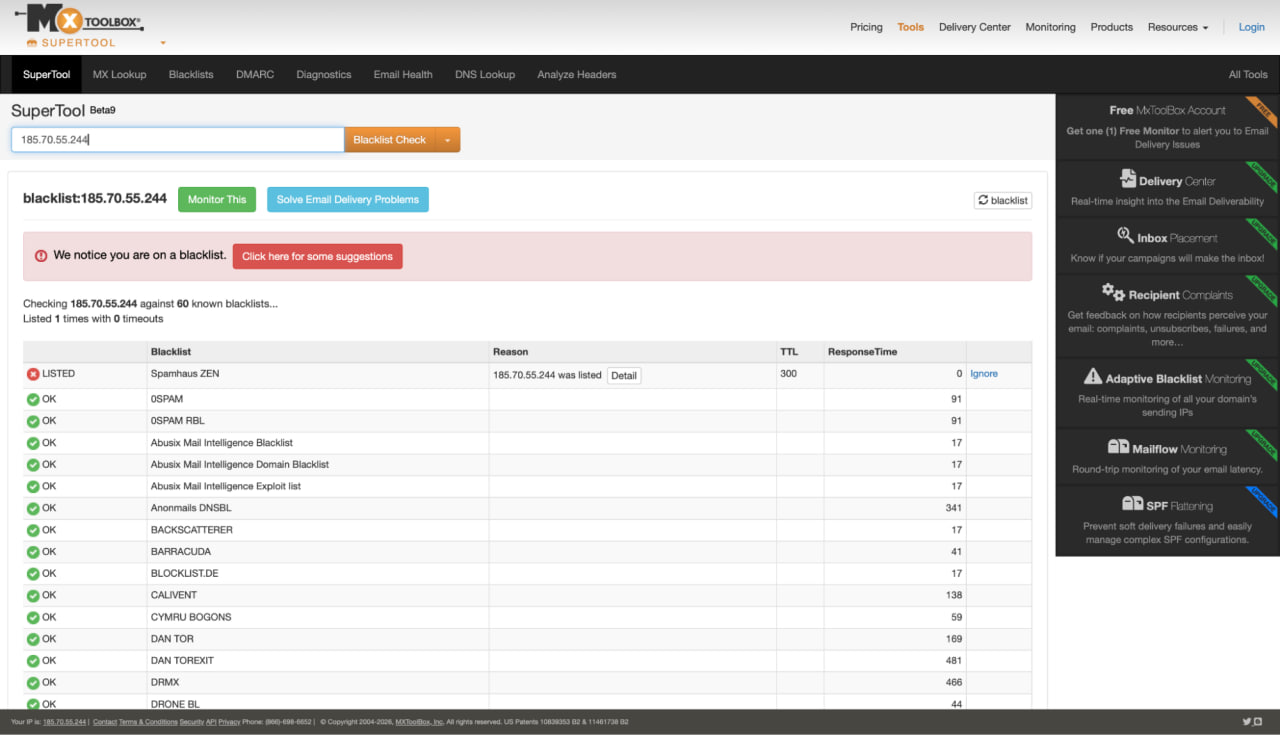
If the address is listed in the databases as spammed, it cannot be used for running traffic. For accuracy, it's best to run the proxy through two or three checkers from the list at once.
Step 3: Determining the Real IP Type (ASN)
Sometimes dishonest sellers try to pass cheap datacenter proxies off as expensive residential ones. To avoid overpaying for a useless consumable, you need to check the ASN parameter and the ISP line.
For this, services like IPinfo, Whois, or RipeStat will work. Enter the received IP address there and check the network type. A Data Center or Hosting tag indicates that it is a datacenter proxy, which is unsuitable for major traffic sources.
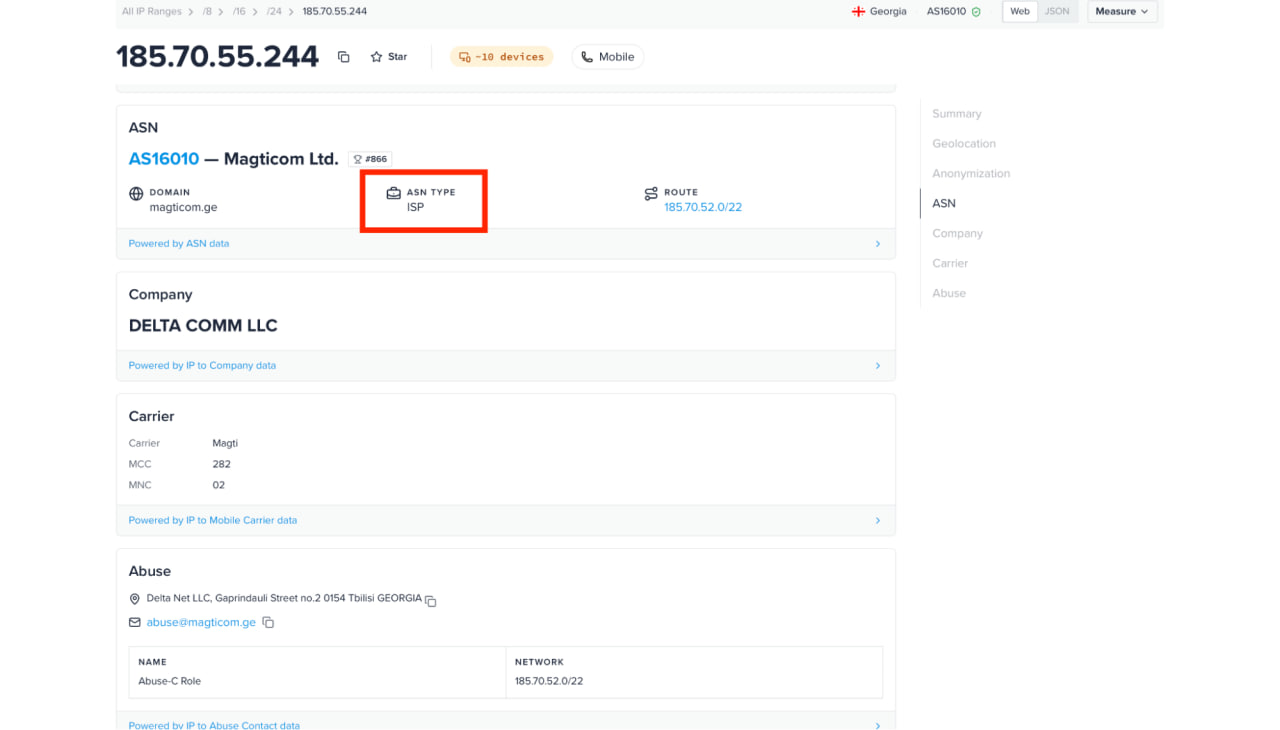
If it says ISP or Mobile, you are dealing with a real residential or mobile address from an internet service provider or cellular operator.
Conclusion
Proxies are a consumable that must be chosen strictly for a specific task. Attempting to launch Facebook or Google campaigns from cheap datacenter IPs guarantees an instant ban, while purchasing expensive mobile ports for parsing will just be a waste of money.
Only mobile or residential IPv4 on SOCKS5 are suitable for driving traffic. Most importantly, any address must first be checked through IPQualityScore and blacklist checkers, and only then added to your anti-detect browser.