Microsoft security loophole: scammers send spam from company's official email
Scammers have found a loophole in Microsoft's defenses that allows them to bypass any spam filters. The fraudsters managed to gain access to the tech giant's legitimate internal email service and are now broadcasting phishing links directly from the company's official domain. Security algorithms of other email providers unconditionally trust this address, which guarantees that dangerous emails land right in users' Inboxes.
Maximum trust
The attack is built on using an address that Microsoft typically uses to send system notifications — for example, security alerts or account sign-in reports. Since the emails are sent from the official microsoftonline.com server, they automatically pass all standard technical checks on the recipient's side. Any mailbox thinks it is a real email from tech support and lets it pass right by the spam folder.
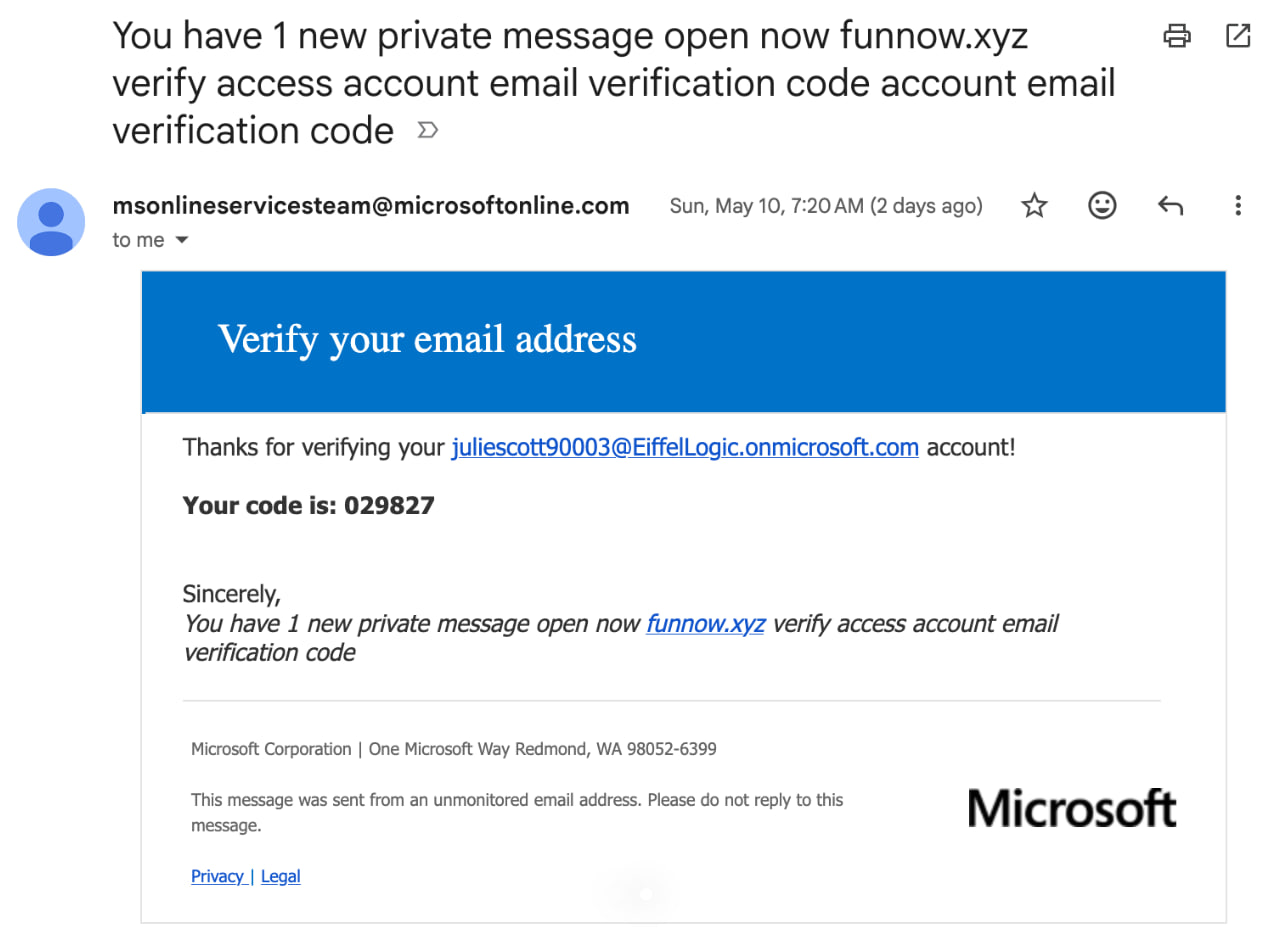
Security researchers from the Spamhaus project note that this wave of fraud has been going on for several months. At the same time, the emails themselves look quite clumsy: there is no complex design inside, and the scammers use mundane text tricks. For example, they write that a personal message is waiting for the user and attach a link to a third-party website. But the status of the official address works flawlessly — people trust the brand and click on the links.
Why is Microsoft silent?
Independent experts and journalists have already recorded thousands of such emails. Attempts to drive users to external pages are a huge reputational blow to Microsoft's security. The company itself is aware of the problem, but closing this vulnerability instantly is not possible due to the complexity of configuring internal notification systems.
For users, there is only one conclusion: you can no longer trust the sender's name, even if it says microsoft.com. The only way to protect yourself from this is to carefully look at where exactly the link inside the email leads, and never click on buttons that arouse the slightest suspicion.