To log into a Google/Gmail account that has a recovery email without a password (fake) linked to it, you need to follow a few simple steps.
Step 1. Go to the Google account authorization page accounts.google.com and enter your details (login and password).
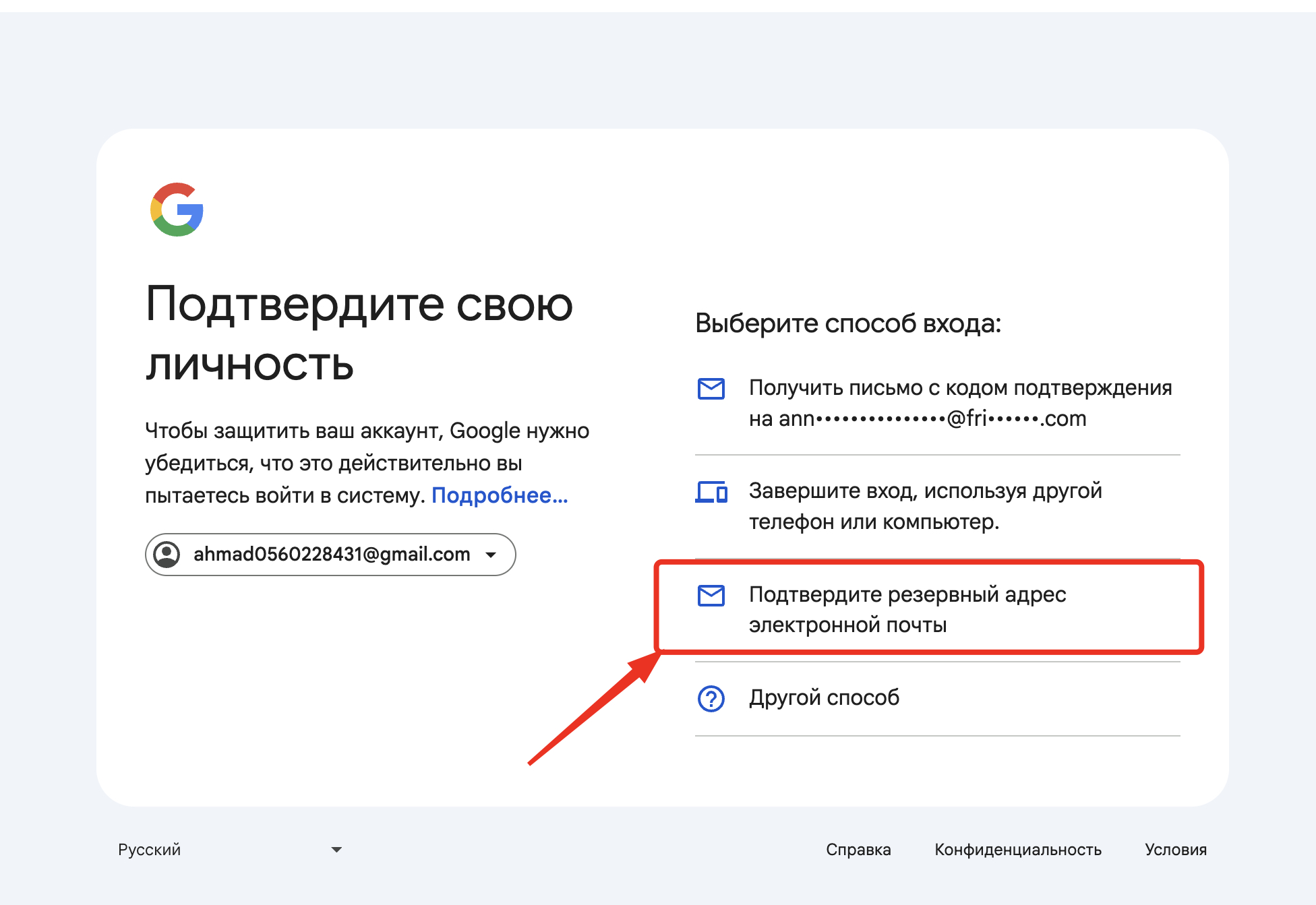
Step 2. At the stage where it asks to "verify your identity" and choose a verification method, select "Confirm your recovery email". After choosing this option, simply enter the recovery email address of your Google account into the field and click "Next".
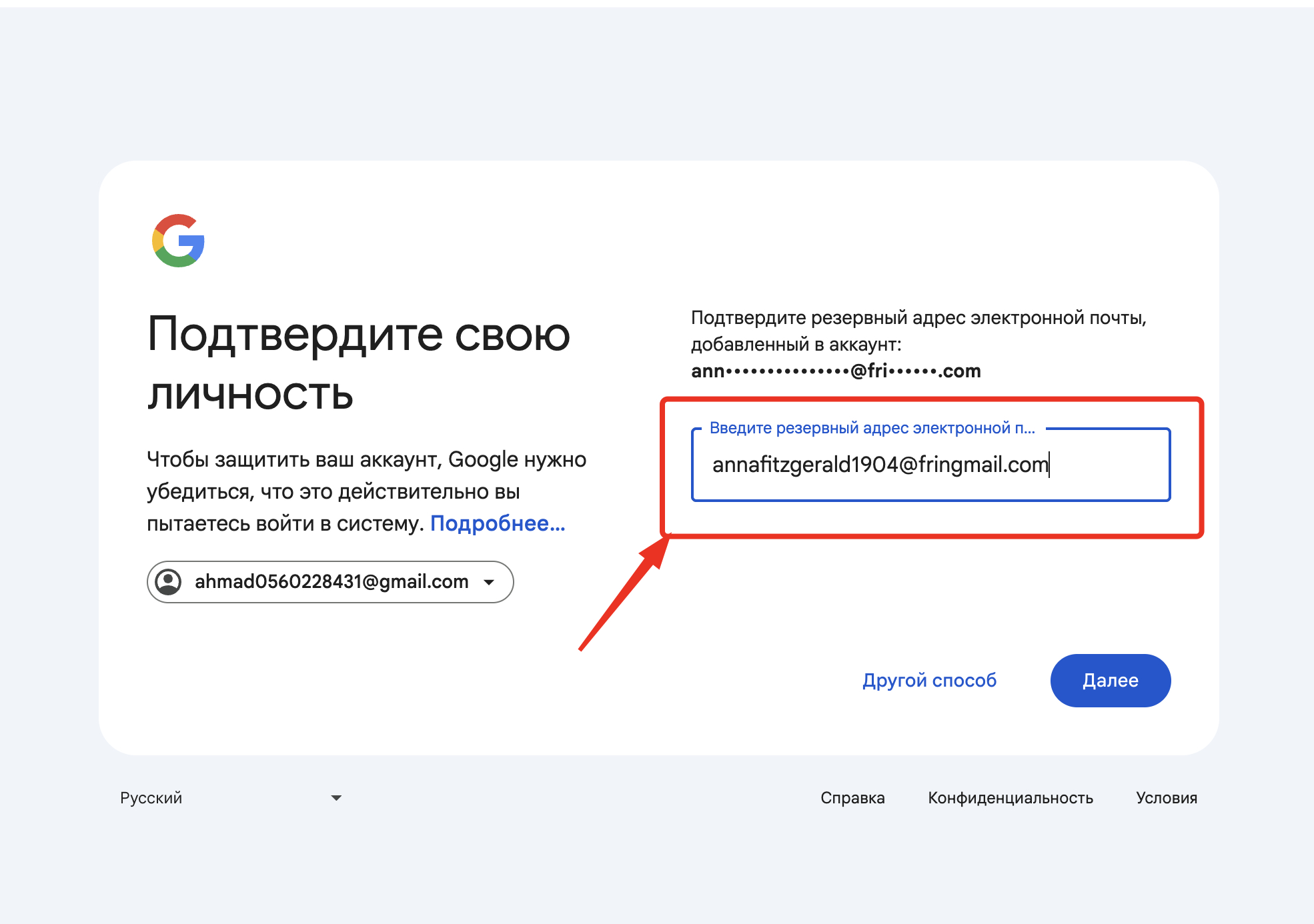
That's it, you have successfully logged into your Google account without the need to receive a confirmation code from the recovery email.