To successfully log into a Google account with activated two-factor authentication (2FA), you need to follow a few simple steps.
2FA (two-factor authentication) — is an additional protection layer for logging into an account. In addition to the regular password, the system asks you to enter a second code that is sent or generated in a special app, for example, Google Authenticator. Google Authenticator is an application that generates a new code every 30 seconds. This code must be entered when logging into the account.
Step 1. Go to the Google authorization page - accounts.google.com and enter your details (login and password).
Step 2. At the "2-Step Verification" stage/page where Google asks you to "Enter the code from the Google Authenticator app", you need to generate temporary codes using the secret key you received along with the account data. Copy your Google Authenticator 2FA key and go to the temporary code generator 2FA Code Generator, then enter it into the "secret code (received key)" field. After that, temporary codes will start generating, with a new code every 30 seconds.
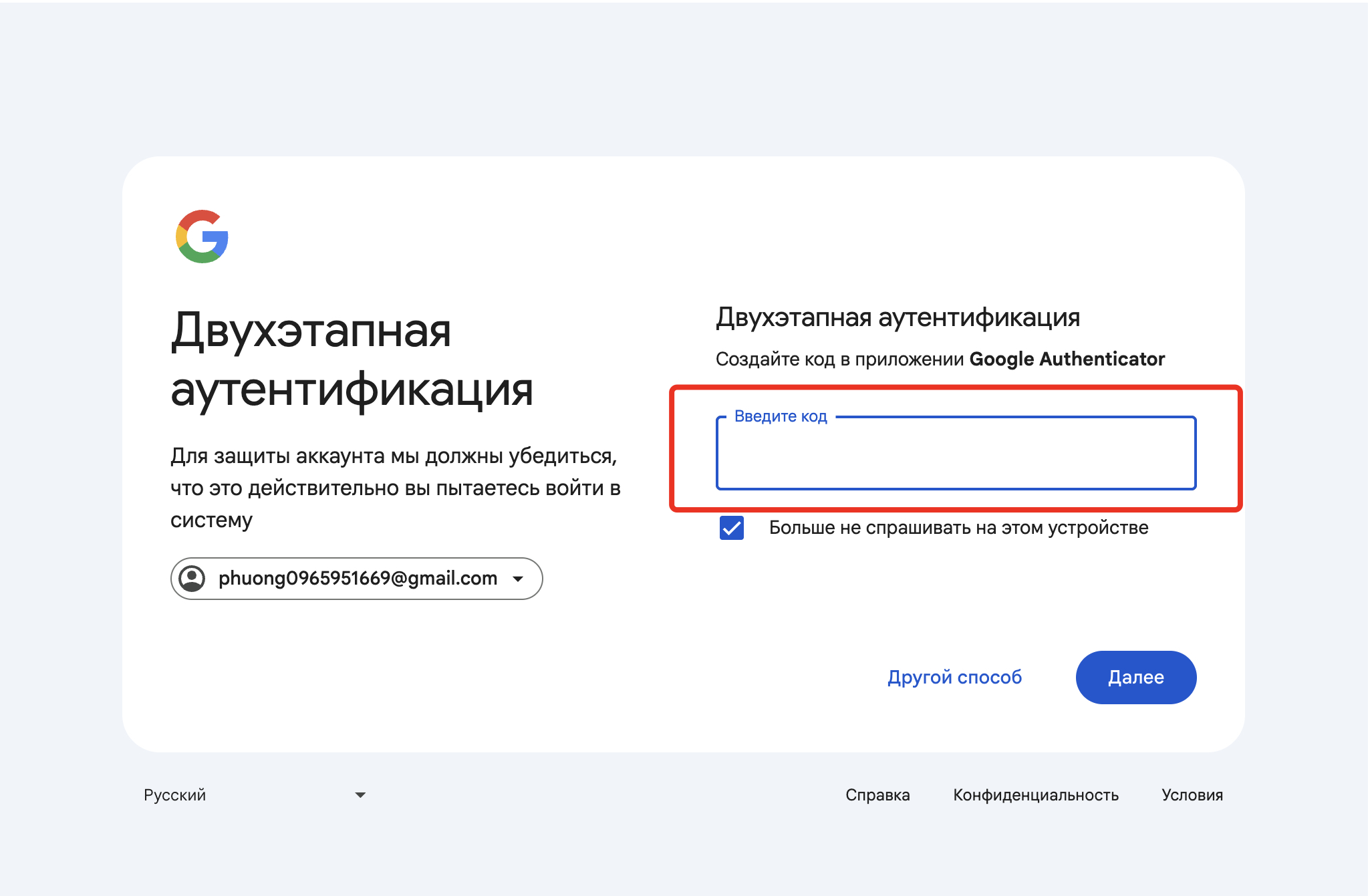
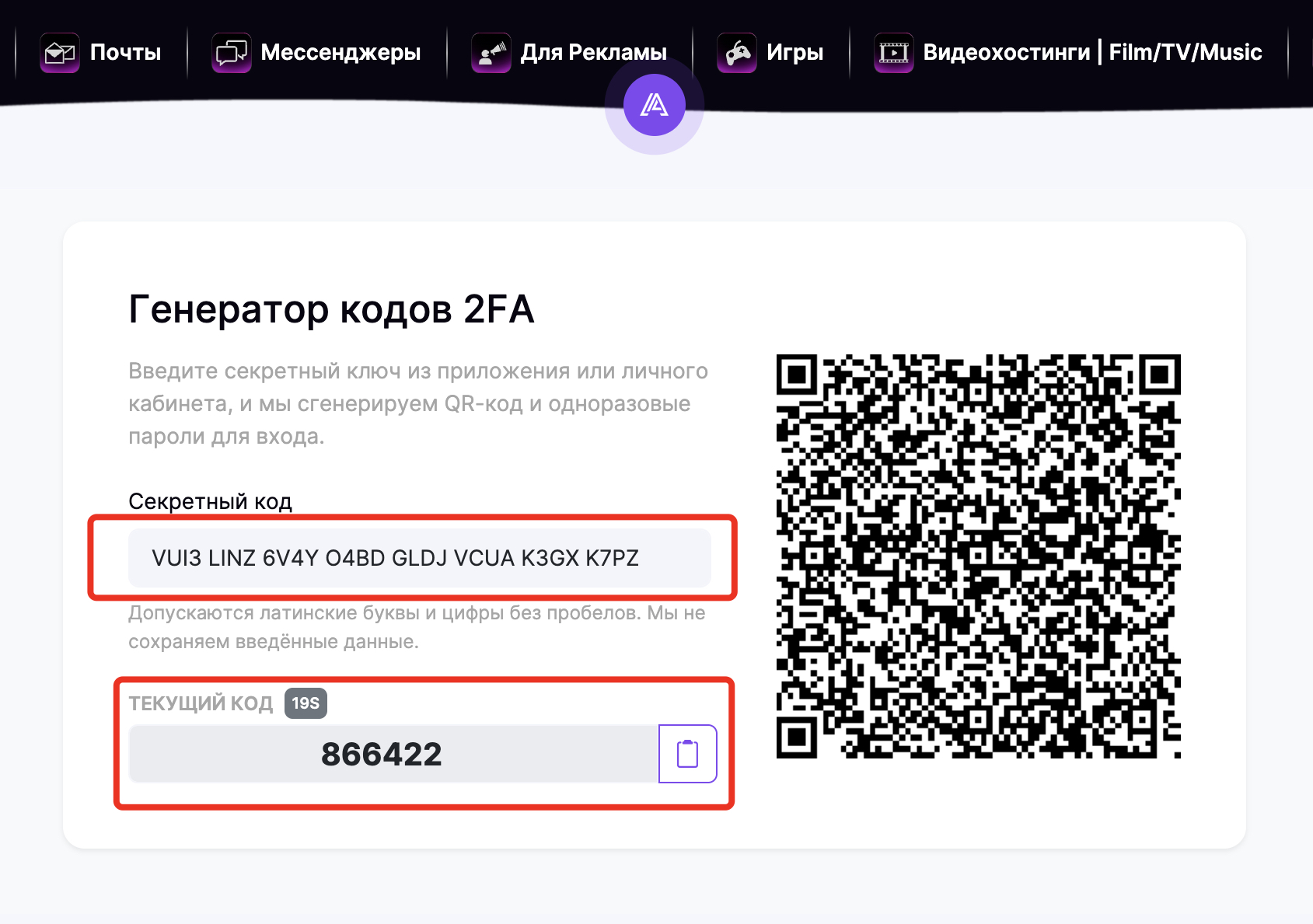
Step 3. Copy the generated temporary code, enter it into the corresponding field, and click "Next".
That's all, you have successfully logged into the Google account with 2-Step Verification enabled.