n8n + Make Setup: Automated Pinterest Posting onto Templates with a $5/Month Budget
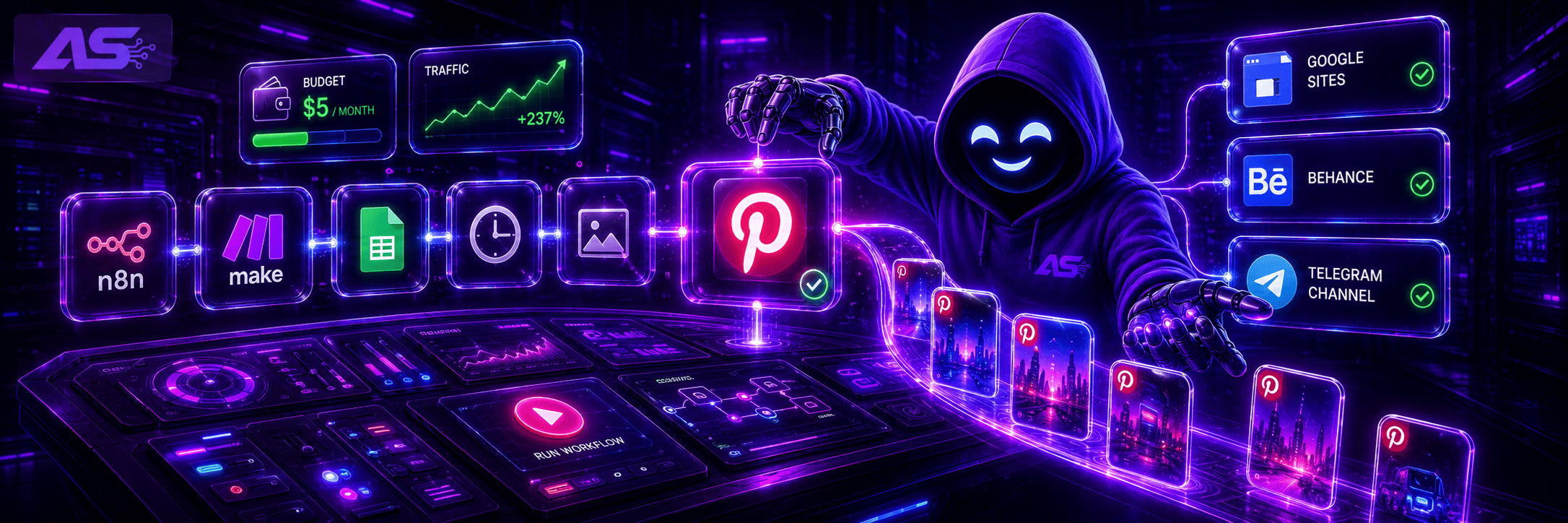
Pinterest is one of the few platforms where publications live for months and continue to gain traction because the algorithm relies on search queries rather than publication dates.
For an affiliate marketer, this means one thing: the system can be set up once, and traffic will keep rolling in without daily manual involvement. In this article, we break down how to automate pin publishing via n8n and Make.com, which offers to choose, and the exact budget needed to get started.
How the Strategy Works
The funnel sequence looks like this: Pinterest directs users to a Google Sites or Behance landing page, which then routes them to the offer. Driving traffic directly from Pinterest to an affiliate link is not recommended, as the platform is less likely to promote pins containing unfamiliar domains.
Google Sites is a free builder by Google that holds a high trust rating with Pinterest. Because of this, pins linking to Google Sites consistently receive more impressions.
The landing page features a button pointing to the offer along with a link to a Telegram channel. Part of the traffic shifts to Telegram, allowing you to re-engage that audience down the road via broadcasts, warm-ups, and alternative product offers.

Behance serves as a solid alternative to Google Sites: it also features a trusted domain name that is well-received by the algorithm.

How n8n Integrates Into This Setup
n8n is an automation platform featuring a visual editor that connects different services without writing code. Within this framework, n8n handles content generation and manages the posting queue.

The actual publishing to Pinterest takes place on the Make.com side, which we will break down below. The n8n workflow should run on a schedule, triggering every 50–75 minutes. Avoiding perfectly uniform intervals—such as exactly every hour—is critical, as Pinterest detects rigid patterns and may limit reach or shadowban the account.
The initial step in the workflow is an AI node. In n8n, these blocks are called nodes—standalone sequence elements dedicated to a single task. The AI node is responsible for text generation.
To achieve this, it connects to OpenRouter. OpenRouter is a utility providing access to dozens of language models through a single account. Instead of signing up for OpenAI, Anthropic, and other services individually, you simply fund your OpenRouter balance and pick your preferred model right in the settings.
This setup utilizes Meta Llama 3.1 or ChatGPT Mini 4.1, as both handle short text strings efficiently and cost very little—around $0.005 per request.
In a single call, the AI node generates everything required for a pin: a title up to 50 characters, a description up to 170 characters, alt text up to 90 characters, and an image generation prompt. The image prompt is written in English, since image generators are trained primarily on English datasets and yield poor results with other languages.
Following the AI node, a Code node containing a short JavaScript snippet processes the data. The role of this block is to clean and format the text returned by the model. Language models frequently append unnecessary quotation marks, line breaks, or special characters to their outputs.
The Pinterest API rejects such inputs and returns an error. The script strips out these unwanted elements before the data moves forward down the sequence. Without this step, publications will fail, and diagnosing the root cause at first glance can be difficult.
There is no need to write this script manually. You can easily generate it by giving ChatGPT a prompt like:
"Write a JavaScript snippet for an n8n Code node. The input consists of an object with title, description, alt_text, and hashtags fields. Strip out any quotation marks (" and '), line breaks (
), and special characters from each field. Return the clean object via return items."
Next, the workflow routes a request to Together AI to generate the image. Together AI is a platform for running AI models via API. Its free tier provides access to the Flux model—one of the top image generators available.
Once the request is dispatched, the workflow pauses for 30 seconds to check the status: if the image is ready, it downloads it. The image is generated text-free, consisting only of the background and visual assets.
If you need to add text or a CTA button onto the graphic, you can handle it directly inside n8n using a separate HTML-rendering node. You can assemble this using AI tools like ChatGPT by simply specifying the canvas dimensions, background color, copy text, and font style.
The final step involves a Google Sheets node that logs a new row into a spreadsheet. It saves the title, description, alt text, hashtags, image URL, destination URL, and assigns a status of "unpublished."
This sheet serves as the task queue for Make.com, which processes the entries at its own pace.
Setting up the spreadsheet is straightforward: open Google Sheets, create a blank spreadsheet, and format the first row with these exact headers: title, description, alt_text, hashtags, image_url, destination_url, status.

No extra manual work is required; n8n will populate the rows automatically. When configuring the node within n8n, select your Google account and find the specific spreadsheet via search. Connect that same sheet to Make.com to complete the task queue bridge.
Why Publishing Is Routed Through Make Instead of n8n
The Pinterest API splits access into two tiers: Trial and Standard. Under Trial access, pins are only visible to the account owner and will not appear in public search results. To operate effectively, you need Standard access, which requires an application via developers.pinterest.com. Pinterest reviews these requests manually and may deny access without explanation, occasionally requiring days of back-and-forth messaging with support.
Make.com bypasses this API hurdle entirely by offering a native Pinterest integration running on OAuth.
The Make scenario itself is built quite simply. A timer module triggers every 15–73 minutes. On each run, Make pulls up the Google Sheet and filters for rows where the status column reads "unpublished." It extracts the title, description, image, and destination link from the matching row and publishes the pin to Pinterest. Once completed, it updates the row status to "published."
This systematically clears the queue one pin at a time. Make's free tier provides 1,000 operations per month. Each pin consumes 2 operations, giving you roughly 500 free pins monthly.
What the AI Generates for Each Pin
The AI outputs four distinct pieces of data: a title, a description, alt text, and an image prompt. In Pinterest, alt text influences search visibility more heavily than descriptions, as the algorithm relies on it to index pins against specific search queries. For this reason, explicitly feed your niche keywords to the AI and instruct it to construct the alt text around them.
For an Instagram templates niche, an example output would be: title—"Aesthetic Branding Instagram", description—"Branding templates for your Instagram account—covers, stories, and highlights", alt text—"Aesthetic Instagram template for creators and brands."
The image prompt must be written in English to ensure the generator interprets it correctly. Hashtags are handled by the same AI node, targeting a standard benchmark of 5–10 relevant tags per pin.
Offers and Monetization
Creative Fabrica is a highly popular affiliate network for this model, offering digital design templates covering Instagram assets, branding packages, and book covers.
Payout terms: 25% on the initial purchase or subscription, and 20% on recurring renewals. Renewals process automatically, providing passive income from referred users without additional friction.
Creative Fabrica aligns perfectly with Pinterest because the platform's user base actively searches for visual templates, making the offer an immediate fit for user intent. Furthermore, design assets do not trigger Pinterest's moderation filters—unlike gambling, nutra, or financial offers. This lowers the risk of account suspensions and increases long-term strategy stability.
Infrastructure and Operational Costs
The minimum required configuration involves hosting n8n on a budget VPS, running Make.com on its free tier, utilizing OpenRouter for Meta Llama 3.1, and pulling from Together AI's free tier.
|
Tool |
Cost |
|
VPS for n8n (self-hosted) |
~210 RUB/mo |
|
n8n cloud |
From $20/mo |
|
Make.com |
Free up to 1,000 ops |
|
OpenRouter (Meta Llama 3.1) |
~$0.005 per request |
|
Together AI (Flux free tier) |
Free |
|
|
Free |
|
Google Sites |
Free |
Posting 20 pins a day with 4 API model calls per pin brings the OpenRouter cost to roughly $1.20 per month. Adding a basic VPS adds around $2.50. The total infrastructure cost remains under $5 a month.
Scaling the Operation
A single n8n workflow communicates exclusively with one Pinterest account. To increase output volume, scale up by launching an array of 10–30 independent scenarios targeting different profiles or boards simultaneously.
Technical isolation is a critical requirement. Each account must be run within a dedicated anti-detect browser profile mapped to its own proxy. Pinterest suppresses reach for duplicate visual assets, making creative uniqueing across accounts mandatory.
In production, two workflows are generally utilized:
-
Creative Editing: modifying backgrounds, shifting colors, and overlaying extra design elements onto generated images.
-
Fresh Generation: producing entirely new visuals by modifying the AI image prompt string.
Building a database table of 2,000 entries takes roughly an hour; n8n queues tasks continuously while Make pulls them down over time. This keeps the content pipeline full and running without manual intervention.
Potential Obstacles and Troubleshooting
Deploying this automation setup will occasionally surface technical limitations and platform guardrails. Plan for these in advance to keep the traffic pipeline running smoothly.
Together AI Rate Limits: The free tier enforces strict request caps. Running multiple workflows concurrently can exhaust your allowance rapidly, causing image generation to stall. Transitioning to a paid model via OpenRouter resolves this. At a volume of roughly 20 pins a day, this adds a minimal cost of $1.20 a month.
New Account Sandbox: Fresh Pinterest profiles typically experience low impressions during their first few weeks. The algorithm does not scale reach based on pin volume during this phase. Sustainable traffic visibility generally develops after a channel accumulates 300–500 published pins. This is normal platform behavior; tweaking script configurations or restructuring workflows early on is unnecessary—the system just needs time to mature.
Network Suspensions: Batch-posting identical graphics or operating profiles from a single IP address will result in account bans across the entire network. Safe management relies on three operational rules: strict separation of accounts using an anti-detect browser, assigning an individual proxy to each channel, and continuous image variation via automated adjustments or prompt updates. Skipping any of these steps will drastically shorten the lifespan of your account network.
Summary
Automating a Pinterest + n8n strategy is fundamentally a game of scale. The method features a low barrier to entry: the system can be maintained on a budget under $5 a month by running the automation on a self-hosted VPS. Furthermore, the traffic is highly durable, since pins rank for search terms and can drive clicks for months to come.
Pinterest does not deliver instant results overnight. The initial weeks require upfront work: filling the creative database and warming up profiles. Visible traffic patterns emerge once Make processes the first few hundred posts from the sheet. For those ready to handle the initial technical configuration and monitor the logs, this strategy serves as a reliable source of organic leads while competitors continue to overpay for traffic in ad networks.