Gray offers have practically disappeared from Yandex Direct: the advertising labeling law and strict account blocks have done their job. Now Direct — is primarily a platform for white-hat traffic arbitrage and traditional marketing: financial offers, e-commerce, information products and HR.
But launching ads in 2026 starts not with testing creatives, but with attempts to get through moderation algorithms. Even with a white offer, a campaign may be rejected because of a single poorly chosen word in the headline, or an ordinary shampoo may be mistaken for a medical product.
Let's look at how Direct reviews ads, what the algorithms pay attention to and what most often causes rejections.
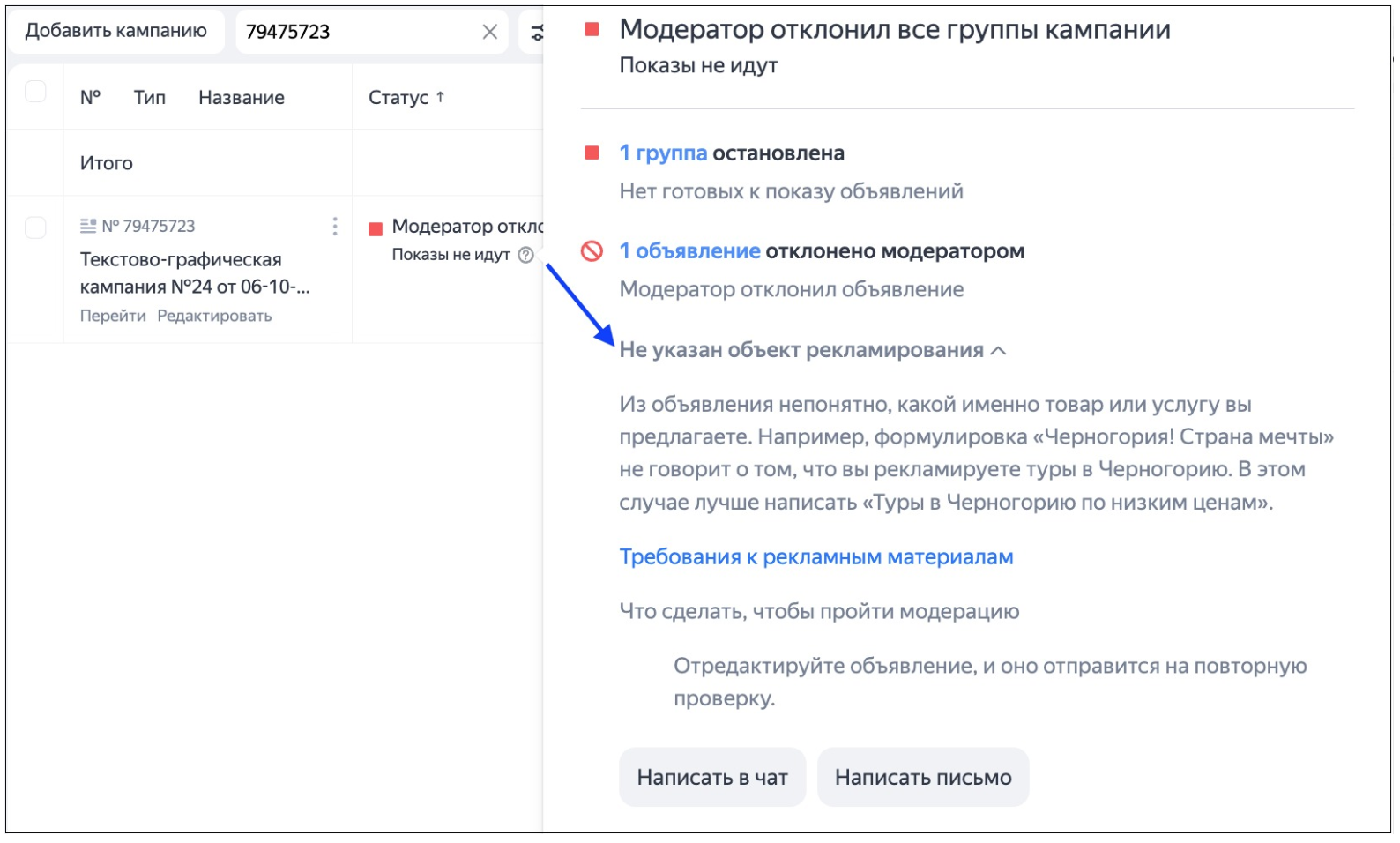
Why Yandex may reject compliant ads
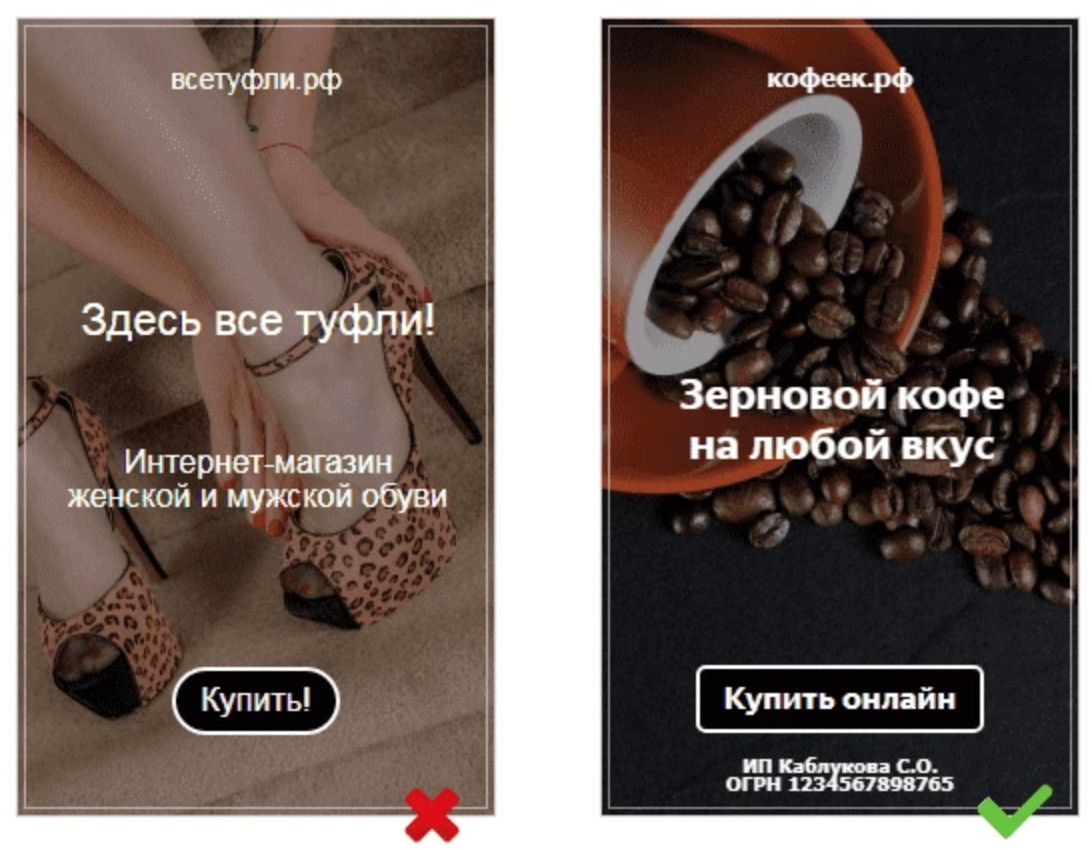
A white offer alone does not guarantee approval. The problem often lies in discrepancies between the ad and the landing page — when the creative simply does not match the website. Yandex moderation penalizes such inconsistencies in both directions:
-
First scenario: You create a bold ad — for example, «Loan approval for everyone» to attract clicks, while the landing page displays standard bank terms. Such a campaign will be rejected immediately — Yandex checks that promises made in ads are supported by the website.
-
Second scenario: You write a harmless ad saying «We'll help you find a loan» to pass the algorithm easily, but the landing page itself displays an aggressive «100% approval for everyone!». The moderator will follow the link, check the website and reject the ad for unlawful guarantees.
There is only one rule: promises in the creative must match what appears on the first screen of the website, and neither should contain prohibited triggers.
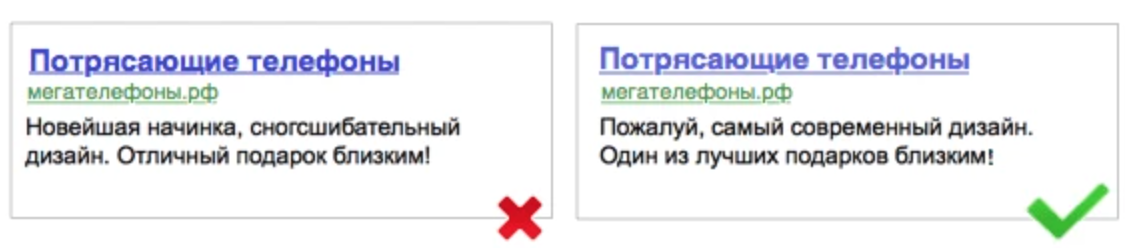
The same applies to e-commerce. An ordinary cream or shampoo does not become a medical product simply because it can be bought at a pharmacy. But if the ad says «cures», «eliminates the disease» or «guaranteed to solve the problem», an ordinary product may be reviewed as medical advertising.
Trigger words: what the algorithm reacts to automatically
Yandex's bot scans texts for stop words. Even if your offer is white, a couple of phrases can get the ad rejected:
-
In finance and HR: «Easy money», «Guaranteed income», «100% approval», «No effort required».
-
In e-commerce and services: «Cures», «Gets rid of it forever». Bold claims: «Best», «The most», «Number 1», «The only one» — if the landing page does not contain an official document confirming this status.
-
Aggressive marketing: «Click now», «Today only», excessive exclamation marks and ALL CAPS.
Creatives: why images fail moderation
The algorithms are just as strict about images in the Yandex Advertising Network as they are about text. Here are three common reasons why a creative may be rejected:
-
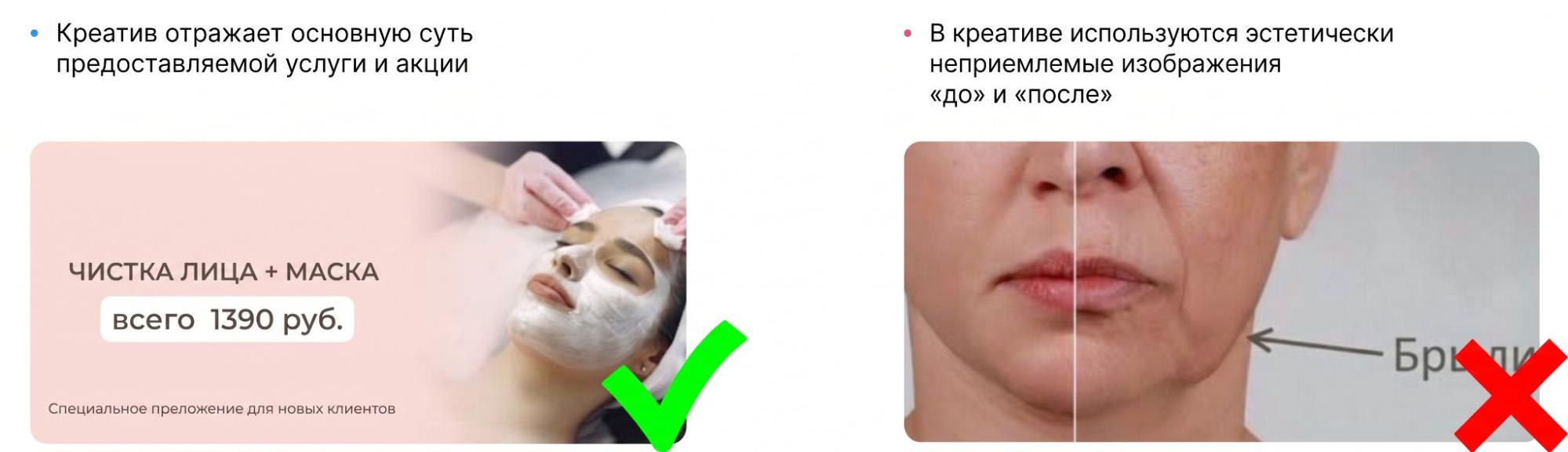
The «Before/After» format. A classic technique from nutra that is often used in fitness, cosmetology or renovation advertising. Direct's algorithms reject such collages, considering them misleading advertising.
-
Fake interface elements. You cannot draw a «Play» button on an image to imitate a video or add close buttons, cursor arrows and notifications to bait users into clicking.

-
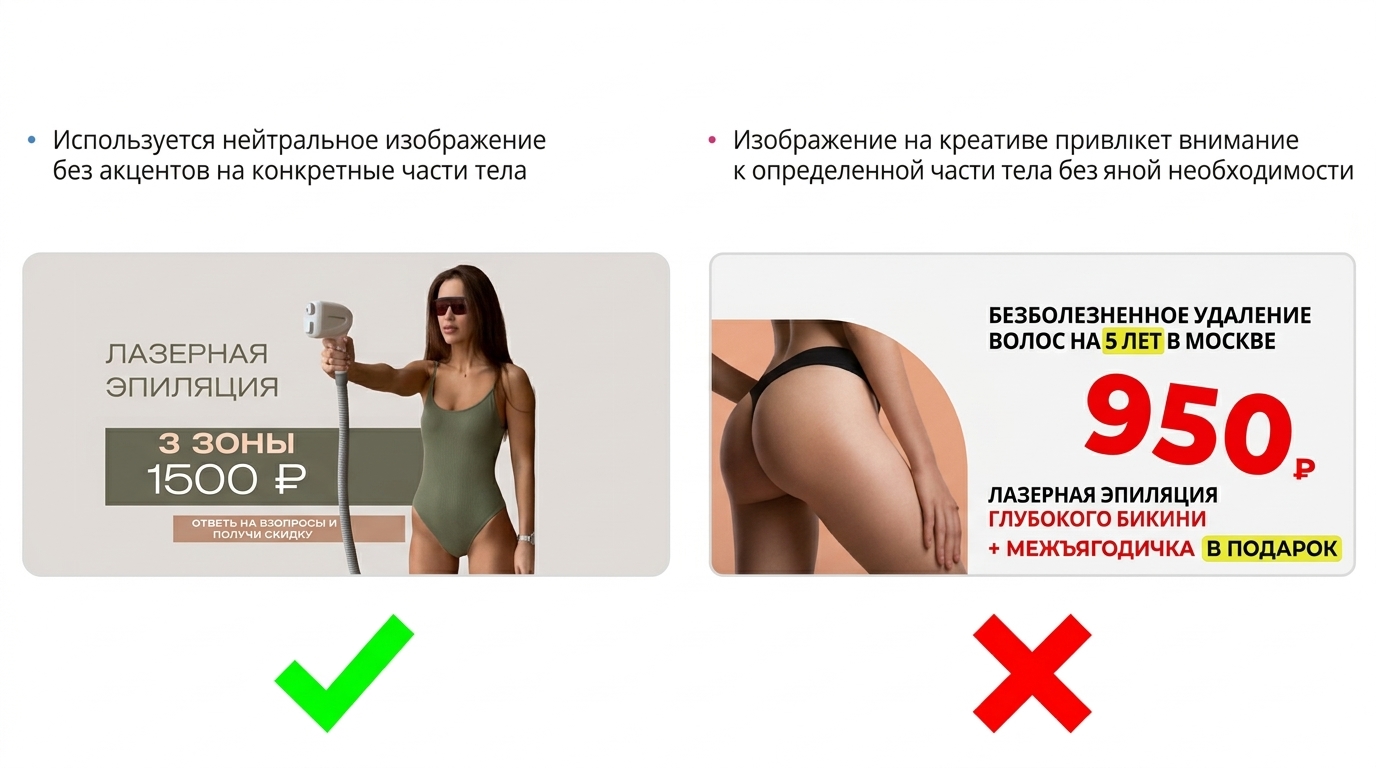
Explicit content. If you advertise swimwear, underwear or massage services, make sure the photo does not place excessive emphasis on exposed bodies. The bot often labels such creatives as «adult» and rejects them.
Legal notices and disclaimers
Some white niches require mandatory warnings. If you run traffic to bank cards, loans, medical products, dietary supplements or real estate, the ad must contain a disclaimer. For example, financial advertising must include the name of the bank or legal entity, while medical advertising — requires a warning about contraindications.
Direct usually adds these notices automatically if the category is specified correctly, but you must check that the «Add warning» checkbox is enabled. No notice — no approval.
Trackers, redirects and website availability
Many media buyers use trackers to distribute traffic. If you insert a link with a redirect into an ad, make sure it is configured correctly.
During moderation, Yandex's bot follows the link. If the tracker is down at that moment, the redirect gets stuck in a loop or the server returns a 404 error — the ad will be rejected because the destination page is unavailable. Also make sure that the final domain matches the one declared when submitting the ad; otherwise, the system will interpret this as content substitution (cloaking). And do not forget to enable the «Website monitoring» checkbox in the settings — it will automatically stop budget spending if your landing page suddenly goes down.
How to communicate with support properly
If you are confident in your setup, contact support and attach evidence. But instead of an abstract «Why was it rejected?», provide specifics right away: state the campaign number and clearly explain the nature of the service or product.
If the niche is borderline (for example, dietary supplements, cosmetics, online education or finance), do not wait for additional requests — immediately attach an exemption letter, certificates of conformity, licenses or letters of guarantee to your request. The more documents confirm that your activity is legal, the faster the moderator will lift the block.
Account blocking: why accounts get banned and whether they can be saved
The rejection of an individual ad — is part of the routine. It is much worse when the entire profile gets blocked. Media buyers still use the term «ban under clause 15» — which was previously used to describe a block without an explanation.
Yandex now blocks accounts for specific serious violations. These include:
-
Attempts at cloaking and replacing landing page content after passing the review.
-
Providing fake documents (licenses, certificates).
-
Advertising prohibited niches under the guise of white products.
If your account has been blocked even though you worked honestly, the only way forward — is to prove your good faith to support. Be prepared to show your company details, agreements with the affiliate network or direct advertiser, and explain in detail how the landing page works.
What you absolutely must not do — is try to bypass the block by creating new accounts. Yandex's rules officially classify this as a serious violation. The system will quickly link the new profile to the old one (through hardware, IP, payment details or domain).
Agency accounts as a safeguard
One way to make moderation easier — is to work not from personal self-registered accounts, but through agency accounts provided by top-up services.
Yandex's algorithms treat such accounts with slightly more trust because the services perform an initial check of advertisers during registration. But the main advantage — is having a personal manager on the service's side. If a campaign gets stuck in moderation or an erroneous ban occurs, you contact your manager rather than Yandex's general support. They can contact Direct support through their own channels, and disputed issues are often resolved several times faster.
What to check before submission (checklist)
To avoid rejection over minor details, it is worth checking the entire setup before launching:
-
Ad: check for bold promises, unverified figures and wording such as «100% results» or «guaranteed».
-
Landing page: check whether it matches what is promised in the ad. The user must land on exactly the product or service they saw in the advertisement.
-
Company information: check whether it is clear who sells the product or provides the service, and whether the necessary contact details and company information are available.
-
Niche: check whether the offer falls into a category with additional restrictions or document requirements.
-
Advertising labeling: check whether the advertiser's details are filled in correctly and whether the information required for advertising labeling is being transmitted.
And one more thing: do not chaotically rewrite the entire ad after the first rejection. First, look at the reason for rejection and check the specific element that Direct points to. If moderation did not specify a reason, you can request an additional review through support.
FAQ
How long does moderation take?
An automated bot review usually takes from a few minutes to a couple of hours. If the campaign is sent for manual moderation, the review process may take up to a day. If an ad remains «Processing» for more than 24 hours, do not just wait — contact support or reach out to your agency account manager, as the campaign may simply have become stuck during the review.
Does domain age affect passing the review?
Yes, and very significantly. If you run traffic to a domain registered just a few days ago or use an address with a poor history, the algorithm will review the website more strictly. Ideally, use clean domains that are at least a couple of months old. And be sure to check for an SSL certificate. Websites using the old HTTP protocol raise suspicion during moderation and get banned much more often.
Is it true that older accounts are reviewed more leniently?
As a rule, yes. Yandex has an internal advertiser trust system. An account with a history of ad spending, no serious bans and verified company details passes moderation faster. The algorithm may overlook a minor text issue in an old, trusted account, but reject a campaign for the same mistake on a newly registered account.