To successfully log into a Telegram account in Tdata format, you need to follow a few simple steps:
1. Download the Portable version of Telegram:
- It is absolutely essential to download the very latest version of Telegram before launching; this is highly important.
- You can download it from the official website via this link - Telegram for Windows (Portable version).
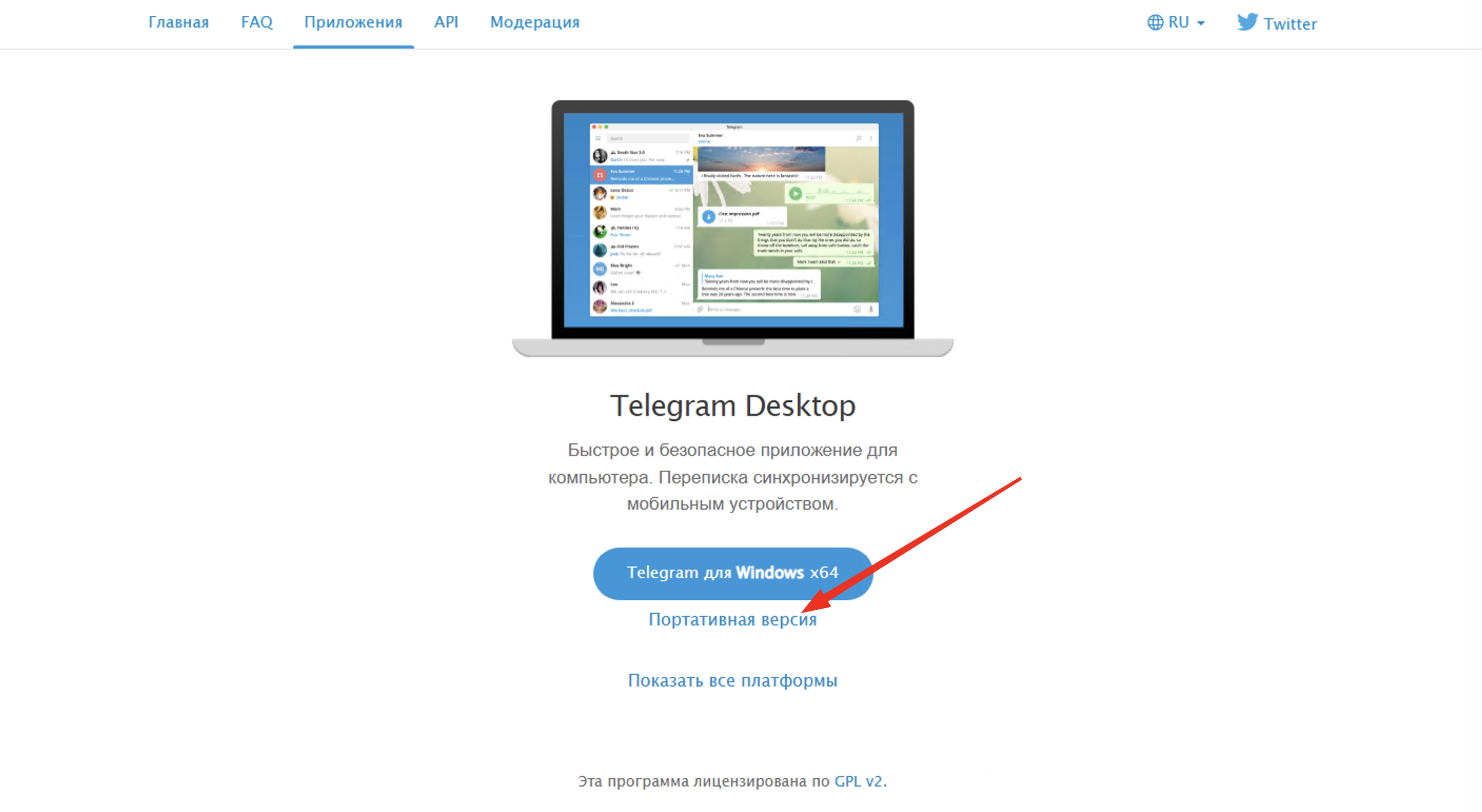
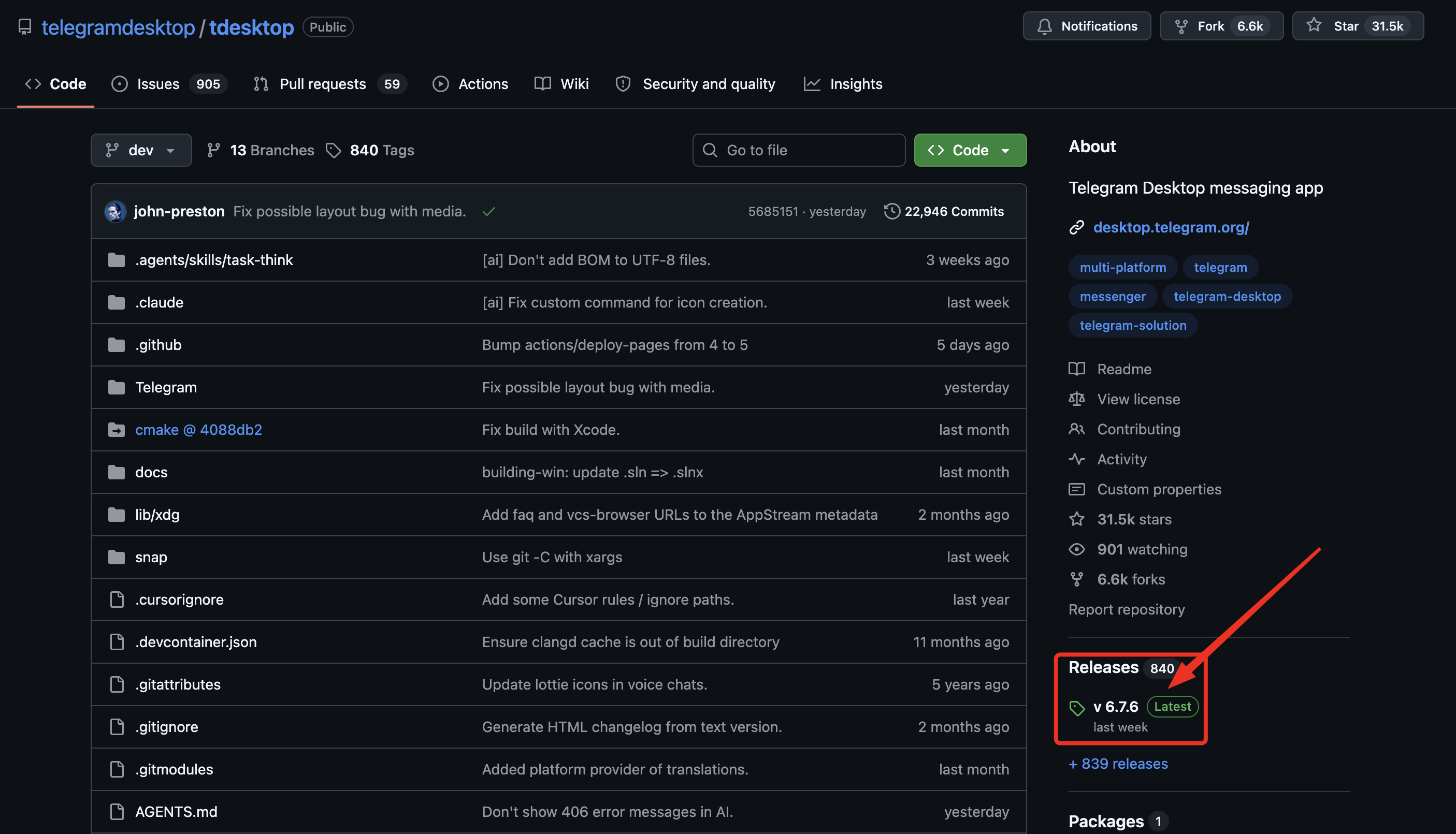
- Or via this link from the official Telegram GitHub channel - telegramdesktop. Make sure to check the release status; it must be the latest one (Latest). Click on the version, and on the new page, select the archive download that matches your Windows architecture - Windows 64 bit: Portable or Windows 32 bit: Portable
2. Extract the tportable archive:
- Once you have downloaded the portable version archive, extract it.
- Move the folder to a convenient location on your PC.
3. Move the Tdata folder:
- Open the previously prepared tportable folder that you downloaded and extracted.
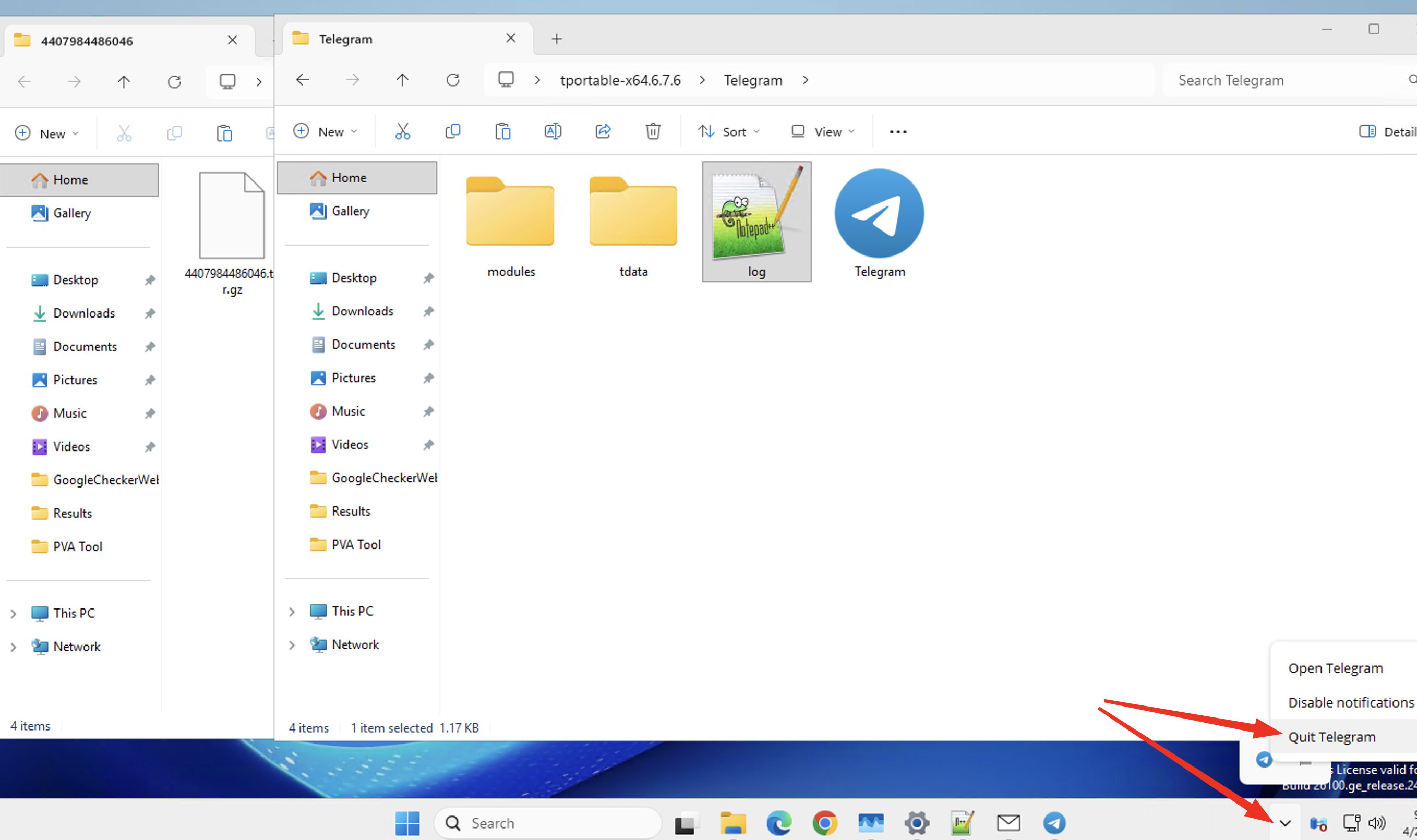
- Move the folder named "tdata" that you purchased from the marketplace into it.
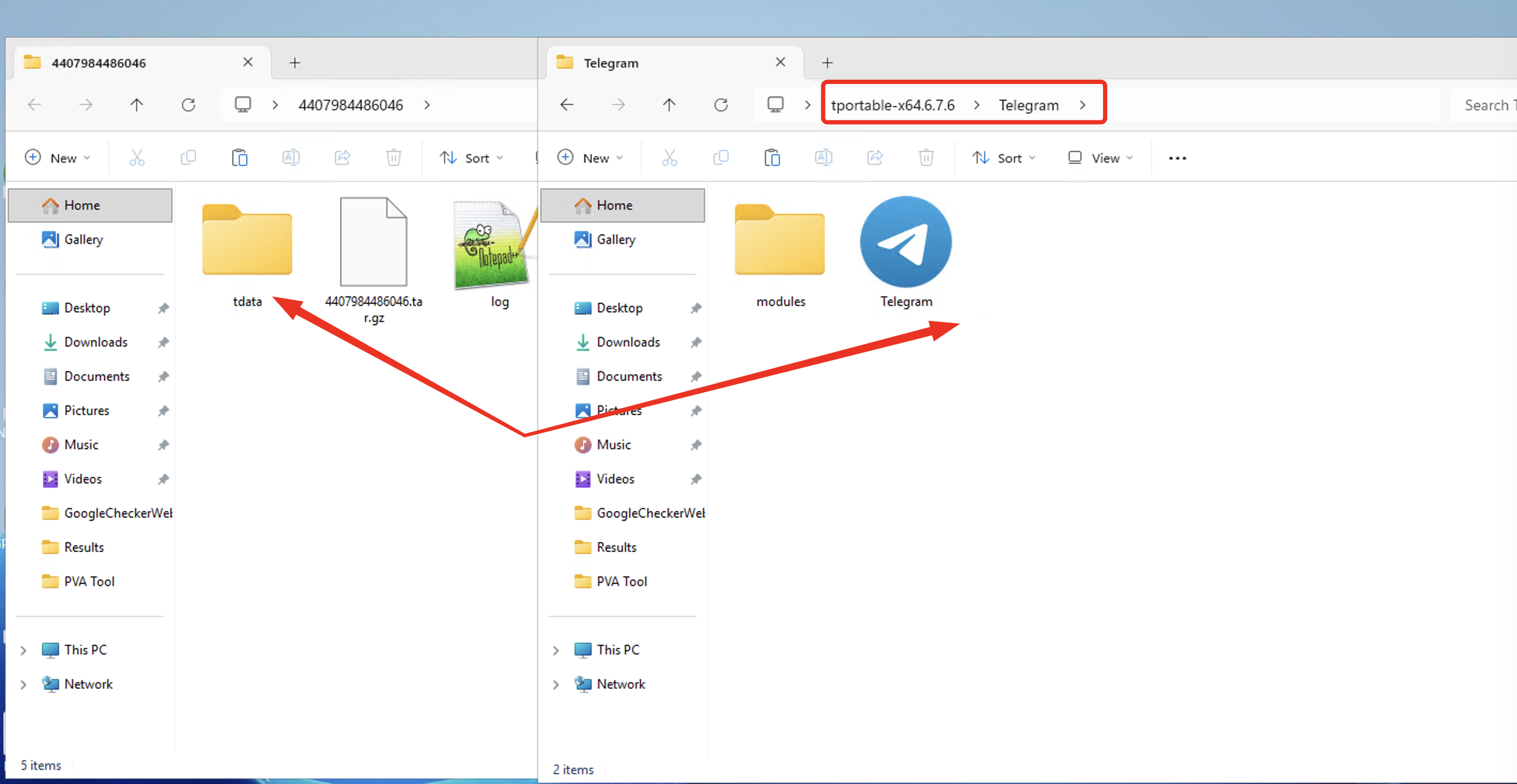
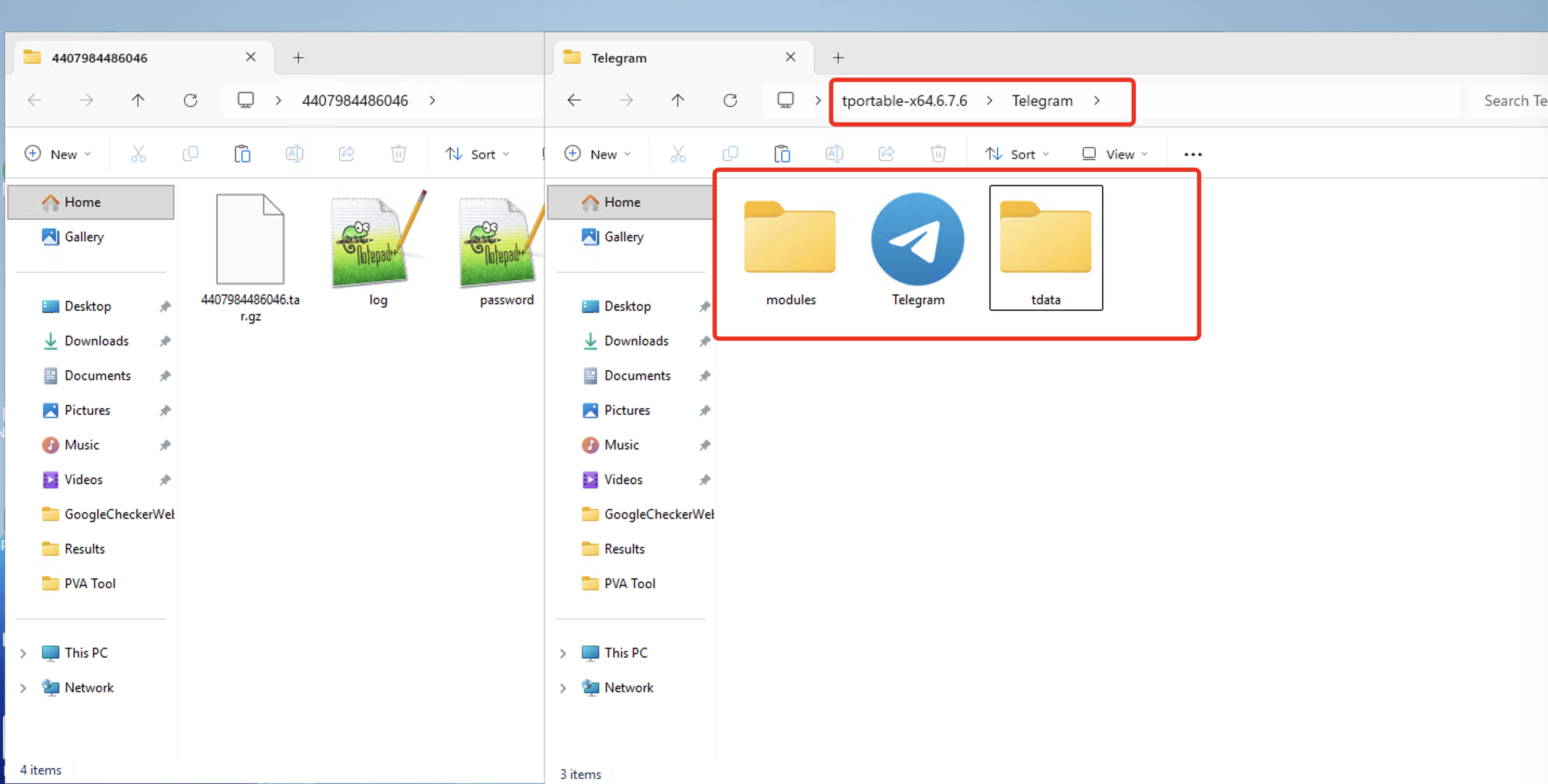
4. Be sure to verify the transfer accuracy and close any running clients.
- Before launching, absolutely make sure that everything has been transferred correctly and that the "tdata" folder is located right next to the Telegram executable icon.
- Check to ensure there are no previously launched or active Telegram clients running on your PC. If there are active instances, close them.
- Only after you are completely sure everything is done correctly should you launch Telegram.
By following these simple steps, you will be able to successfully launch a Telegram account in Tdata format.