Facebook evaluates not only the text and visuals of a creative, but also the landing page itself. In gray verticals, launching advertising with a direct link is impossible: Meta's bots quickly recognize stop words, medical claims or promises of earnings and immediately block the advertising account.
That is why a White Page — a neutral website that complies with the platform's rules — is used for launching ads.
When running traffic regularly, white pages become a constantly needed resource. Ordering website development from freelancers is expensive: a simple one-page website costs between $10 and $30, and constant testing consumes an unnecessary part of the budget.
Downloading other people's websites from spy services or building them with free generators is also risky: Meta's anti-fraud system has most likely already seen these pages and may reject the ad during the review stage.
In this article, we examine Facebook's moderation requirements for white pages, what a website must contain, and demonstrate the step-by-step process of building a White Page with Claude using the nutra vertical as an example.
Criteria for a reliable White Page for Facebook moderation
Relevance to the ad. Facebook compares the creative's topic with the landing page content. If an ad shows a video about back pain or weight loss, but the link leads to a travel blog or car repair service, the algorithm will reject the ad for a category mismatch.
The white page should continue the creative's topic while remaining neutral. For example, a website for a physical therapy center or stretching studio would suit a joint health offer.
Matching language and GEO. All information on the website must match the target country. If the campaign targets Italy, the text should be in Italian, prices should be in euros, and the phone number should include the country code. A mismatch in language or contact details immediately raises suspicions with the anti-fraud system.
It is also important that the website text does not look machine-translated. For translating and adapting content, it is better to use AI models such as ChatGPT or Gemini rather than ordinary online translators: they understand context and produce phrases the way native speakers use them.
Legal pages (Privacy Policy and Terms of Service). Having a privacy policy and terms of service is mandatory for passing Meta's review.
However, you cannot simply take a ready-made template from a generator without editing it. The documents must include the name of your website and company. If the bot sees another company's name or generic generator phrases in the policy text, the ad will be rejected.
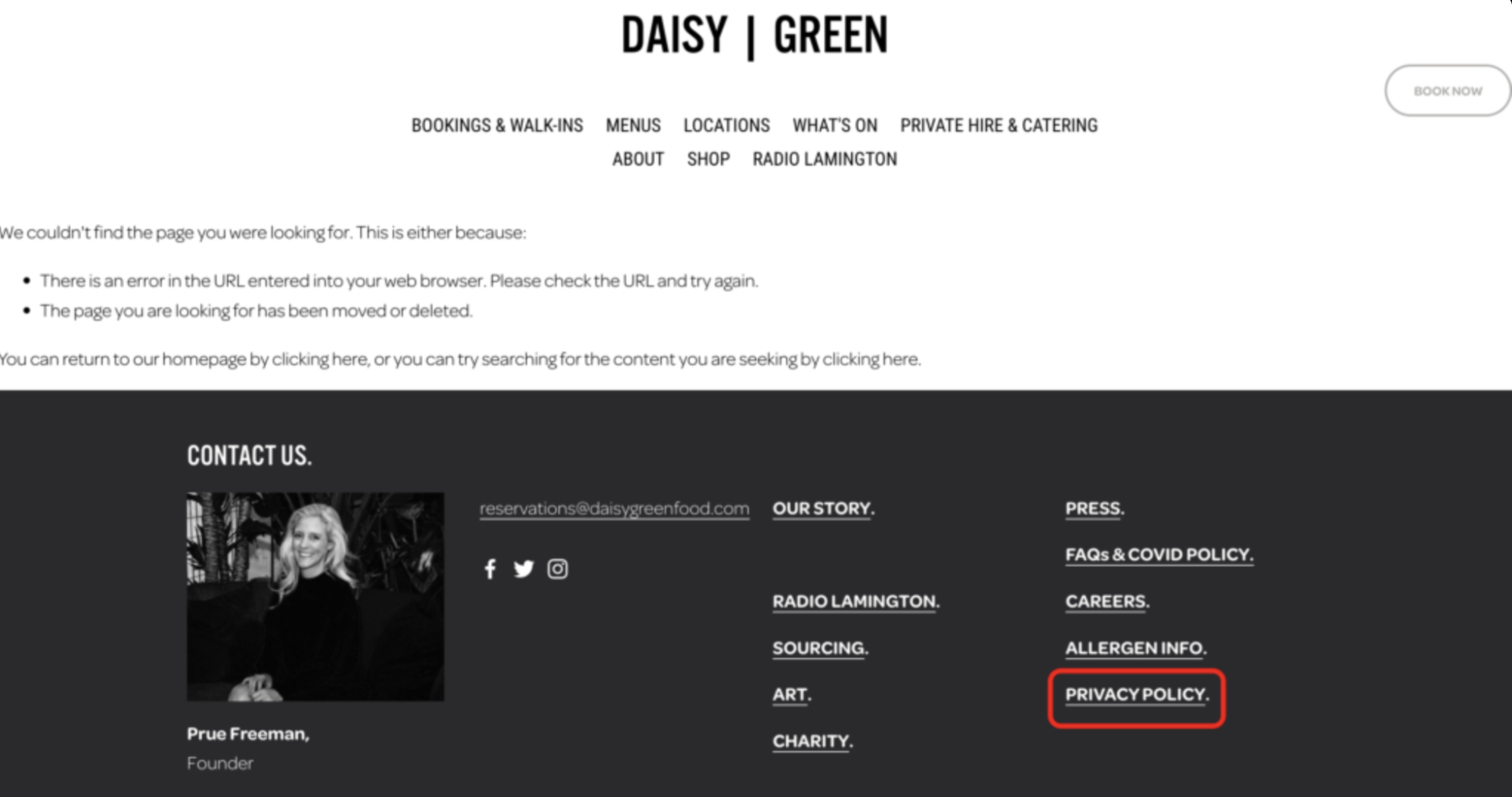
Working navigation. When reviewing a White Page, bots follow the links on it. If menu buttons lead nowhere or return a 404 error, the website will be rejected under the Non-Functional Landing Page rule. All links in the header and footer must work: they should lead to real pages or direct users to the relevant sections of the website.
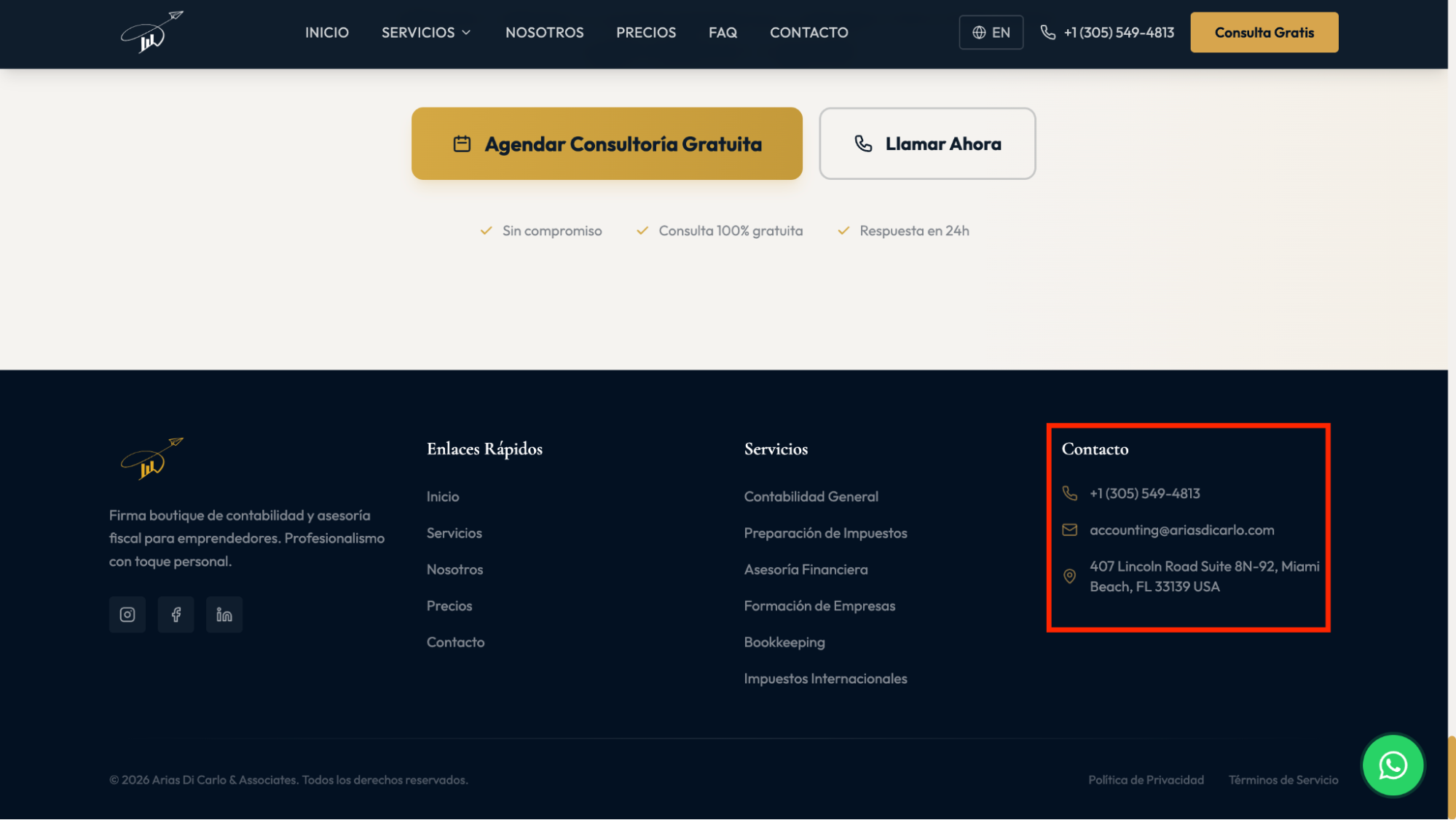
Company contact details. The page must contain real information so that the website looks like an operating business. A physical address can be found on Google Maps: simply search for a city in the target GEO and choose a suitable office building or fitness center.
It is also important to pay special attention to contact details such as email: instead of free Gmail or Yahoo addresses, it is better to provide an email address on the website's domain (for example, [email protected]). The contact form must also work and display a message confirming that the request was successfully submitted.
No triggers. The page must not use countdown timers, pop-ups that appear when someone tries to close the tab, promises of guaranteed results, medical claims or any «before/after» photos. The content should look like the website of an ordinary company that provides services or consultations.
Responsive design and fast loading. The vast majority of Facebook traffic comes from smartphones, so the mobile version of the page is crucial. The website must display correctly on phone screens, use HTTPS and load quickly without heavy external libraries or unnecessary scripts.
Approaches to creating White Pages for the main verticals
The topic of a White Page should be selected based on the vertical and offer you are working with. The website should logically continue the topic of the ad while containing only neutral content without references to the gray offer.
Nutra (weight loss, joints, hypertension, potency). If you run traffic to weight-loss offers, you can use a fitness club website, Pilates studio or healthy recipe blog as a White Page. If you run traffic to a joint health offer, it makes more sense to create a page for a physical therapy center, massage studio or stretching studio.
For hypertension offers, a healthy lifestyle website with nutrition and cardio workout advice would be suitable, while for potency offers — a men's blog about improving endurance and managing stress.
Images of medication packaging, ointments and medical professionals must not be used on such pages. Any promises such as «lose 10 kg in a week» or «get rid of pain in three days» are also prohibited.
The content should look like the website of a real company offering training sessions, massages or nutrition consultations.
Crypto and investments. For crypto offers, you can use White Pages on the following topics: basic financial literacy courses, household budget calculators or blockchain technology conference websites.
To avoid questions from moderation, the words «profit», «income», «passive earnings», «investments» and «deposit» must be completely removed from the text. The target action on the page must also be neutral: for example, calculating expenses in a calculator or signing up for a budget planning consultation.
Gambling and betting. When working with casinos and betting, the white page can be designed around sports analytics, esports news or reviews of simple mobile games.
The website must not contain images of slots or roulette, mentions of registration bonuses or sports betting odds. The page can feature analyses of past matches, schedules of sporting events or text descriptions of mobile games without references to gambling or real money.
Practical guide: building a nutra White Page in Claude step by step
Let's look at creating a White Page for a joint health nutra offer.
We choose a neutral page topic that is still close to the creatives: a therapeutic exercise, Pilates or stretching studio. In the text, we focus on workouts, strengthening the muscular support system and mobility. We completely exclude medical terms, medication names and promises to cure joint conditions.
Claude with Artifacts mode enabled is suitable for creating White Pages. In this mode, the website opens immediately in the Preview tab, so you can check the layout and button functionality directly in the chat window without installing code editors or uploading files to hosting.
Step 1. Page structure and responsive layout
We build the page in a single index.html file. Styling is connected through a CDN with one line at the beginning of the code. This eliminates the need to create separate folders for styles. The file is minimal in size and opens quickly on smartphones when users click through from an ad.
In the first request, we assign Claude the role of a frontend developer, specify the block structure and list stop words to exclude wording that violates advertising platform rules.
«Act as a Senior Frontend Developer. Your task — is to create a responsive White Page for the ActiveLife Studio wellness center specializing in therapeutic exercise and stretching.
Tech stack: a single HTML file with Tailwind CSS connected through a CDN. No heavy third-party libraries or external fonts.
Color scheme: neutral (white background, dark gray text, subtle blue and green accents).
Layout: clean, with readable fonts and full responsiveness for smartphone screens.
Required sections on the page:
1. Header: studio name and logo, navigation menu (Programs, About the center, Specialists, FAQ, Contacts) and a «Book a session» button.
2. Hero section: a neutral headline about strengthening the muscular support system and personalized exercise programs, a subheading and a call-to-action button.
3. Training programs: 4 cards (Therapeutic exercise, Gentle stretching, Pilates for posture, Joint mobility exercises) with a short description of 2-3 sentences each.
4. Studio advantages: 3-4 blocks describing comfortable training rooms, certified trainers and personalized training schedules.
5. Specialist cards: 3 trainer profiles indicating their sports education and years of experience.
6. Booking form: fields for entering a name, phone number and selecting a program.
7. FAQ section: 4 frequently asked questions about preparing for sessions and attendance schedules.
8. Footer: studio address, phone number, email, links to Privacy Policy and Terms of Service.
IMPORTANT: Exclude wording that violates advertising platform rules. Do not use the following words: treatment, disease, joints, pain, arthritis, drug, medication, diagnosis, 100% guarantee, get rid of forever. Use neutral descriptions: mobility, muscle tone, gentle stretching, workouts, balance».
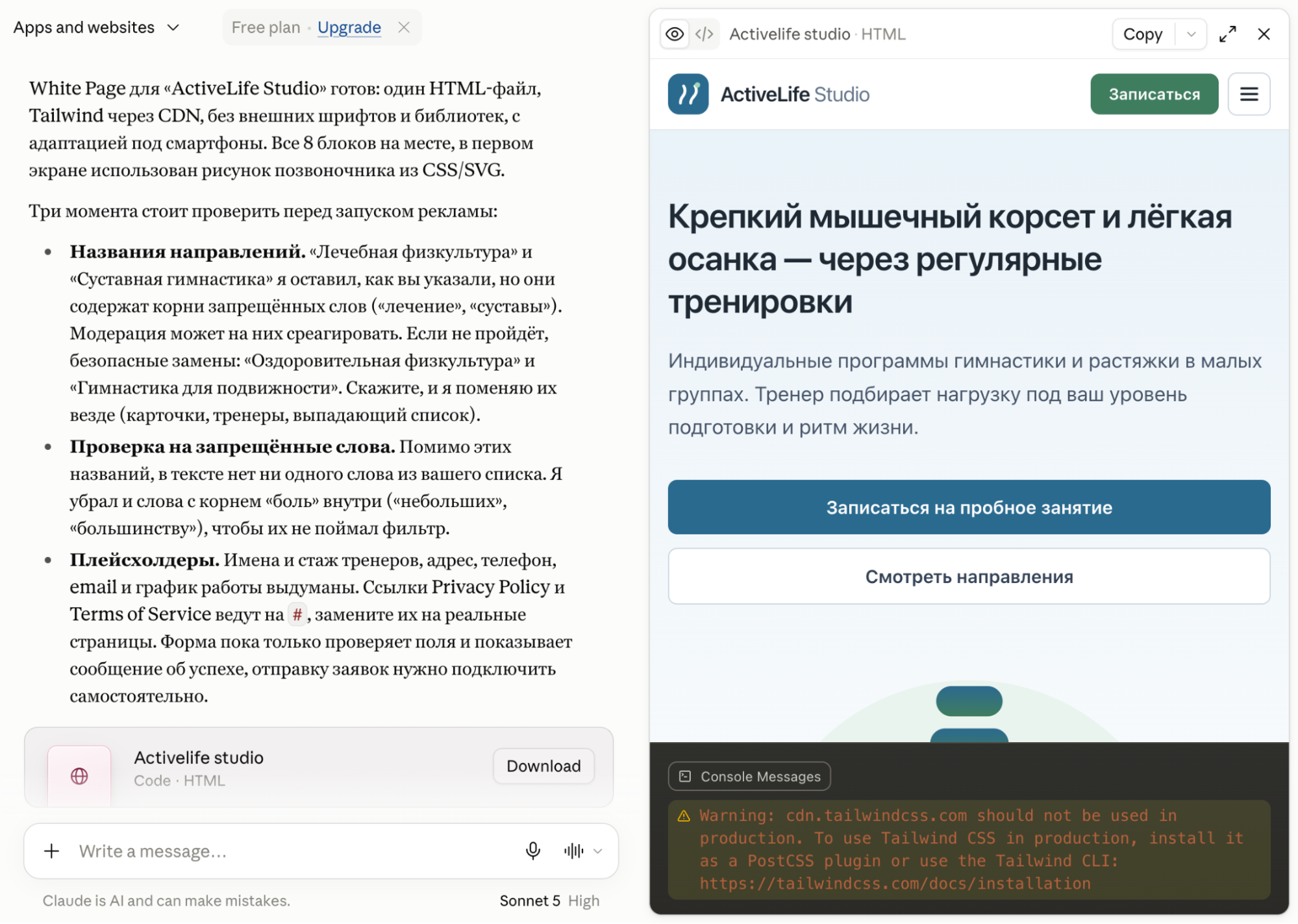
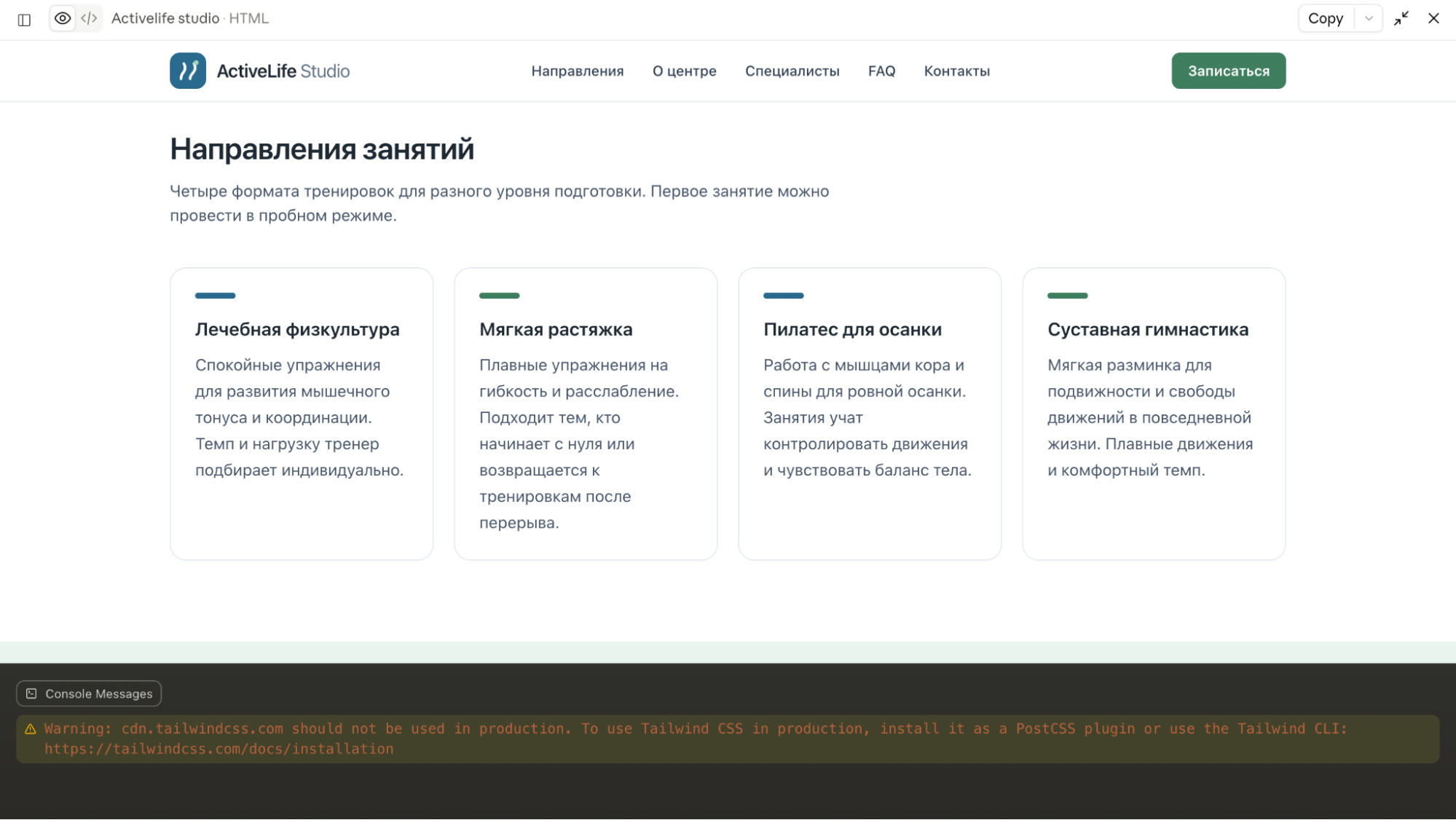
After Claude completes the request, go to the Preview tab and check the placement of the sections, buttons and cards on the page.
Step 2. Adding interactivity
Meta's bots check links and click on forms. Non-working buttons and static forms lead to campaign rejection for Non-Functional Landing Page.
To pass the review, we add interactivity using vanilla JavaScript before the closing </body> tag. We send a second request in the chat:
«The technical structure is ready. Now add interactive elements to the page using vanilla JavaScript (place the code before the closing </body> tag):
1. Booking form:
Add field validation: check that the name field is filled in and validate the phone number format.
When the submit button is clicked, the page must not reload. The form should disappear. In its place, a block with the following text should appear: «Thank you! Your request has been received. An administrator will contact you within 15 minutes to confirm the time».
2. FAQ section:
Create an accordion: initially, only the questions are visible; clicking a question smoothly expands the answer. When the next question is opened, the previous one closes.
3. Navigation:
Set up smooth anchor scrolling to the corresponding sections when clicking the menu items in the header.
For the mobile version, add a dropdown menu that opens and closes on click»
Then we check that the scripts work: click through the menu, expand the FAQ items and submit a test request to make sure the notification appears.
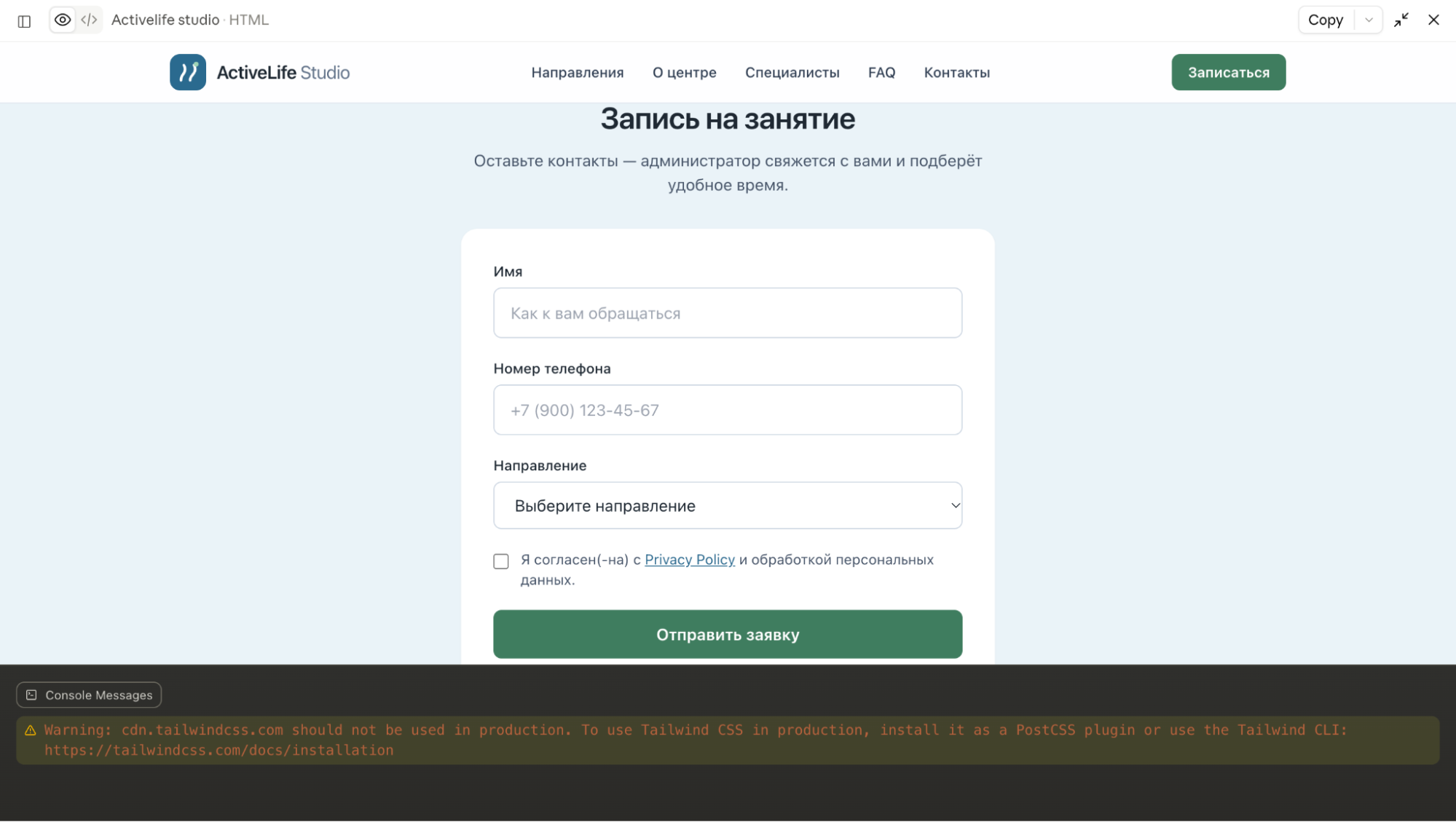
Step 3. GEO localization and legal documents
It is more convenient to build the website in Russian first: this makes it easier to evaluate the placement of sections, check the text for stop words and test the scripts. Once the structure is ready, the page is translated for the target GEO.
Let's take Italy as an example. Any discrepancies in language, currency or contact details immediately raise suspicions during Meta moderation. Therefore, we translate all content into Italian, provide a phone number with the +39 country code and choose an address in a real city, such as Milan.
At this stage, we also fill the page with the final text: describe the training programs in detail, add instructor cards and include Privacy Policy and Terms of Service links in the footer with our domain name.
«Add the final content and localize the website for Italy (Milan):
1. Language and text:
Translate all content into natural Italian without machine-translated wording.
Write detailed descriptions of the training programs and instructor profiles.
2. Studio contact details:
Provide a real address in Milan (for example: Via Dante, 14, 20121 Milano MI, Italy).
Add a phone number with the country code (+39 02 ...) and an email address on the domain: [email protected].
Insert a styled map section into the contact block (a static frame without connecting heavy APIs).
3. Legal documents:
In the footer, create working links to modal windows containing the Privacy Policy and Terms of Service.
The documents must be in Italian and contain the studio name «ActiveLife Studio Milano» and the domain address.
Add a cookie collection notice with a consent button to the footer».
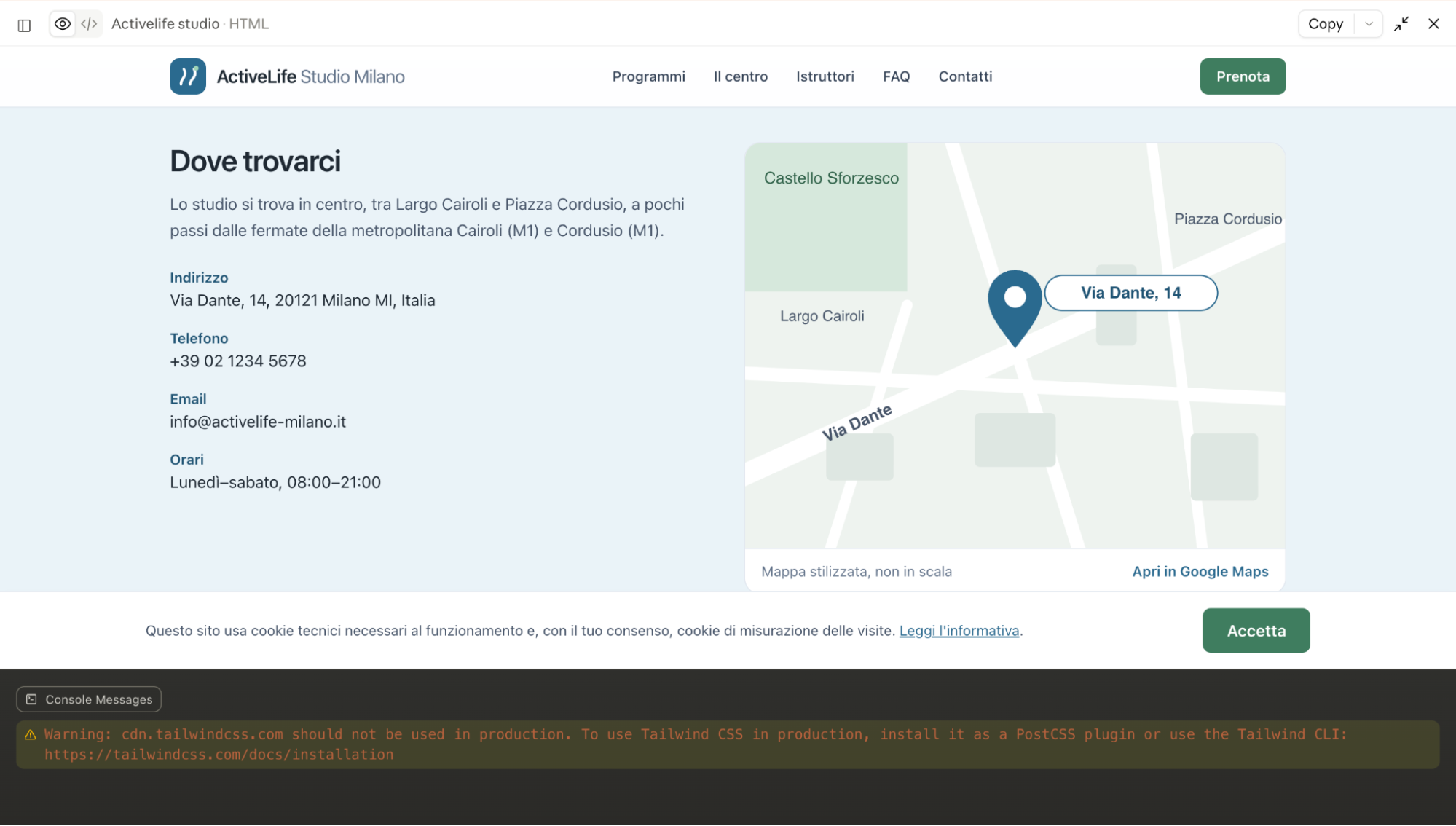
In the Artifacts window, we get the final code with all documents, local contact details and working scripts. The page is ready to be uploaded to hosting or connected to a tracker.
Conclusion
When running traffic from Facebook, White Pages are constantly needed. There is no point in downloading other people's websites from spy services or using public generators: Meta's algorithms quickly detect code that has already been used in advertising and ban the campaigns.
It is easier to generate pages yourself with Claude without spending money on frontend developers. In 10-15 minutes, you get a unique website with clean code, working scripts and legal pages for the required GEO.
At the same time, even a high-quality White Page will not protect against account blocks if mistakes are made in the cloaking setup. The page only works as part of an overall setup with tracker filters. If the website text matches the creative's topic and contains no stop words, the campaign is highly likely to pass the review.