Email remains an effective traffic source: email campaigns are used to warm up lists, bring back old leads, and drive users to offers. But working with Gmail is becoming increasingly difficult.
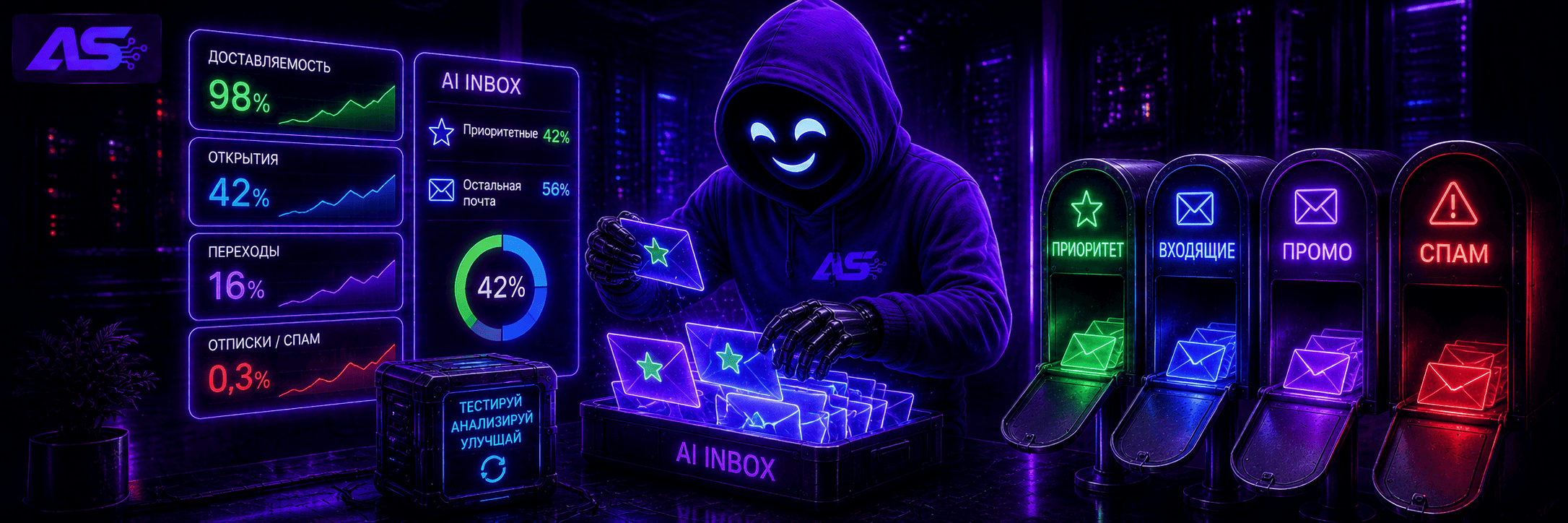
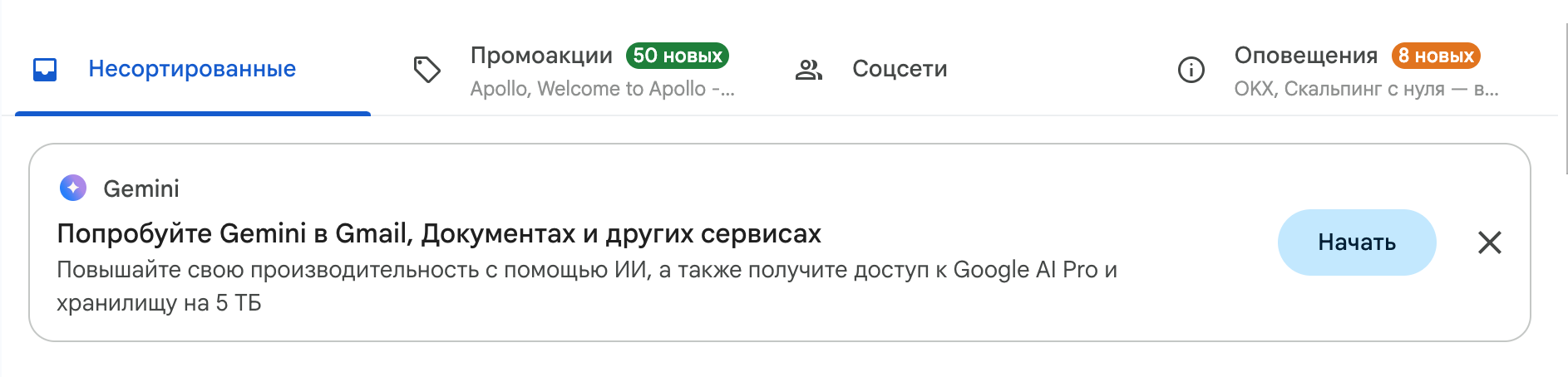
In 2026, Google began rolling out AI Inbox — a new Gmail format where AI sorts incoming messages and brings emails it considers important to the top. Therefore, today it is not enough to build a list, prepare accounts, and launch an email campaign. Deliverability is affected by the reputation of email accounts, list quality, sending volumes, and recipient reactions. A sudden start, a dead list, spam complaints, or unprepared accounts can quickly damage campaign results.
Let's look at how campaigns are currently run through Gmail: which email accounts to use, whether new and purchased accounts need to be warmed up, how to increase volumes, and what to change in the emails themselves so they do not end up in spam or get lost in the inbox.
What changed in Gmail with the arrival of AI
Previously, deliverability was evaluated quite simply: if an email reached the «Inbox» — that was already good, if it went to Spam — that was bad. With AI Inbox, another option has appeared between these two: the email is in the «Inbox», but the user does not see it.
Gemini collects important emails in a separate section and can briefly summarize their content. Priority is given to messages that require the recipient to take some action: pay an invoice, confirm a reservation, reply to an email, or check an order. The rest of the mail remains in the general list.
This creates a new task — not only to deliver the email, but also to attract attention after delivery. Familiar metrics can be slightly misleading here: Gmail successfully accepted the email, there are no delivery issues in the statistics, but actual views and clicks are low.
The approach to the email itself is also changing. A long introduction before the offer, a vague subject line, or another «We have great news for you» hardly works. The user must quickly understand why they should open the email and what is inside. This is especially true for mass email campaigns, which even without AI compete for attention with dozens of similar emails. Therefore, in 2026, an email campaign effectively has two tasks: reach the inbox and not get lost there among other emails.
Where to get a list for email campaigns
An email list is needed for campaigns. There are several options: use contacts from previous campaigns, collect a new audience for a specific offer, or use a ready-made list.
-
Your own list. This includes leads, registrations, subscribers, and other contacts that you have already collected. An old list does not have to be used only for the original offer. If the audience is suitable for a related vertical, it can be monetized again. For example, if the list was collected for online earnings, crypto or betting offers can be tested on it. Before launching another campaign, the old list needs to be cleaned. If the addresses have been stored for a year or two, some of them may no longer work.
-
New list. A list can be collected directly during a campaign. To do this, an email form is added to the landing page. The user leaves their email before proceeding to the offer, while the contact remains in the list for future email campaigns. If a list from public sources is needed, email parsers are used. You specify websites or pages to collect from, run the parsing, and receive a list of found addresses. This method is more suitable when the target audience can be found on specific websites, in directories, or in other public sources.
-
Ready-made list. The fastest option, but it is especially important to check the addresses before launch. It may contain old, nonexistent, or long-abandoned email accounts. Sending to the entire list from active accounts right away — is a bad idea.
Regardless of the collection method, it is better to check the list before launching a campaign. Even a fresh list may contain inactive or incorrect addresses, while old and purchased lists usually contain even more of them.
How to check an email list
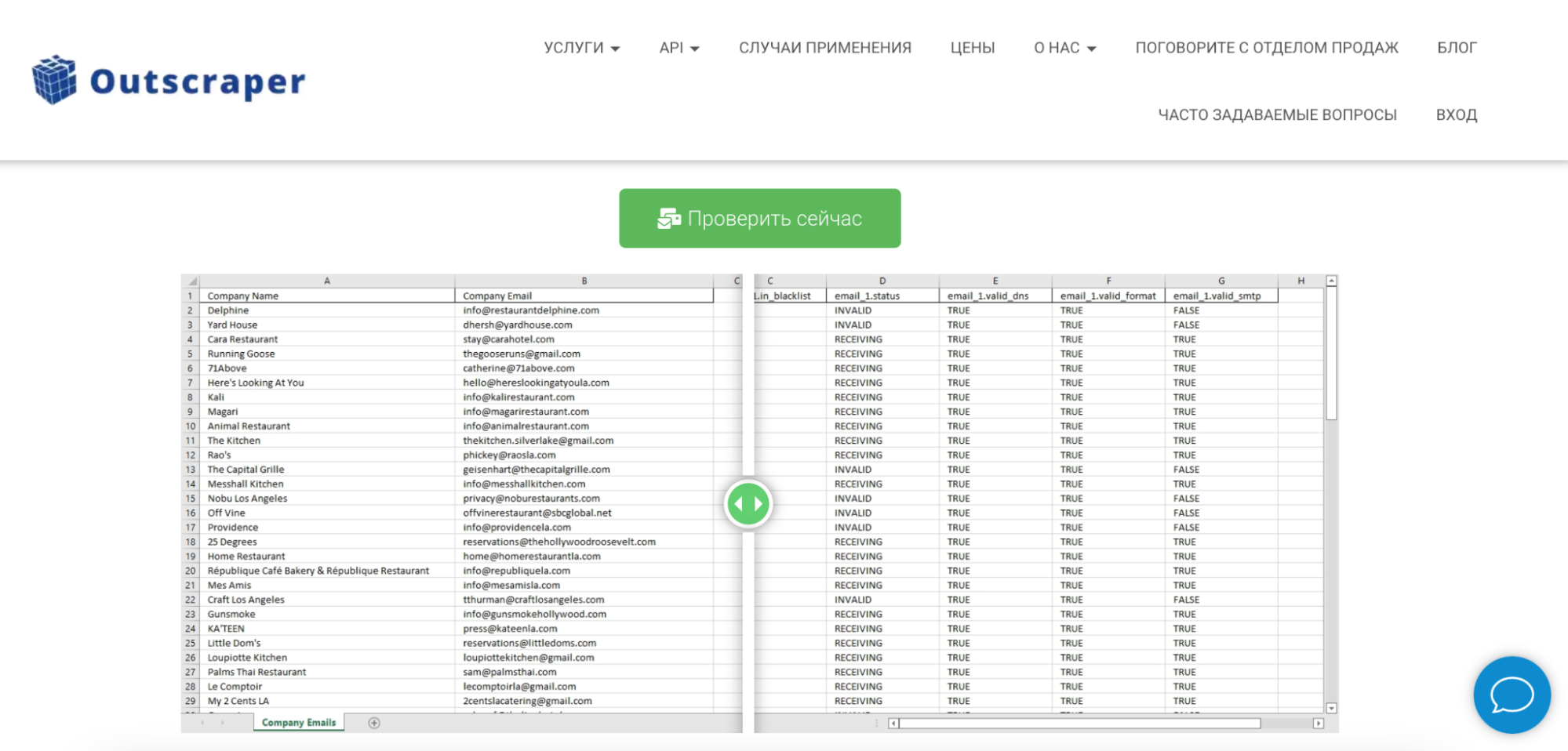
For email verification, you can use Outscraper, for example. A ready-made list of addresses is uploaded to the service, after which the validator checks each email and displays its status.
As a result, you can immediately see which addresses accept emails and which ones should be removed from the list:
-
RECEIVING — the email account accepts incoming messages;
-
INVALID — the address failed verification and should be removed from the list.
Outscraper also checks the address format, DNS, and the ability to receive messages through the mail server. All results can be exported, allowing you to continue working with the cleaned list.
If 7 000 valid contacts remain out of 10 000 after verification — this is normal. It is better to remove invalid addresses before launch than to receive a high bounce rate during the campaign and damage the reputation of the email accounts.
Which Gmail accounts to use for email campaigns
There are two options: register Gmail accounts yourself or use ready-made accounts. With self-registration, you will have to spend time creating and warming up each mailbox. Ready-made accounts are more expensive, but they allow you to immediately assemble the required number for testing or scaling.
Several types of Gmail accounts are commonly available:
-
Autoregs — accounts created through mass automated registration. The cheapest option, but they must be carefully selected and warmed up for serious volumes.
-
Manual registration — accounts created manually. They usually cost more than autoregs.
-
Aged — email accounts registered several months or years ago. Age alone does not guarantee anything: what matters is whether the account had normal activity and how it behaved before the sale.
-
Warmed-up — Gmail accounts with a history of use and email activity. They are used when you do not want to start the preparation completely from scratch.
-
Accounts for a specific GEO — for example, the USA, Germany, or France. This option is suitable if the entire combo is built for a specific country.
After purchase, the account still needs to be checked and given some normal activity before gradually connecting it to an email campaign.
Proxies and antidetect browsers for Gmail
If the email campaign is run from a couple of your own accounts, a separate antidetect browser and proxies are not needed. But when scaling and working with purchased accounts, it is better to separate them into different profiles. Google sees login history, IP, approximate location, browser, and device. A sudden change in the usual location may trigger additional verification or block a suspicious login.
The following combo is usually used for an account network:
-
Antidetect browser. A separate profile is created for each Gmail account, where cookies, the session, and other browser data are stored. For this, you can use, for example, Dolphin Anty or AdsPower. This prevents accounts from mixing with each other, and each one works in its own environment.
-
Proxies. It is better to assign a permanent IP to each profile and avoid changing it with every login. For this, static residential or ISP proxies are used. The GEO should match the account itself: Gmail for Germany — a German IP, for the USA — an American one.
Once the accounts are separated into profiles and proxies are configured for them, you can proceed to the warm-up. Even ready-made purchased Gmail accounts should first be tested with small volumes before being connected to the main campaign.
How to warm up Gmail before an email campaign
A fresh Gmail account cannot be immediately loaded with an email campaign. First, normal email activity is created on the account: a small number of emails are sent from it to other mailboxes, incoming messages are opened, and some of them are answered. The volume is then gradually increased.
At the same time, you should not send the same message back and forth between accounts. Subject lines, texts, email lengths, and intervals between actions should differ. If an email ends up in spam, it is moved to the «Inbox» — this is also a positive signal for AI.
The warm-up can be automated through special services. The required email accounts are added to them and the warm-up is launched: the accounts automatically send emails to each other, open them, reply, and move messages out of spam. The daily volume and its gradual increase can be configured in the settings.
For a new account, it is better to run the warm-up for at least two weeks, starting with a small volume and gradually increasing it.
Warmed-up accounts should also be tested with a small volume first. They already have an activity history, but after a change of owner, IP, and environment, immediately applying the maximum load is risky.
How to write emails
With AI Inbox, the creative should quickly give Gmail and the recipient context: what the email is about, why it was sent, and whether it contains something relevant specifically to them.
What to consider when preparing an email:
-
Find a suitable news hook for the offer. This could be new terms, a product launch in the required GEO, changes to payment methods, a new bonus, a tournament, or another event that genuinely concerns your audience.
-
Put the news hook in the email subject line. The subject line should already make it clear what the email will be about. At the same time, there is no need to shorten it to two or three words — specificity is more important than length.
-
Explain the point in the opening lines. Start with the news hook and main terms, followed by the lead-in to the offer.
-
Create different creatives for different lists. If you are sending to several GEOs, old leads, and a fresh list, using one template for the entire volume — is a weak option. The opening angle, terms, and offer should change, not just the name in the greeting.
-
Leave one main action. If the goal of the email — is to lead users to the offer, there is no need to add several more offers and links next to it. If a reply is needed, the text should be structured for a conversation from the start.
-
Do not turn the email into an advertising banner. The more unnecessary layout, buttons, images, and promotional blocks there are, the harder the message is to read. For some campaigns, it makes sense to test plain text or a simple HTML layout.
A good real-life example — is an email about obtaining work permits for foreign nationals registered as sole proprietors. The subject line immediately specifies the country, work permit, and compliance check. The recipient does not have to guess why it was sent to them. In this case, the email campaign is highly targeted — it is sent to a list of foreign nationals who registered as sole proprietors in the country.
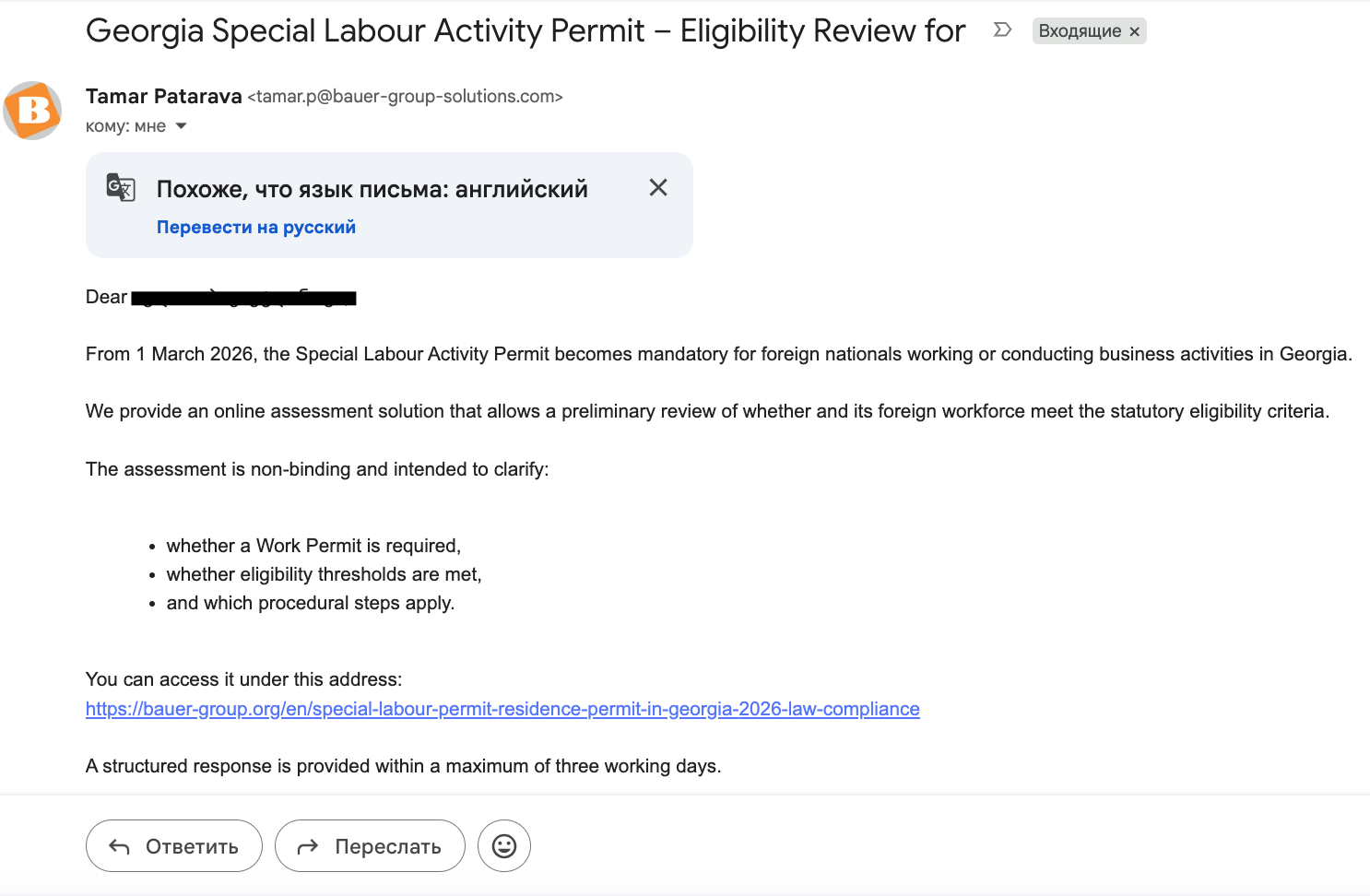
The first paragraph immediately presents a specific news hook: starting March 1, 2026, the requirements for foreign nationals who work or run their own businesses are changing. Only after that does the sender offer a preliminary verification service. For someone affected by this situation, there is a real reason to open the email and read it to the end.
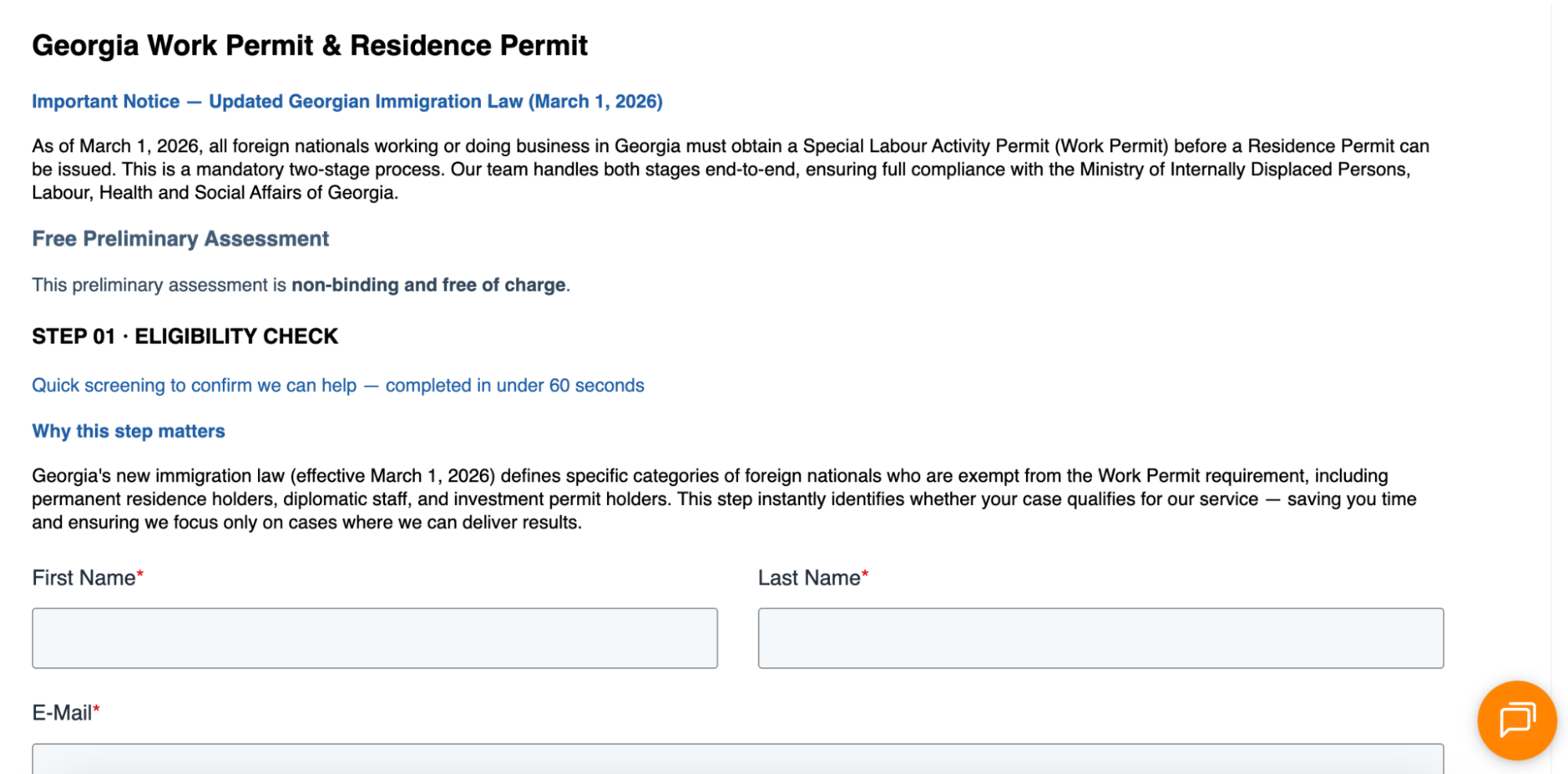
The link then opens a form offering a free check for compliance with the new law. But the email campaign itself is commercial: behind it is a company that provides legal and other services for businesses.
The free check works here as the first step in the funnel: the user is engaged with a problem relevant to them, given a useful tool, and then led toward a paid service.
The principle is the same for traffic arbitrage campaigns: first, a real hook is found that matches a specific list and offer, and then the creative is built around it. This is much more useful than trying to find keywords for Gemini. There is currently no universal subject line or template guaranteed to put an email campaign into AI Inbox Priority.
Conclusion
AI in Gmail is not killing email campaigns as a traffic source, but it is changing the approach to them. Simply delivering an email to the «Inbox» is no longer enough: it is important that it does not get lost among dozens of others and that the recipient genuinely wants to open it.
Therefore, you need to work with the entire combo: clean the list, prepare and warm up accounts, avoid increasing volumes too quickly, and create creatives for a specific audience. Instead of trying to find the right words for Gemini, it is better to test different news hooks, subject lines, and messaging and see what generates clicks and conversions for a specific list.