
Trap-button: how third-party AI extensions steal your data
The «Log in through Google» button has become the main loophole for hackers, and our laziness and mass fascination with new AI services is to blame for everything. For example, you found a cool application based on AI that promises to automatically sort emails into folders or quickly sketch answers for clients. In order not to waste time on a long registration, you simply click into the convenient «Log in with the help of Google» button. The program asks to give it a couple of accesses, you press «Allow» and forget about it. At this very moment you could with your own hands give the keys to your entire digital life to who knows whom.
Recently a loud scandal thundered in the IT sphere. The large technological service Vercel suffered from a serious hack — a work Google Workspace account of one of the employees was hacked. The most interesting thing is that nobody hacked the employee's password and their computer was not infected with viruses. Scammers entered through the third-party AI utility Context.ai, to which the employee once himself thoughtlessly gave wide access rights through the «Log in with the help of Google» button.
Hackers infected the AI utility itself and for two months quietly sat inside the corporate ecosystem, studying data, until they were discovered.
Security measures
To prevent your account from passing into wrong hands through third parties, observe three simple rules:
1. When you enter a new site through Google or Apple, carefully read the pop-up window. If some simple AI picture generator or task planner for some reason requires access to viewing and deleting your emails or drive management — look for another source. For authorization it is enough for the application to know your name and email.
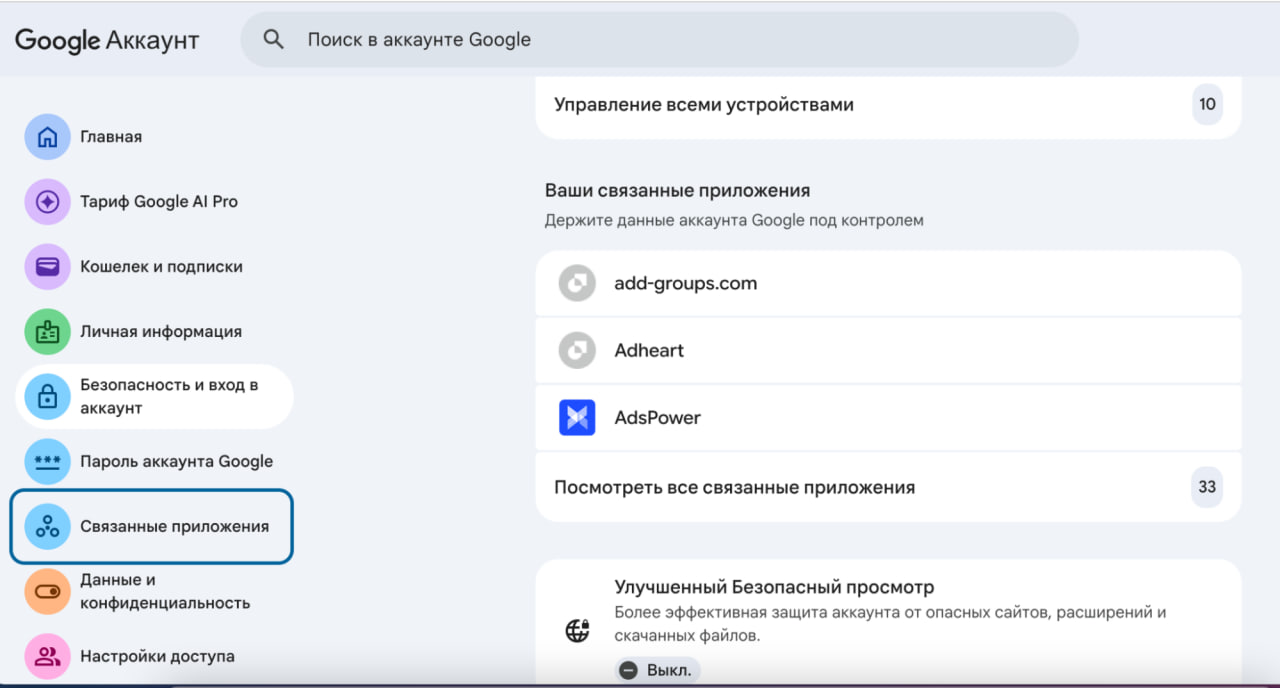
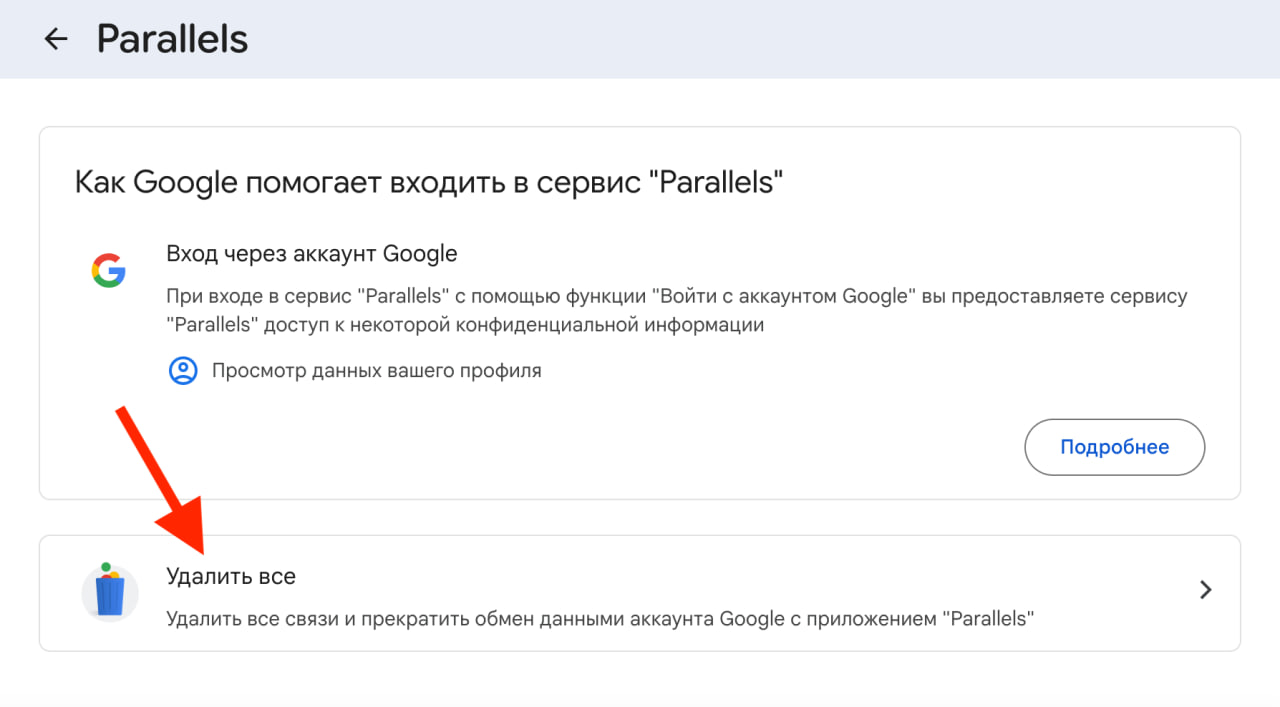
2. Conduct a revision. Go into the settings of your Google account into the «Connected applications» section. You will be surprised how much trash has accumulated there. Delete access for all services which you do not use or which cause doubts.
3. Start a blank account. If you really want to test a hyped AI toy or a doubtful service — never enter there through the main work or personal email, in which there are important correspondences and data. Register for these tests a blank account which you do not mind losing.