How to drive organic traffic (UBT) from YouTube Shorts in 2026: A complete manual on farming and assembling creatives
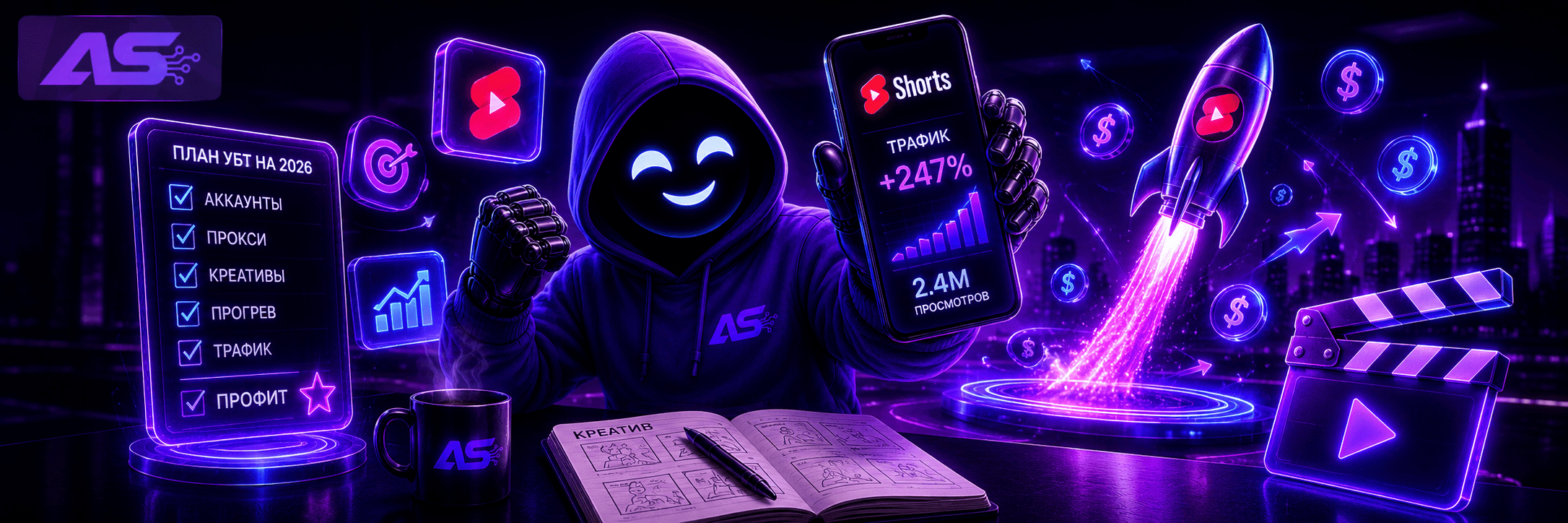
YouTube Shorts in 2026 is not just short videos for entertainment. Over 200 billion daily views, 2+ billion active monthly users, and an algorithm that is now completely separated from long-form videos. For arbitrage, this is one of the primary sources of organic traffic (UBT), where with the right technical approach, the resulting conversion rate is noticeably higher than in Instagram Reels, and traffic volumes are more stable than in TikTok, which is constantly storming.
Google moderation in 2026 has completely shifted to neural network scoring, so launching aggressive creatives "head-on" will no longer work. In this guide, we have broken down step-by-step how to bypass filters, properly prepare consumables, and squeeze the maximum out of retention algorithms.
Tools for getting started
You can work with YouTube Shorts from a PC or mobile devices. The approach to consumables is similar in both cases, but each has its own technical specifics.
Proxies and anti-detect browsers
If you are driving traffic from a computer, the baseline consists of an anti-detect browser and high-quality proxies. Among anti-detect browsers, Dolphin is excellent for starting out. If you are just getting into the field, the free version with three profiles will be enough to test your setups. Once you understand the mechanics and find a working setup, you can get a paid plan to scale up your volume.
It's best to use residential or mobile proxies targeting your destination GEO. YouTube's algorithms detect static datacenter IPs instantly, so there is no point in cutting corners on this item.
If you are working from phones, the toolkit is the same, but you also need to prepare the device itself. The main rule: you shouldn't link more than five Google accounts to a single smartphone. Breaking this limit leads to a hardware ban on the entire account network.
Accounts
A media buyer has two paths: registering accounts manually or buying ready-made ones. Registering your own accounts takes a long time. You need to warm up cookies, let them age (resting period), and warm them up. Buying ready-made accounts solves the problem of a slow start: you skip the resting and warming stages and get a ready-to-use profile. Factoring in the saved time, this is far more profitable than messing around with self-registrations.
If you still choose the manual registration path, the process is divided into three stages: hardware preparation, warming up cookies, and account warm-up.
Preparation for registration
Google's algorithms read network parameters even before you enter a login.
-
When working from a PC: Create a clean profile in the anti-detect browser. It is mandatory to farm cookies before registration — visit 20-30 white-hat websites with Google pixels.
-
When working from a smartphone: Remove the SIM card and perform a factory reset on the device. Set the language, time zone, and region strictly according to the GEO of your future traffic launch. You cannot put your entire network of accounts on a single router — either configure mobile proxies directly into the router or share the internet from another smartphone, changing the IP using airplane mode.
Registration and aging (resting)
Use clean residential proxies to create a Gmail account. After creating the account, you shouldn't create a YouTube channel right away. The account must undergo a resting period for 3-5 days. During this time, you need to mimic the behavior of a real user: log in, scroll through the Shorts feed, write 1-2 neutral comments, and subscribe to creators.
Warm-up
Once the resting period is over, create a channel and move on to the warm-up. The goal of this stage is to get the algorithm to break through the test pool and determine the channel's niche. The warm-up lasts from 4 to 7 days. Every day, upload 1-2 videos within the same time window. The warm-up is considered successful when the videos consistently break the 500-1,000 views mark. If your videos get zero or single-digit views, there is no point in spending more time on the account — it's easier to discard this consumable and set up a new one.
Creatives for the warm-up
For the warm-up, use videos that are as close as possible to the offers of your future traffic launch.
-
If the setup is being prepared for Adult/Dating, warm up the channel with neutral, aesthetic videos of dancing girls. No nudity, stop-words, or explicit content, just to pass initial moderation.
-
If the goal is Gambling/Crypto, clips from interviews with famous investors, tech bloggers, or luxury lifestyle footage (expensive cars, stacks of cash without calls to action) are ideal for the warm-up.
-
For Nutra, use standard beauty tips or fitness exercises.
After the channel gains baseline trust and views, gradually start mixing target arbitrage creatives into the feed.
Retention algorithms and Cold Seeding mechanics
Attempts to spam the YouTube Shorts feed with one-minute videos, or, conversely, five-second snippets, are guaranteed to result in zero reach in 2026. Google has completely rebuilt the Shorts recommendation system, introducing a three-phase traffic distribution model called Cold Seeding.
-
Cold audience test. As soon as a video is uploaded, the YouTube bot shows it to a small test group — usually between 50 and 500 people. At the same time, about 70% of these people do not know you and are not subscribed to the channel. The system simply checks the reaction of random viewers.
-
Watch time. The AI measures how the test group behaved. Previously, the algorithm mainly looked at whether the video was swiped away instantly or not. Now, clean retention time comes first. It's crucial for the algorithms that a person watches the video for as long as possible.
-
Scaling up volumes. If viewers from the test group watch the video to the end, the algorithm understands exactly who is interested in this content. It matches the video with your target audience and launches a long-term flow of traffic.
Assembling creatives for the 2026 algorithms
Adhere to 4 rules of creative assembly:
-
Looping. The end of the video should seamlessly flow into its beginning mid-sentence. Re-watching the first two seconds of the video for a second time is counted by the system as a repeat view, which artificially inflates overall retention statistics.
-
Visual pacing. No drawn-out intros. Every 3-4 seconds, there must be a dynamic cut, a change of angle, a pop-up plate, or a graphic element in the frame to break banner blindness.
-
Hardcoded subtitles. Statistically, up to 70% of users watch vertical videos without sound. Large dynamic text hardcoded into the video itself is crucial for session retention.
-
Original audio track. In March 2026, Google introduced a hidden boost for channels using unique voice tracks or their own clean sound instead of overused trends.
How to insert links to offers
Since YouTube disabled clickable links in descriptions and comments for Shorts, the standard "Link under video" approach no longer works. To direct users to offers, affiliate marketers currently use two main strategies:
-
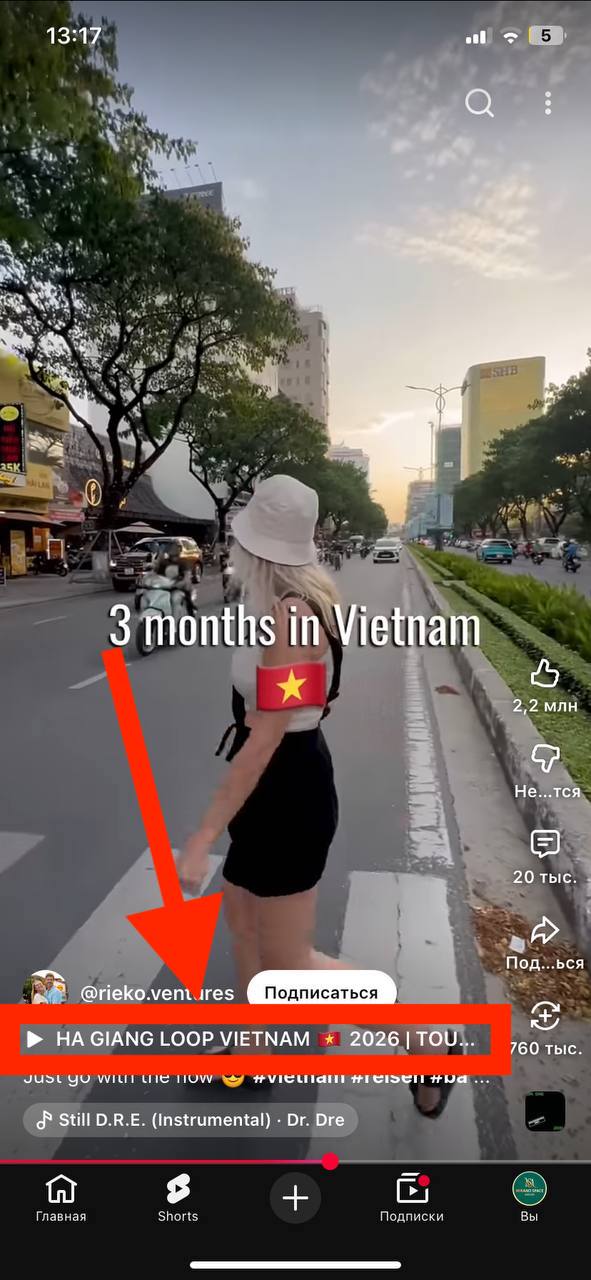
Related video. This is a completely legal way to redirect a viewer. In YouTube Studio, you can link a "Related video" from your own channel to any Shorts. A person watches your Shorts, and at the bottom of the screen, right under the channel name, a clickable button appears leading to your long-form video. And since links in descriptions are permitted and remain clickable in long-form videos, the long-form video works as a pre-lander: there you explain the product in detail and call on them to follow the link.
-
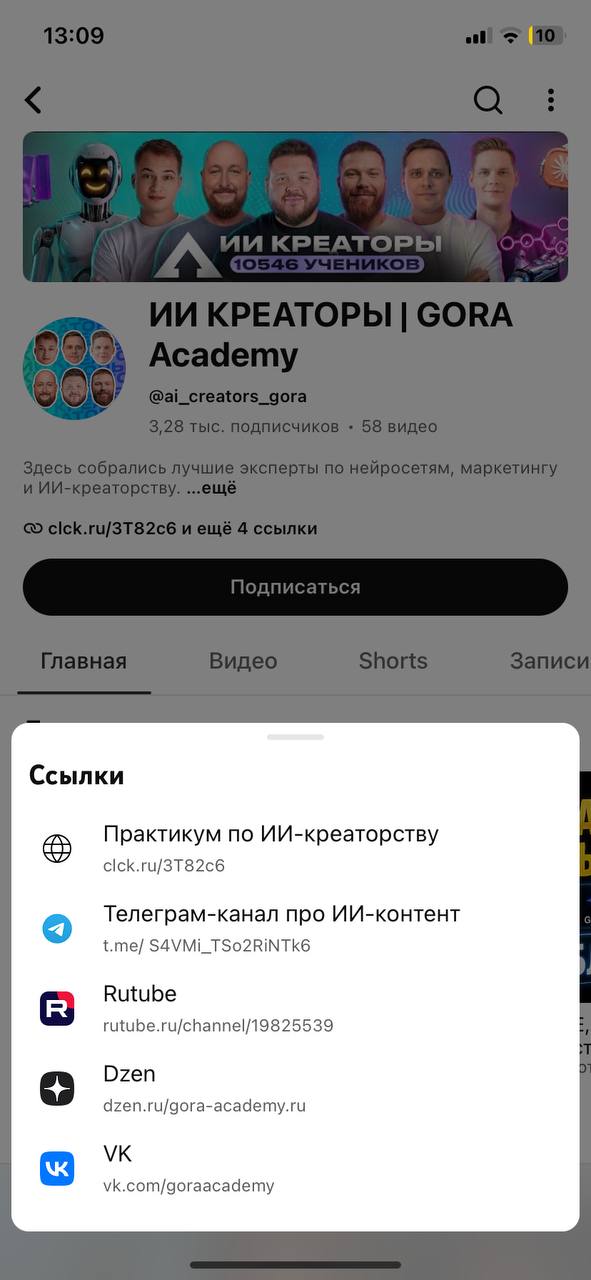
Link in BIO. YouTube banned links under short videos but left a block of clickable links on the channel's main page. In the Shorts video itself, you add a call to action indicating that the discount link is in the profile header. The viewer goes to the channel and sees the link in the BIO. You cannot place a direct link to gray-hat offers — the channel will get banned. Instead, link to a landing page, a Telegram channel, or a bot.
-
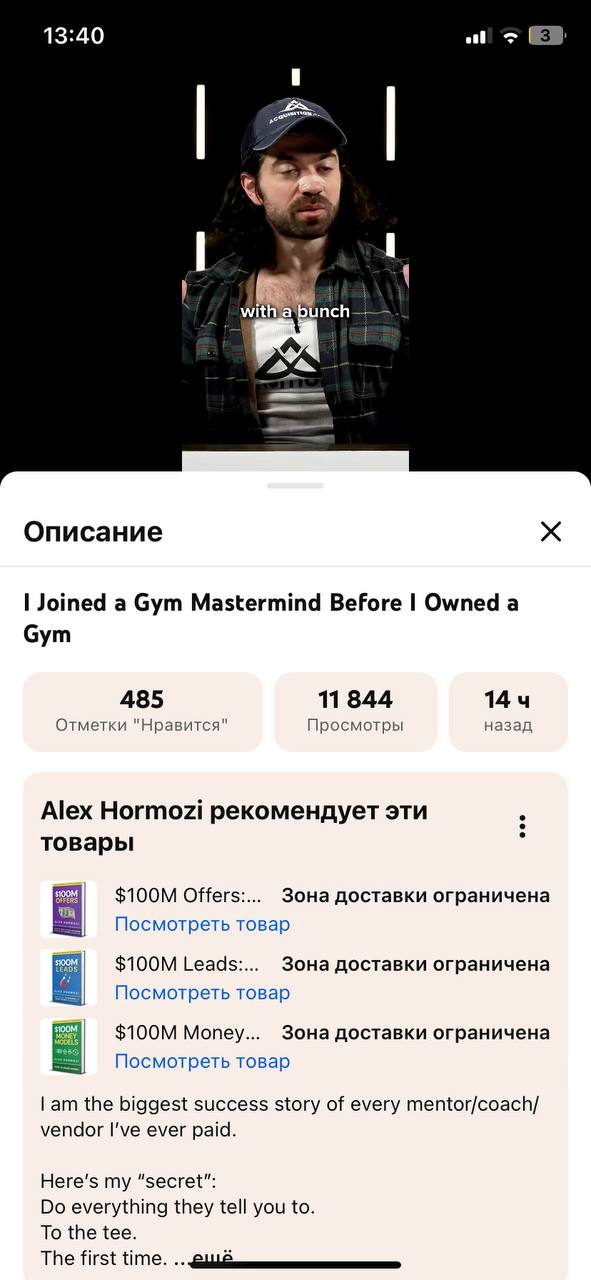
Tagging for white-hat physical products. Right in the Shorts description, you can display mini product cards with a direct link to purchase. You connect a store to the channel, for example via Shopify, and tag specific products in the video. However, this method is only available for channels connected to the YouTube Partner Program. This requires gaining at least 500 subscribers and live views, so the setup won't work for quick traffic spikes on gray-hat offers. On the other hand, the method converts excellently for white-hat e-commerce in foreign GEOs.
Conclusion
YouTube Shorts in 2026 is a traffic source for those who are ready to work systematically. The algorithms have become more complex, links under videos are no longer clickable, and moderation has learned to detect template creatives on the fly.
But competition among professionals is also lower now: those who aren't too lazy to warm up accounts, assemble creatives for Cold Seeding, and know how to redirect traffic receive stable organic traffic (UBT) without constant bans.